

Click any AI tool above to instantly get a summary of this article. Perfect for quick insights when you're short on time.
Have you ever created a design in Canva and felt that you needed more advanced features, better AI assistance, or a tool built specifically for your workflow? A Canva alternative can help you create professional graphics, presentations, infographics, and marketing visuals without being limited by the same templates and design process.
As the global graphic design software market continues to expand and businesses invest more in digital content creation, choosing the right visual design platform has become more important than ever.
This guide explores the best Canva alternatives, what makes each tool different, and how they can help you create better content faster.
Why Businesses Are Looking for Canva Alternatives
A Financial Services Company Needed More Than Template-Based Design
A growing financial services company struggled with creating consistent visual reports for clients. Their marketing team used Canva because it was simple, but they needed more specialized infographic designs, presentation layouts, and data-driven visuals as their content requirements increased.
The company’s marketing manager, Mr. Peter, noticed that creating professional reports required too many manual adjustments. The team wanted a solution that could transform information into engaging visuals while reducing the time spent designing every asset.
After reviewing different design platforms, the company explored specialized tools that focused on AI-assisted creation, infographics, presentations, and professional visual communication. The goal wasn’t simply to replace Canva, but to find a platform that better matched their growing content needs.
Businesses often search for Canva alternatives because their design requirements become more complex over time. Canva remains a powerful platform, but some users need tools with different strengths.
Common reasons users explore other options include:
- Limited advanced design control for professional workflows.
- AI features that may not fully automate the creative process.
- Repetitive templates that can make designs feel less unique.
- Limited specialization for certain content types such as advanced infographics.
- Different collaboration needs for agencies and larger teams.
- Pricing concerns when users need access to premium assets and features.
Must-know Tip: The best design tool is not always the one with the most templates. The right choice depends on whether you need AI generation, presentations, infographics, branding tools, or professional editing capabilities.
Things to Consider When Choosing a Canva Alternative
AI Design Capabilities
AI has changed how businesses create visual content. Modern design platforms now help users generate layouts, improve designs, and speed up creative workflows.
When choosing an alternative, check whether the platform offers meaningful AI assistance instead of basic automation. A useful AI design tool should reduce repetitive work while still giving you control over the final result.
Tools with AI-powered features can help marketers, business owners, and creators produce content faster. However, the quality of the output depends on how well the platform understands your design goals.
Templates and Customization Options
Templates are important because they help you create professional visuals without starting from zero. However, the number of templates alone does not determine whether a platform is useful.
You should evaluate how easily you can customize colors, layouts, fonts, charts, and other design elements. A flexible platform allows you to maintain your brand identity across different types of content.
A strong Canva alternative should provide both speed and creative freedom. You need enough structure to work quickly but enough flexibility to create unique designs.
Pricing and Value
Pricing plays an important role when selecting a design platform. Many tools offer free versions, but premium plans often unlock features needed for professional work.
Compare what you receive at each pricing level, including templates, AI credits, export options, collaboration features, and available assets. A cheaper tool is not always the best option if it limits important workflows.
Must-know Tip: Before choosing a design platform, identify the type of content you create most often. A tool designed for presentations may not be the best choice for infographic creation, and a social media design tool may not replace a professional design platform.
10 Canva Alternative Tools for Creating Professional Visual Content
Finding the right Canva alternative depends on your goals. Some platforms focus on AI-generated designs, while others specialize in presentations, infographics, branding, or professional collaboration.
The following tools are among the strongest options for users who want to create engaging visual content beyond traditional Canva workflows.
1. Infographicmakerai

Infographicmakerai is an AI-powered visual creation platform designed to help you create professional infographics and visual content faster. Unlike general-purpose design tools that require you to manually arrange every element, it simplifies the infographic creation process.
The platform helps users transform ideas and information into visually appealing graphics. This makes it useful for marketers, educators, businesses, bloggers, and creators who need informative designs without spending hours building layouts from scratch.
One of Infographicmakerai’s biggest advantages is its focus on infographic creation. Instead of searching through hundreds of unrelated templates, users can concentrate on presenting information clearly through visual storytelling.
For businesses, this can speed up content production while making complex information easier for audiences to understand. Well-designed infographics can support marketing campaigns, educational materials, reports, and online content strategies.
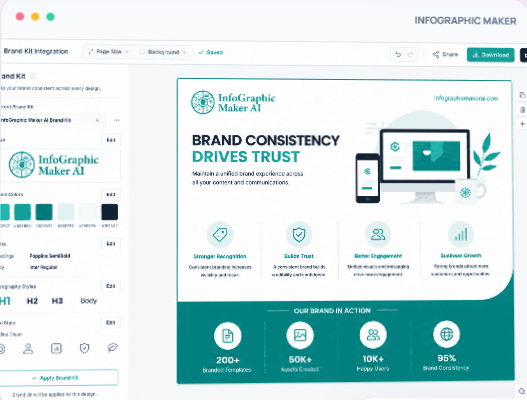
The platform is also useful for users who do not have advanced design experience. By simplifying the creation process, it allows beginners to produce professional-looking visuals while saving valuable time.
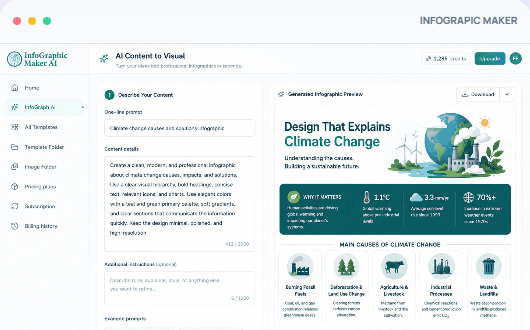
Infographicmakerai Highlighted Features:
AI-Powered Infographic Creation: Helps users generate visual content faster by simplifying the process of turning ideas into infographic designs.
Visual Storytelling Tools: Allows businesses to present information in a format that is easier for audiences to understand and remember.
Professional Design Templates: Provides structured layouts that help users create polished visuals without advanced design skills.
Fast Content Creation Workflow: Reduces the manual effort required to create graphics, helping marketers publish content more efficiently.
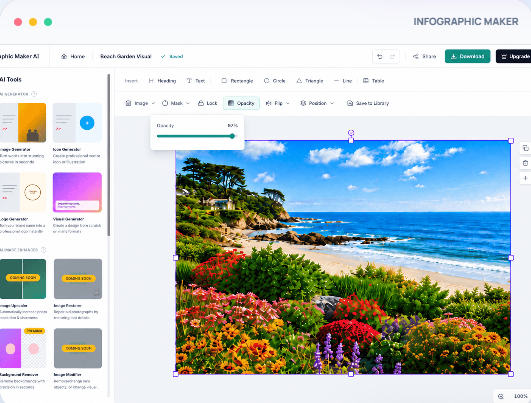
Customizable Visual Elements: Gives users control over design elements so they can adjust visuals according to their brand needs.
Marketing-Focused Designs: Supports creating graphics for blogs, campaigns, presentations, and educational content.
Infographicmakerai Pros:
- Focused specifically on infographic creation.
- Helps beginners create professional visuals.
- Reduces time spent designing from scratch.
- Useful for marketers, educators, and businesses.
- Simplifies visual storytelling.
- Supports faster content production.
Infographicmakerai Cons:
- Users who want advanced photo-editing features may need additional design software.
- It focuses mainly on infographic-style content rather than replacing every type of creative tool.
Infographicmaker Pricing Plans:
Infographicsmaker offers different pricing plans and credits to suit different users. They include:
- Free Plan – $0, perfect if you want to try out AI-powered design.
- Starter Plan – $19 per month and suitable for individual and small projects
- Business Plan – $49 per month and suitable for professionals and growing teams.
- Enterprise – $99 for teams and agencies at scale
2. Adobe Express
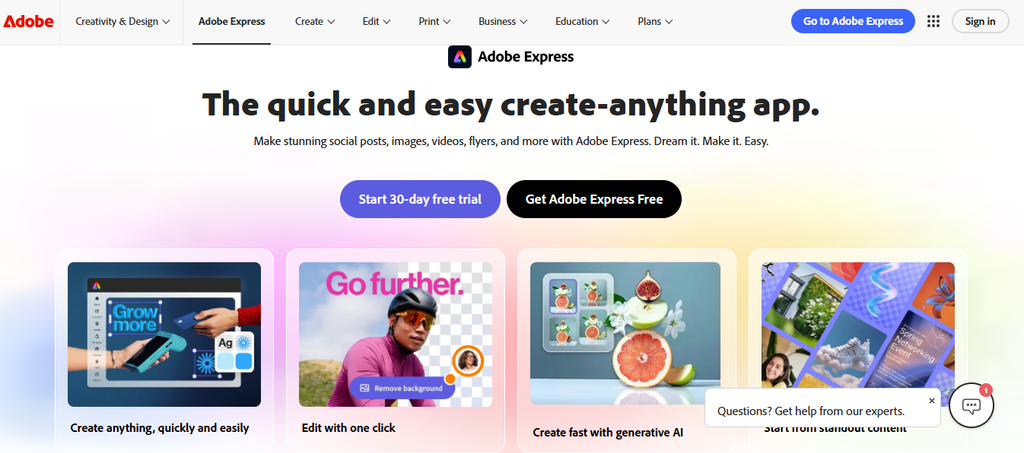
Adobe Express is one of the strongest Canva alternatives for users who want simple graphic design combined with Adobe’s creative ecosystem. It provides templates, AI-powered tools, image editing features, and brand management options that help individuals and businesses create marketing materials faster.
However, Adobe Express may feel less beginner-focused for users who only want a simple drag-and-drop experience. Some advanced Adobe features also require users to move between different Adobe applications, which can create a more complex workflow.
The platform works well for marketers, small businesses, educators, and content creators who need professional-looking graphics without learning advanced design software. Its connection with Adobe services makes it attractive for users who already work with Creative Cloud tools.
Adobe Express Highlighted Features:
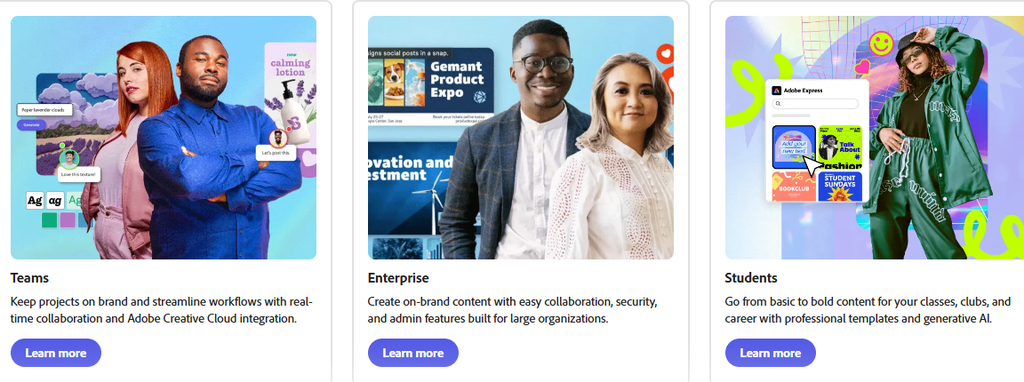
Generative AI Tools: Adobe Express includes AI-powered features through Adobe Firefly that help users generate images, text effects, and creative assets faster.
Template Library: Thousands of templates help users create social posts, flyers, presentations, videos, and promotional materials without starting from scratch.
Background Removal: The background remover helps users quickly edit product images, portraits, and marketing visuals.
Brand Kits: Brand management features allow businesses to maintain consistent logos, colors, and fonts across different designs.
Video Creation Tools: Users can create short videos, animations, and social content using ready-made templates and editing tools.
Adobe Express Pros:
- Strong AI capabilities through Adobe Firefly.
- Professional-quality design assets.
- Good integration with Adobe products.
- Large template collection.
- Suitable for business marketing content.
Adobe Express Cons:
- Some premium features require a paid plan.
- Advanced workflows may feel complicated for complete beginners.
- Some features work best when combined with other Adobe products.
- Users looking for a dedicated infographic maker may prefer specialized tools.
Adobe Express Pricing Plans:
Free Plan: $0/month
Includes basic templates, design tools, standard assets, and limited AI features.
Premium Plan: $9.99/month
Includes premium templates, premium stock assets, advanced editing features, additional AI credits, and brand management tools.
Teams Plan: $4.99/month per user (annual billing)
Designed for teams needing collaboration features and centralized creative workflows.
3. Visme

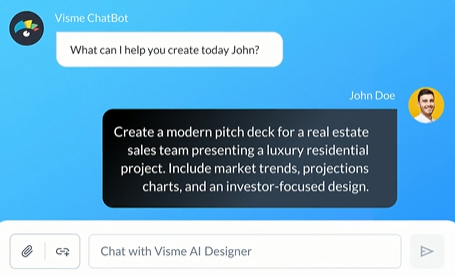
Visme is a visual communication platform designed for creating presentations, infographics, reports, charts, and branded content. It is especially popular among businesses that need to turn data into engaging visual stories.
One limitation is that Visme focuses heavily on business presentations and data visualization, which means users looking for advanced graphic design or professional photo editing may need another tool.
The platform is useful for marketers, educators, consultants, and companies that regularly create reports, presentations, and visual content for audiences.
Visme Highlighted Features:
Infographic Builder: Helps users transform information into visually appealing infographics that improve audience understanding.
Data Visualization Tools: Users can create charts, graphs, and interactive visuals to present complex information clearly.
Presentation Templates: Professional templates help businesses create engaging presentations faster.
Brand Management: Teams can maintain consistent branding across multiple projects.
Interactive Content: Supports interactive presentations and visual materials that increase audience engagement.
Visme Pros:
- Excellent for infographics and reports.
- Strong data visualization options.
- Professional business templates.
- Useful collaboration features.
- Good for marketers and educators.
Visme Cons:
- Premium plans can become expensive for small teams.
- Some advanced features require higher-tier plans.
- Less suitable for users who mainly need social media graphics.
- The interface may take time to learn.
Visme Pricing Plans:
Free Plan: $0/month
Includes limited templates, storage, and basic design features.
Starter Plan: $12.25/month (billed annually)
Includes more templates, assets, and download options.
Pro Plan: $24.75/month (billed annually)
Includes advanced features, analytics, premium assets, and additional collaboration tools.
Visme for Teams: Custom pricing
Designed for organizations needing multiple users and advanced team features.
4. Piktochart

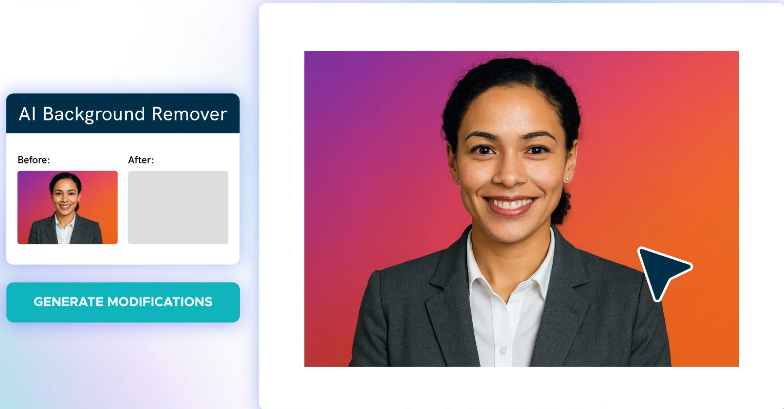
Piktochart is a visual design platform focused on infographics, reports, presentations, and data-driven content. Businesses, educators, and professionals widely use it to communicate information visually.
Piktochart’s main limitation is that it is more specialized for information design than for a full range of creative projects. Users looking for advanced branding systems or complex graphic editing may need additional tools.
For users who create reports, educational materials, and professional presentations, Piktochart provides a simpler alternative to traditional design software.

Piktochart Highlighted Features:
Infographic Templates: Provides ready-made layouts for creating professional infographics quickly.
Report Builder: Helps businesses convert data and research into visually appealing reports.
Presentation Creator: Allows users to design professional slides without advanced design skills.
Chart and Graph Tools: Makes it easier to display statistics and business information visually.
Brand Assets: Helps users maintain consistent branding across visual content.
Piktochart Pros:
- Excellent infographic creation tools.
- Beginner-friendly interface.
- Strong reporting features.
- Good template collection.
- Useful for business communication.
Piktochart Cons:
- Limited compared with professional design software.
- Free plan includes restrictions.
- Not ideal for complex graphic design projects.
- Some features require premium plans.
Piktochart Pricing Plans:
Free Plan: $0/month
Includes basic templates, limited downloads, and essential design tools.
Pro Plan: Around $14/month per user (billed annually)
Includes unlimited designs, premium templates, additional assets, and advanced features.
Business Plan: Custom pricing
Designed for teams requiring collaboration and business-focused features.
5. VistaCreate
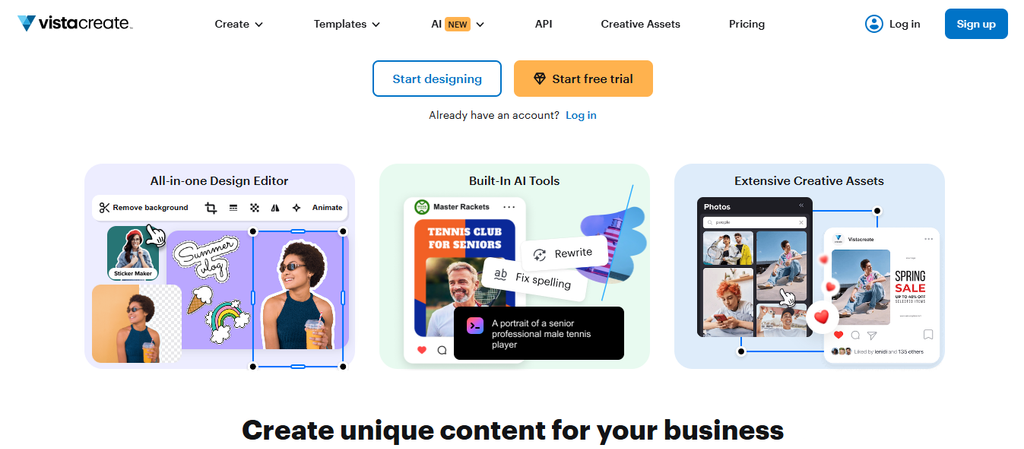
VistaCreate is a practical Canva alternative for users who mainly create social media graphics, marketing materials, advertisements, and branded visual content. Formerly known as Crello, the platform focuses on helping non-designers produce professional designs through templates, stock assets, and built-in editing tools.
One limitation is that VistaCreate is more focused on marketing graphics and social content rather than advanced infographic creation or complex professional design workflows. Users who need highly specialized data visualization or advanced collaboration features may find dedicated tools more suitable.
The platform works well for small businesses, content creators, freelancers, and marketing teams that need to create visual assets quickly without hiring a designer.
VistaCreate Highlighted Features:
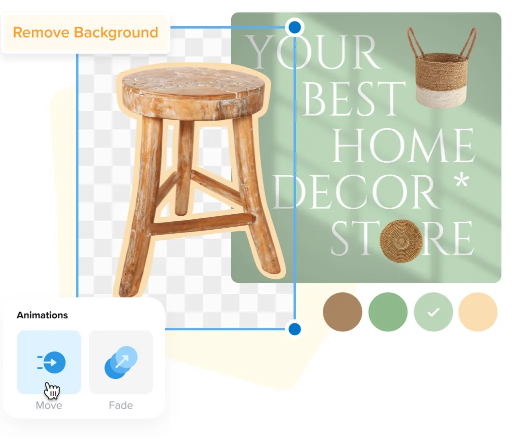
AI Design Tools: VistaCreate includes AI-powered tools that help users generate visuals, remove unwanted objects, and improve creative workflows. These features reduce the time required to edit and refine designs.
Large Template Library: Users get access to more than 200,000 design templates for different marketing formats, including social media posts, advertisements, and promotional graphics.
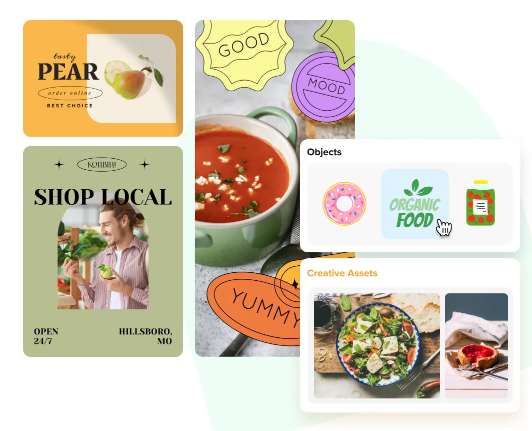
Creative Asset Library: The platform provides access to millions of photos, videos, and vectors that users can include in their designs. This helps businesses create professional content without sourcing assets separately.
Brand Kit Management: Businesses can store logos, fonts, and colors to maintain consistent branding across multiple designs.
One-Click Resize: Users can quickly adjust designs for different platforms, reducing the need to recreate graphics manually.
VistaCreate Pros:
- Affordable option for small businesses.
- Strong collection of marketing templates.
- Includes AI-powered design features.
- Good stock asset library.
- Supports brand consistency.
- Useful for social media content creation.
VistaCreate Cons:
- Less suitable for advanced professional design work.
- Not specialized for complex infographic creation.
- Some premium assets require a paid plan.
- Advanced team workflows are limited compared with enterprise design platforms.
VistaCreate Pricing Plans:
Starter Plan: $0/month
Includes free templates, basic editing tools, creative assets, brand kit features, and unlimited downloads of included content.
Pro Plan: $10/month
Includes premium templates, larger stock asset library, AI-powered tools, background remover, AI image generation, unlimited brand kits, resizing tools, HD downloads, and team features.
6. Figma
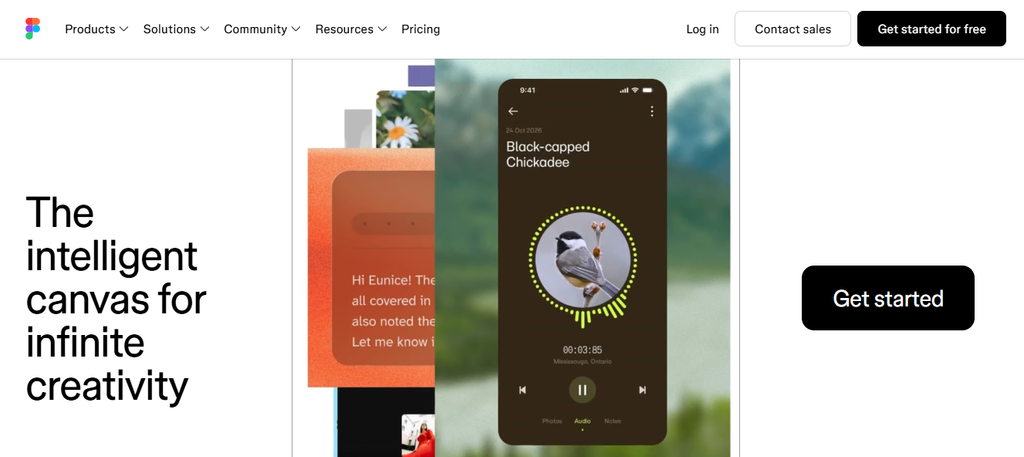
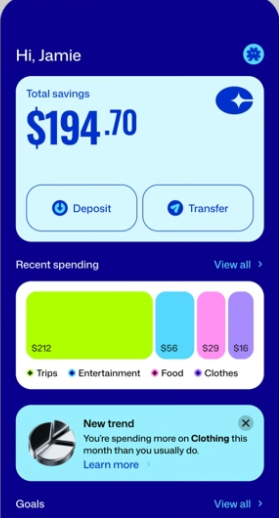
Figma is a professional collaborative design platform mainly used for UI/UX design, product design, wireframes, prototypes, and team-based creative workflows. Unlike Canva, which focuses on quick content creation, Figma is built for designers who need precision and advanced control.
The biggest limitation of Figma is its learning curve. Beginners looking for simple social media graphics or quick marketing visuals may find the platform more complicated than necessary.
For startups, product teams, designers, and developers, Figma provides powerful collaboration features that make it one of the strongest professional design tools available.
Figma Highlighted Features:
Collaborative Design Workspace: Teams can work together on the same design file, making feedback and revisions easier.
Interactive Prototypes: Designers can create clickable prototypes to test product ideas before development.
Design Systems: Companies can build reusable components, styles, and libraries to maintain consistency.
Vector Editing Tools: Advanced editing capabilities give designers more control over visual elements.
Developer Handoff: Figma helps designers share specifications and assets with development teams.
Figma Pros:
- Excellent collaboration features.
- Powerful professional design tools.
- Strong prototyping capabilities.
- Popular among product teams.
- Supports advanced design systems.
Figma Cons:
- Steeper learning curve than Canva.
- Not ideal for quick beginner designs.
- Some advanced features require paid plans.
- Mainly focused on product design rather than marketing graphics.
Figma Pricing Plans:
Starter Plan: $0/month
Includes unlimited drafts, basic design tools, and limited collaboration features.
Professional Plan: $16/month per editor
Includes unlimited projects, advanced collaboration features, team libraries, and professional workflows.
Organization Plan: $55/month per editor
Designed for larger organizations requiring advanced security and administration features.
Enterprise Plan: Custom pricing
Built for large companies needing enterprise-level controls.
7. Venngage
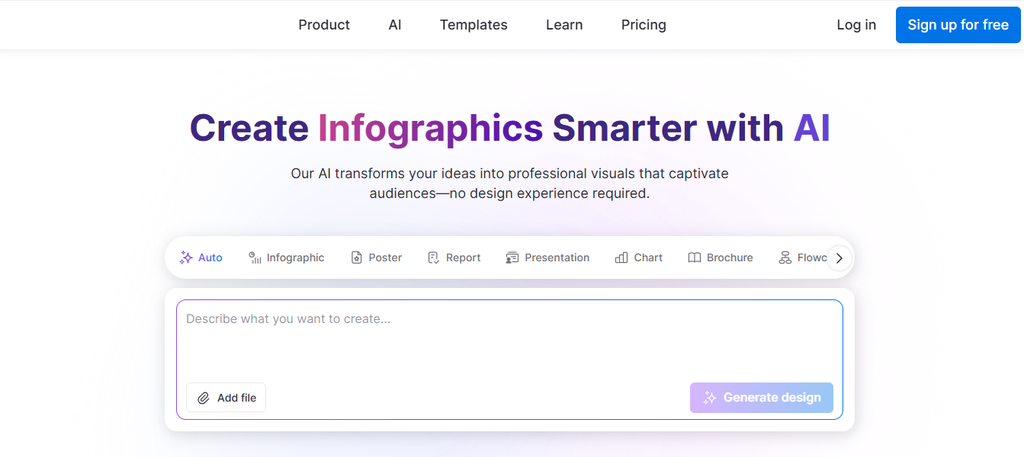
Venngage is a design platform focused heavily on infographics, reports, presentations, and professional visual communication. It is especially useful for marketers, businesses, educators, and organizations that need to present information clearly.
The main limitation is that Venngage is not designed as a complete replacement for all creative tools. Users looking for extensive photo editing, video creation, or broad social media design features may need additional software.
For data-driven content creators, Venngage provides specialized tools that make transforming information into visual stories easier.
Venngage Highlighted Features:
Infographic Templates: Users can create professional infographics using ready-made layouts designed for business and educational content.
Charts and Data Visualization: Helps users present statistics and information in an easier-to-understand format.
Business Templates: Includes templates for reports, proposals, presentations, and marketing materials.
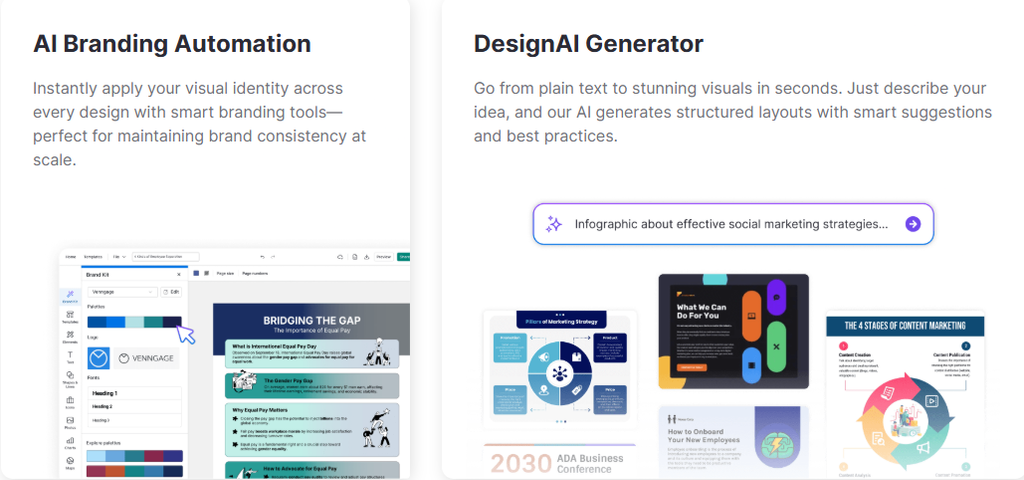
Brand Kit: Allows organizations to apply logos, colors, and brand elements consistently.
Collaboration Features: Teams can review and improve designs together.
Venngage Pros:
- Strong infographic focus.
- Great for reports and presentations.
- Easy for beginners.
- Good business templates.
- Useful for data storytelling.
Venngage Cons:
- Free plan has limitations.
- Mainly focused on infographics.
- Less suitable for advanced graphic designers.
- Premium features can become expensive.
Venngage Pricing Plans:
Free Plan: $0/month
Includes limited templates and basic design features.
Premium Plan: Around $19/month per user
Includes premium templates, exports, and additional design features.
Business Plan: Around $49/month per user
Includes brand kits, collaboration tools, and advanced business features.
Enterprise Plan: Custom pricing
Designed for larger organizations.
8. Prezi

Prezi is a presentation-focused Canva alternative designed for users who want more dynamic and interactive visual storytelling. Instead of traditional slide-by-slide presentations, Prezi uses a zoomable canvas that allows presenters to move between ideas in a more engaging way.
The main limitation of Prezi is that it is not a complete graphic design replacement. Users who mainly need social media graphics, posters, or general marketing designs may find specialized design platforms more suitable.
For educators, business professionals, consultants, and presenters, Prezi provides a unique approach to creating presentations that feel more like a visual journey rather than a standard slideshow.
Prezi Highlighted Features:
Dynamic Zooming Presentations: Prezi’s zoom-based presentation style helps you create more interactive storytelling experiences instead of traditional linear slides.
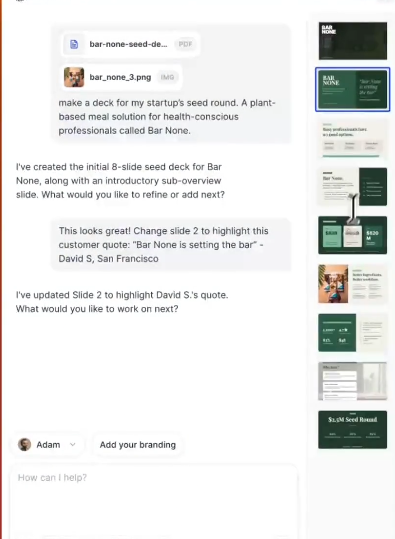
Prezi AI: AI-powered presentation features help users generate presentation ideas, transform text, and speed up content creation.
Presentation Recording: Users can record presentations and videos, making the platform useful for online lessons, webinars, and business communication.
PowerPoint Import: Prezi allows users to import existing PowerPoint files and convert them into more dynamic presentations.
Presentation Analytics: Higher-tier plans provide analytics features that help businesses understand audience engagement.
Prezi Pros:
- Creates unique interactive presentations.
- Strong storytelling capabilities.
- Includes AI presentation features.
- Useful for education and business presentations.
- Supports video presentations.
- Offers presentation analytics on premium plans.
Prezi Cons:
- Not ideal for general graphic design.
- The zoom effect may not suit every presentation style.
- Beginners may need time to learn the workflow.
- Advanced features require paid plans.
Prezi Pricing Plans:
Basic Plan: Free
Includes basic presentation creation, templates, and limited features.
Standard Plan: $7/month
Includes presentations, videos, infographics, privacy controls, and additional visual communication features.
Plus Plan: $19/month
Includes unlimited Prezi AI, PowerPoint import, premium images, advanced editing, offline access, PDF export, and presentation recording.
Premium Plan: $29/month
Includes Plus features along with analytics, advanced training, and additional business-focused support.
9. Snappa
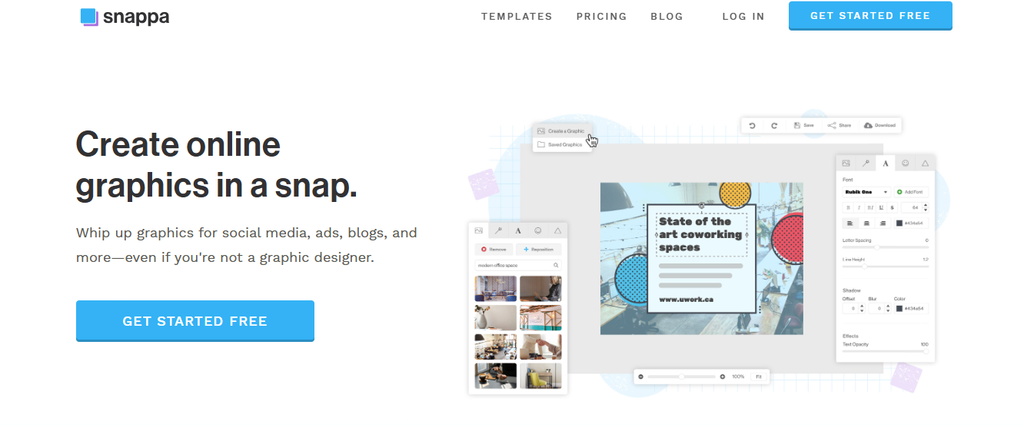
Snappa is a Canva alternative built for marketers, bloggers, entrepreneurs, and small businesses that need to create online graphics quickly. The platform focuses on simplicity, helping users create social media posts, advertisements, blog graphics, and marketing visuals without requiring professional design skills.
One limitation of Snappa is that it focuses mainly on quick graphic creation rather than advanced infographic development, complex presentations, or professional UI design. Users looking for deeper design control may need a more advanced platform.
For users who value speed and simplicity, Snappa provides an efficient workflow with ready-made templates, stock assets, and easy editing tools.
Snappa Highlighted Features:
Thousands of Templates: Snappa provides more than 6,000 templates designed for social media graphics, ads, blogs, and marketing content.
Stock Photo Library: Users get access to more than 5 million HD photos and graphics that can be used in their designs.
Background Remover: The tool helps users quickly remove image backgrounds for cleaner promotional graphics.
Social Media Integrations: Users can connect designs with social media workflows to publish content more efficiently.
Custom Font Uploads: Businesses can upload their own fonts to maintain brand consistency.
Snappa Pros:
- Very beginner-friendly interface.
- Fast graphic creation process.
- Includes millions of stock assets.
- Good for social media marketers.
- Affordable pricing.
- Suitable for bloggers and small businesses.
Snappa Cons:
- Limited advanced design capabilities.
- Not built for complex infographic creation.
- Less suitable for professional designers.
- Collaboration features are limited compared with enterprise tools.
Snappa Pricing Plans:
Free Plan: $0/month
Includes one user, 6,000+ templates, 5 million+ HD photos and graphics, and up to 3 downloads per month.
Pro Plan: $15/month monthly or $10/month billed yearly
Includes unlimited downloads, social media integrations, custom font uploads, and background removal features.
Team Plan: $30/month monthly or $20/month billed yearly
Includes everything in Pro plus collaboration features for up to five users.
10. DesignCap

DesignCap is an online graphic design platform that helps users create posters, flyers, presentations, infographics, social media graphics, and other visual materials. It is designed for users who want an easy alternative to complex design software.
The main drawback of DesignCap is that it offers fewer advanced creative features compared with larger platforms. Professional designers who need advanced collaboration, complex editing, or extensive brand management may find it limited.
For beginners, small businesses, students, and marketers, DesignCap provides a simple way to create attractive designs without technical experience.
DesignCap Highlighted Features:
Large Template Collection: DesignCap provides ready-made templates that help users quickly create marketing materials.
Stock Icons and Elements: Users can access design elements that make it easier to customize graphics.
Poster and Flyer Maker: The platform supports promotional materials for businesses, events, and campaigns.
Image Upload Support: Users can upload personal images and integrate them into designs.
High-Resolution Export: Paid plans allow users to export designs in higher-quality formats.
DesignCap Pros:
- Easy for beginners.
- Affordable pricing.
- Good template selection.
- Useful for simple marketing designs.
- Requires no design experience.
DesignCap Cons:
- Limited advanced design tools.
- Smaller ecosystem compared with Adobe and Canva.
- Less suitable for professional teams.
- Fewer AI-powered features.
DesignCap Pricing Plans:
Free Plan: $0/month
Includes limited templates, limited stock media, 5 image uploads, up to 5 saved designs, and JPG exports.
Basic Plan: $4.99/month
Includes unlimited templates, unlimited stock icons, unlimited modules, high-resolution PNG and PDF exports, up to 100 image uploads, and up to 100 saved designs.
Plus Plan: $5.99/month
Includes unlimited templates, unlimited stock icons, unlimited modules, high-resolution exports, up to 1,000 image uploads, and up to 1,000 saved designs.
Benefits of Using AI-Powered Visual Design Tools for Content Creation
Faster Content Production
Modern businesses publish more visual content than ever before. Social media platforms, blogs, newsletters, and advertisements all require consistent graphics, which makes speed an important factor.
AI-powered design platforms reduce repetitive tasks by helping users generate layouts, improve designs, and organize visual information faster. This allows marketers and business owners to focus more on strategy instead of spending hours adjusting every element manually.
Must-know Tip: The best visual tools do not replace creativity. They remove time-consuming tasks so you can spend more time improving ideas and messaging.
Better Communication Through Visual Storytelling
Visual content helps audiences understand information faster. Research from the Nielsen Norman Group shows that users often scan online content rather than reading every word, making clear visual presentation important for engagement.
Infographics, charts, and branded graphics can simplify complex topics and make information easier to remember. Businesses use these formats for reports, educational content, marketing campaigns, and customer communication.
Tools that combine templates, AI assistance, and customization options help you communicate ideas more effectively without needing professional design skills.
Conclusion: Choosing the Right Canva Alternative for Your Design Needs
Choosing the right design platform depends on what you want to create, how often you create visual content, and the level of control you need. Canva remains a popular option because of its simplicity, but many users now explore other solutions because they need specialized features for infographics, presentations, branding, collaboration, or AI-assisted design.
The best tools provide more than templates. They help you communicate ideas clearly, maintain brand consistency, save time, and create professional visuals without requiring advanced design skills. Whether you need business reports, social media graphics, presentations, or educational content, selecting the right platform can improve your entire creative workflow.
Tools like Infographicmakerai focus on helping users transform information into engaging visual content through infographic creation features. Platforms with AI assistance, customizable templates, and visual storytelling capabilities can help businesses and creators produce better content while reducing the time spent on manual design tasks.
Before choosing a tool, consider your main goal, required features, budget, and future content needs. The right choice will depend on whether you prioritize simplicity, professional control, collaboration, AI capabilities, or specialized visual communication.
Frequently Asked Questions About Canva Alternatives
What is the best Canva alternative?
The best Canva alternative depends on your specific needs. Infographicmakerai is suitable for users who want to create infographic-focused visual content, while Adobe Express works well for users who want Adobe-powered creative tools. Visme and Piktochart are strong choices for data visualization and business presentations, while Figma is better suited for professional design teams.
Is there a free Canva alternative?
Yes, several Canva alternatives offer free plans. Tools such as Infographicmakerai, Adobe Express, Visme, Piktochart, VistaCreate, Figma, Prezi, Snappa, and DesignCap provide free versions with different limitations.
Free plans usually include basic templates and design tools, while premium plans unlock additional assets, AI features, exports, and collaboration options.
Which Canva alternative is best for creating infographics?
Infographicmakerai, Visme, Piktochart, and Venngage are among the strongest options for infographic creation. These platforms focus on helping users transform information, statistics, and ideas into visual formats that are easier for audiences to understand.
Is Adobe Express better than Canva?
Adobe Express and Canva serve similar audiences but have different strengths. Adobe Express is attractive for users who want Adobe Firefly AI features, Adobe ecosystem integration, and professional creative tools. Canva is often preferred by users who want a simple template-based design experience.
The better option depends on your workflow and the type of content you create.
What Canva alternative is best for businesses?
Businesses often choose tools based on their content requirements. Visme works well for reports and presentations, Infographicmakerai helps with visual storytelling, Adobe Express supports marketing materials, and Figma is useful for product teams and collaborative design workflows.
Are Canva alternatives cheaper than Canva?
Some Canva alternatives are cheaper, while others cost more depending on the features included. Free versions are available across many platforms, but premium pricing varies based on AI tools, templates, collaboration features, and asset libraries.
Which Canva alternative is best for beginners?
Beginners usually prefer tools with simple interfaces and ready-made templates. Infographicmakerai, Adobe Express, VistaCreate, Snappa, and DesignCap are easier options for users who do not have professional design experience.
Can I create presentations with Canva alternatives?
Yes. Many Canva alternatives support presentation creation. Adobe Express, Visme, Prezi, Gamma, and Beautiful.ai are popular choices for creating professional presentations with templates and AI assistance.
Which Canva alternative is best for social media graphics?
VistaCreate, Adobe Express, Snappa, and DesignCap are useful for creating social media graphics. They provide templates, resizing options, stock assets, and editing tools designed for platforms such as Instagram, Facebook, LinkedIn, and Pinterest.
Are Canva alternatives powered by AI?
Many modern Canva alternatives include AI features. These features can help generate images, improve layouts, create presentation content, remove backgrounds, and speed up the design process.
However, the level of AI capability differs between platforms.
What should I look for when choosing a Canva alternative?
Consider factors such as:
- The type of content you create.
- Available templates and customization options.
- AI capabilities.
- Collaboration features.
- Export options.
- Pricing.
- Ease of use.
A tool that works well for social media content may not be the best option for professional reports or infographic creation.
Can Canva alternatives replace professional design software?
Some Canva alternatives can replace basic design tools, especially for marketing graphics, presentations, and visual content. However, professional designers working on complex projects may still require advanced software such as Figma or Adobe Creative Cloud.
What is the best Canva alternative for marketers?
Marketers often need tools that support fast content production, branding, and campaign visuals. Infographicmakerai, Adobe Express, Visme, VistaCreate, and Snappa are useful options because they help create promotional graphics, reports, and social media content efficiently.
Is there an AI alternative to Canva?
Yes. Several AI-powered design platforms provide alternatives to Canva’s traditional workflow. Infographicmakerai, Adobe Express with Firefly, Gamma, and other AI design tools help users create visual content faster through automation and intelligent design assistance.
Should I switch from Canva to another design tool?
Switching depends on your needs. If Canva already supports your workflow, you may not need to change. However, if you need specialized infographic creation, stronger AI features, better collaboration, or more professional design control, exploring alternatives can help you find a better fit.

Comments
0 responsesNo comments yet. Be the first to share your thoughts.