

Click any AI tool above to instantly get a summary of this article. Perfect for quick insights when you're short on time.
Your inbox can look organized and still quietly slow your team down. Messages get opened without follow-ups, customer questions change hands, prospects disappear into long threads, and you end up paying for features that do not match how your team actually works. That is why finding the right Gmelius alternative is becoming a workflow decision, not merely a software comparison.
The shift is especially visible around AI. Intercom’s 2026 survey of 2,470 support professionals found that 82% of senior leaders invested in customer-service AI during 2025, 87% planned further investment in 2026, yet only 10% considered their AI deployment mature.
Here, you will find 10 alternatives covering email tracking, shared inboxes, customer service, AI support, and outbound sales.
Why Are Businesses Looking for a Gmelius Alternative in 2026?
Consider an illustrative example. Mr. Paul manages a growing B2B agency where sales and client-support conversations begin in Gmail. His team originally wanted better email collaboration, but as the agency expanded, Paul needed stronger engagement tracking, automated support, clearer ownership, and more predictable costs.
Nothing was technically “broken.” The problem was fit. Software that worked for a smaller workflow no longer covered every new requirement equally well.
Cost and Scaling Pressure
A tool can feel affordable when three people use it. The calculation changes when ten, twenty-five, or fifty employees need access.
Per-user subscriptions, AI usage charges, premium integrations, extra inboxes, and higher plan requirements can quickly reshape the real bill. You therefore need to look beyond the advertised entry price.
The same problem appears when important features sit behind higher tiers. A growing business may suddenly need advanced reporting, SLA controls, role permissions, automation, or additional channels.
That is why switching decisions are increasingly based on total operating cost rather than the cheapest headline price. You should calculate what your actual team will pay for the capabilities it will use.
Workflow Fit and New AI Expectations
Gmelius is closely associated with Gmail-based collaboration, but not every buyer has the same objective. Some teams primarily want a shared inbox, while others care more about tracking recipient engagement, managing support tickets, running outbound sequences, or coordinating multiple channels.
AI has widened that difference. Intercom’s 2026 research found that 62% of teams reported improved service metrics after implementing AI, rising to 87% among teams with mature AI deployments.
Teams now evaluate whether AI merely rewrites a sentence or actually categorizes requests, drafts context-aware responses, routes work, executes procedures, or resolves conversations. That changes what a serious Gmelius replacement needs to provide.
Your best alternative is therefore not necessarily the platform with the longest feature list. It is the one that removes friction from the workflow you actually perform every day.
Must-know Tip: Intercom VP Declan Ivory summarized the current AI challenge well: “launching AI is easy, but transforming with it is not.” The same principle applies to email software. Buying more automation means little unless it improves the way your team works.
What Should You Look for in a Gmelius Alternative?
Choosing a Gmelius alternative becomes easier once you separate essential workflow requirements from attractive extras. Focus on the tasks that affect response speed, follow-up quality, team visibility, and revenue.
Workflow Alignment
Your primary use case should drive the shortlist. If you mainly want to know who opened a proposal and clicked its links, a focused email-tracking platform can make more sense than an enterprise support suite.
If multiple agents manage support@, sales@, or billing@, ownership, collision detection, assignments, notes, and reporting matter more. Cold outreach teams need a different feature set again, including sequences, mailbox rotation, warmup, reply management, and deliverability controls.
AI That Does Useful Work
Do not treat an “AI-powered” badge as enough. Find out whether the AI drafts, summarizes, classifies, routes, answers, performs external actions, or works autonomously.
This matters because expectations are moving quickly. Intercom’s 2025 research found that 82% of support teams felt positive about working alongside AI, while 60% said roles on their teams were evolving because of the technology.
Pricing That Remains Predictable
Check seat costs, conversation limits, AI usage, inbox limits, integrations, sending volume, onboarding charges, and add-ons. A cheap starter tier can become an expensive production setup once your team grows.
Calculate realistic costs for your current headcount and your expected headcount twelve months from now.
Compatibility and Security
Confirm Gmail, Outlook, IMAP, CRM, mobile, API, SSO, and compliance requirements before migrating. A strong platform is still the wrong choice if it forces your team to rebuild its entire communication stack.
Must-know Tip: Compare outcomes, not feature counts. The most useful question is not “Which platform has more features?” but “Which platform removes the most expensive friction from my current workflow?”
10 Best Gmelius Alternative Tools to Consider in 2026
The tools below solve different parts of the email-management problem. Some compete directly in shared inbox and support workflows. Others are stronger when your real need is email intelligence, outbound prospecting, multichannel customer service, or revenue execution.
That distinction matters. You can save money and simplify adoption when you choose a product built around your actual objective rather than replacing Gmelius feature-for-feature.
1. Mailtrackio
Mailtrackio takes a focused approach to email intelligence. Instead of surrounding you with a broad customer-service environment, it helps you see what happens after an important Gmail message leaves your inbox: whether it was opened, which links attracted attention, when engagement occurred, and how document-signing requests are progressing.
That information can be particularly useful if your biggest frustration is uncertainty. You can identify warmer conversations, time follow-ups around actual engagement, and separate a recipient who merely opened your message from someone who clicked a proposal, pricing page, portfolio, or other important resource.
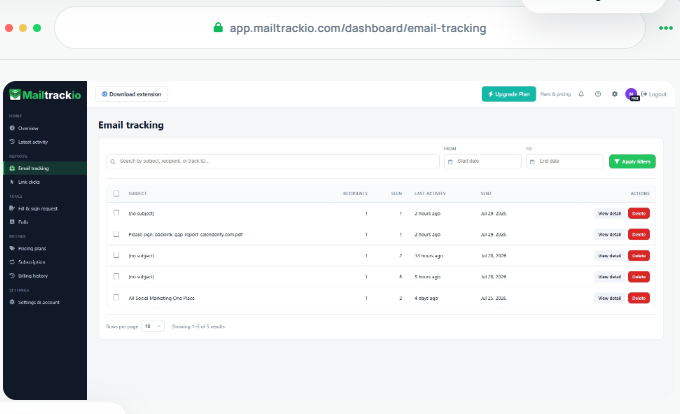
The dashboard brings tracked emails, opens, open rate, clicks, recent activity, reporting, and searchable engagement records into one workspace. Its fill-and-sign functionality also lets you monitor document requests, signer progress, completion status, and signed PDFs beside your email engagement activity.
This makes Mailtrackio most relevant when you do not need to reproduce every shared-inbox feature in Gmelius. If your priority is clearer engagement signals, Gmail tracking, better follow-up timing, and document progress without an enterprise-sized interface, its narrower focus can be an advantage.
Litmus’ 2025 email research reinforces why visibility matters. It reported that 35% of surveyed companies generated $10 to $36 for every $1 spent on email, another 30% generated $36 to $50, while 21% of marketing leaders still did not measure email ROI.
Mailtrackio Key Features
- Real-time email-open tracking: Shows when tracked Gmail messages receive attention so you can follow up with more context.
- Link-click reporting: Reveals which links recipients click and when, helping you identify stronger engagement.
- Searchable activity timeline: Lets you find opens, clicks, alerts, subjects, recipients, and activity by date.
- Engagement dashboard: Combines tracked emails, open rates, clicks, activity, and key metrics in one view.
- Fill-and-sign requests: Keeps document status, signers, progress, and completed PDFs alongside email activity.
- Advanced reporting and exports: Higher plans add extended activity history, exports, engagement insights, and team reporting.
Mailtrackio Pros
- Clean Gmail-focused tracking workflow.
- Combines open and click intelligence.
- Includes document-signature workflow.
- Search makes historical activity easier to investigate.
- Business plan supports shared team reporting.
- Custom tracking domains are available on the Business tier.
- Monthly, yearly, and lifetime payment choices provide unusual billing flexibility.
Mailtrackio Cons
- It is not a full omnichannel help-desk replacement.
- Teams needing sophisticated ticket routing may require additional software.
Mailtrackio Pricing Plans
Starter costs $9 per month, $90 per year, or $149 as a lifetime launch plan. Professional costs $19 per month, $190 per year, or $299 lifetime. Business costs $39 per month, $390 per year, or $599 lifetime and supports up to five connected team members.
Why Choose Mailtrackio?
Choose Mailtrackio when your main problem is not managing a huge help desk but understanding what happens after you send an important email. Its open tracking, link-click data, searchable activity, reporting, and document-signing workflow give you practical signals for deciding who needs attention next.
It is especially relevant for sales professionals, recruiters, consultants, agencies, freelancers, founders, and customer-success teams. Rather than forcing you into a complex ticketing environment, it keeps the focus on engagement and follow-up decisions.
2. Hiver
Hiver is a closer Gmelius competitor for teams that want to manage shared customer conversations without abandoning familiar email workflows. Hiver in Gmail adds shared inboxes, ticketing, assignments, automation, analytics, AI Agents, AI Copilot, and a help center while keeping Gmail at the center of the experience.
That Gmail dependency can also be a limitation. Hiver’s Gmail product requires Gmail or Google Workspace, although the separate Hiver Omni product supports teams that use other providers and channels.
Hiver Key Features
- Shared inbox and ticketing: Gives conversations clear owners and history.
- AI Agents: Can triage and resolve customer requests.
- AI Copilot: Drafts replies, surfaces information, and suggests next actions.
- Automation: Routes and processes conversations using rules.
- Analytics and SLAs: Higher plans add custom reporting, SLA management, and CSAT.
Hiver Pros
- Works directly inside Gmail.
- Strong support-team workflow.
- AI capabilities are included across current paid Gmail plans.
- 24/7 support is advertised.
- Higher tiers add advanced routing and governance.
Hiver Cons
- Gmail-native edition requires Gmail or Google Workspace.
- Advanced analytics and SLAs require Pro or higher.
- Enterprise security capabilities sit mainly in Elite.
- Per-user costs rise quickly for larger teams.
Hiver Pricing Plans
Hiver in Gmail Growth costs $25 per user/month annually or $35 monthly. Pro costs $55 annually or $65 monthly. Elite costs $85 annually or $95 monthly. Hiver says plans begin at two seats, move to five seats, and then scale in increments of five.
Why Choose Hiver?
Hiver is a logical option when your team already lives in Gmail and your main requirement is shared support rather than outbound prospecting. Ticket ownership, AI assistance, automation, SLAs, CSAT, and reporting can turn Gmail into a more structured service environment.
The trade-off is cost and platform dependence. If you need advanced functionality, larger teams can reach higher monthly totals quickly, while non-Gmail organizations may be better served by Hiver Omni or another standalone tool.
3. Front
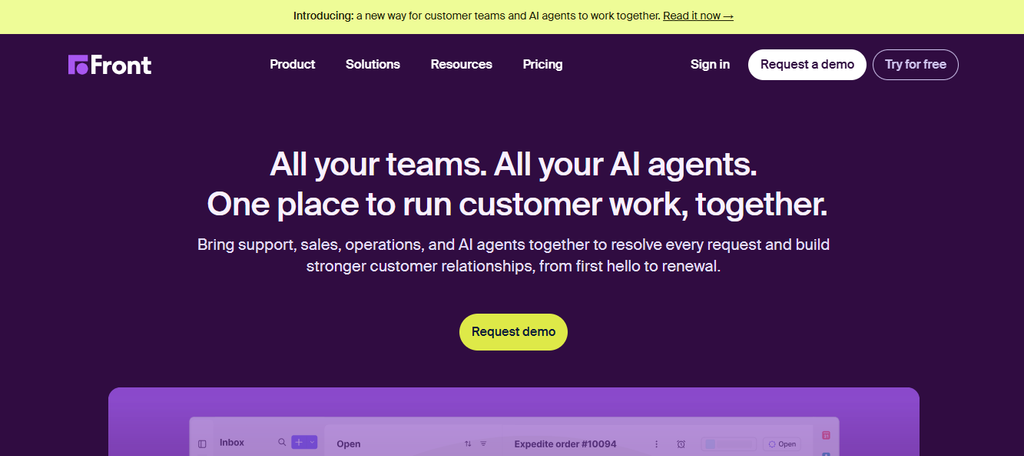
Front turns customer communication into a structured collaborative workspace. You can manage shared inboxes, ticketing, rules, analytics, knowledge content, and multiple communication channels from one platform.
Its main concern is pricing complexity at scale. The Starter plan supports only one channel type and up to 10 seats, while more advanced omnichannel capabilities and some AI tools require Professional, Enterprise, or paid add-ons.
Front Key Features
- Shared inboxes: Centralize team-owned customer conversations.
- Omnichannel communication: Professional and Enterprise support multiple channel types.
- Workflow automation: Rules and macros automate repetitive handling.
- Front AI: Includes tools for composing, summarizing, translating, QA, and automation.
- Analytics: Provides reporting for workload and customer operations.
Front Pros
- Strong collaborative interface.
- Supports complex customer-facing teams.
- Professional adds omnichannel workflows.
- Enterprise provides advanced security and custom controls.
- Large ecosystem of customer-service capabilities.
Front Cons
- Starter supports only one channel type.
- Starter is limited to 10 seats.
- Several AI capabilities cost extra below Enterprise.
- Higher plans can become expensive for large teams.
Front Pricing Plans
With annual billing, Starter costs $25 per seat/month for up to 10 seats. Professional costs $65 per seat/month for up to 50 seats. Enterprise costs $105 per seat/month. Optional AI tools can add further charges.
Why Choose Front?
Front fits teams that want to move beyond Gmail-centric collaboration and manage customer communication across several channels. It can be particularly useful when you need structured workflows, shared ownership, analytics, and stronger administration.
You should budget carefully, however. A team that needs Professional plus multiple AI add-ons can spend substantially more than the advertised Starter price, so compare your production configuration rather than the lowest tier.
4. Missive
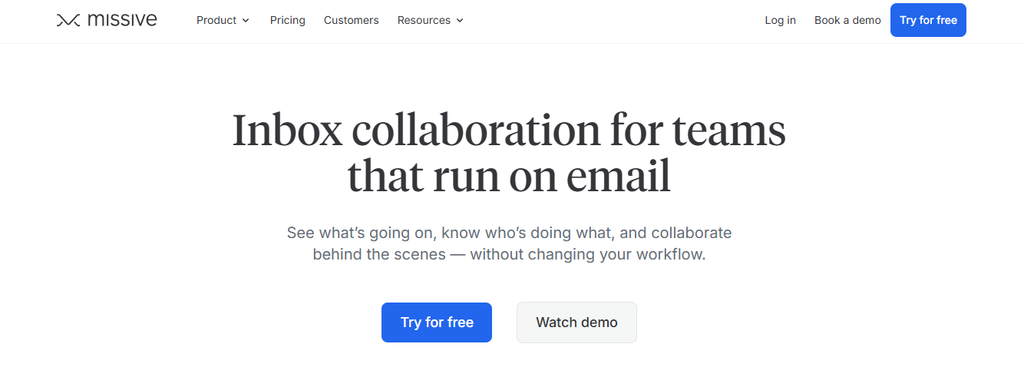
Missive combines email, shared inboxes, team chat, tasks, and collaborative communication. It works with Gmail, Google Workspace, Outlook, IMAP, WhatsApp, Messenger, Instagram, SMS through Twilio, and numerous business integrations.
The main limitation is tiering. Starter serves simpler teams but caps the workspace at five users, while rules, integrations, API access, and meaningful analytics become much more useful on Productive or Business.
Missive Key Features
- Team inboxes: Share and manage conversations collaboratively.
- Internal chat: Discuss work without leaving the conversation context.
- Rules and automation: Productive and Business support workflow automation.
- Multi-provider email: Works with Gmail, Outlook, and IMAP.
- AI tools: Supports providers including Anthropic, OpenAI, and Gemini.
Missive Pros
- Combines email and internal team communication.
- Supports multiple email providers.
- Broad channel compatibility.
- BYOK options can provide AI flexibility.
- Lower published entry pricing than many enterprise help desks.
Missive Cons
- Starter is limited to five users.
- Useful workflow integrations require Productive or higher.
- Advanced reporting requires Business.
- SAML SSO and IP restrictions are Business features.
Missive Pricing Plans
With annual billing, Starter costs $14 per user/month, Productive costs $24, and Business costs $36. Missive offers a 30-day free trial.
Why Choose Missive?
Missive is appealing when collaboration is broader than assigning support tickets. Internal chat, tasks, shared inboxes, email, social messaging, and external integrations can reduce the need to jump between several apps.
Its tier limits deserve attention. Small teams can start cheaply, but automation-heavy or security-conscious organizations will likely need Productive or Business rather than Starter.
5. Help Scout

Help Scout is built primarily around customer support rather than generic inbox productivity. It combines shared inboxes with live chat, knowledge bases, messaging channels, workflows, customer context, AI assistance, and reporting.
The platform is easier to justify when support is your core use case. However, larger teams should account for per-user pricing, extra inbox costs, AI-resolution charges, and the 10-user minimum on Pro.
Help Scout Key Features
- Shared inboxes: Organize and assign customer email conversations.
- Knowledge bases: Publish self-service support content.
- AI Inbox Assistant: Helps support agents work with incoming requests.
- Workflows: Automate routing and repetitive actions.
- Multichannel support: Paid plans cover channels beyond email.
Help Scout Pros
- Dedicated customer-support focus.
- Free entry option for very small teams.
- Clear customer history.
- Strong self-service features.
- Advanced plans add routing, integrations, and security.
Help Scout Cons
- Pro requires at least 10 users.
- Extra inboxes can cost more.
- AI Answers uses separate resolution-based pricing after its trial.
- Advanced workflows require higher tiers.
Help Scout Pricing Plans
Free costs $0 for up to five users. Current annual-billing rates are Standard at $25 per user/month, Plus at $45, and Pro at $75 with a 10-user minimum. Extra inboxes beyond included allowances cost $10 per month on annual billing, while AI Answers starts at $0.75 per resolution after its trial period.
Why Choose Help Scout?
Help Scout makes sense when your primary goal is delivering organized customer support rather than tracking sales outreach. Its inbox, knowledge base, customer profiles, workflows, chat, and AI capabilities give service teams a more purpose-built environment.
Cost is the main consideration. Extra inboxes, higher tiers, and AI usage can raise total spend beyond the visible per-seat price.
6. Helpwise
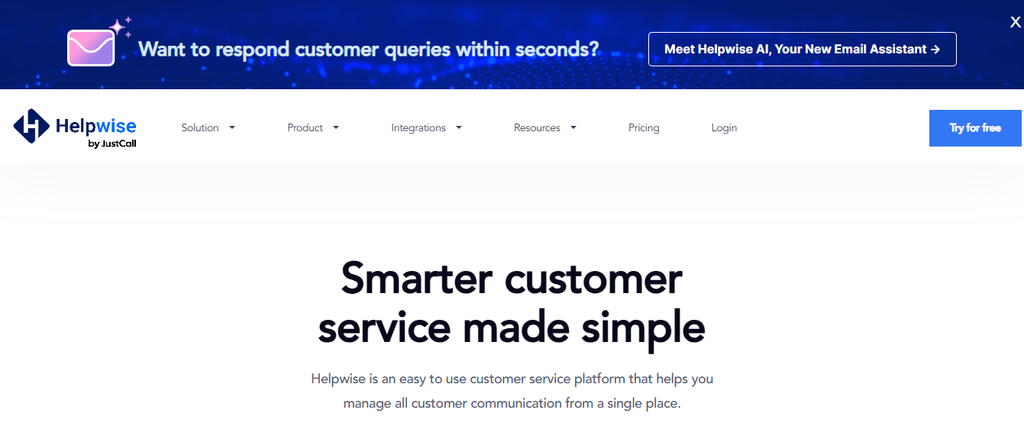
Helpwise provides shared inboxes and customer-service collaboration across email and other channels. It includes internal notes, mentions, shared drafts, collision detection, automations, analytics, saved replies, help-center tools, and integrations.
Its entry plan is designed for smaller teams, which creates limits. Standard supports two to ten users, three shared inboxes, and only three automation rules, while more powerful routing and SLA capabilities require higher tiers.
Helpwise Key Features
- Shared inboxes: Let multiple users handle team communication.
- Internal collaboration: Includes notes, mentions, shared drafts, and collision detection.
- Automation rules: Route and process conversations automatically.
- Analytics: Premium and Advanced provide deeper reporting.
- Customer channels: Higher plans expand communication options.
Helpwise Pros
- Straightforward shared-inbox model.
- Useful collision prevention.
- Multiple pricing tiers.
- Mobile apps are available.
- Premium adds AI Assist and summarization.
Helpwise Cons
- Standard caps the team at 10 users.
- Standard includes only three automation rules.
- Additional inboxes are separately priced.
- Chatbot and calling can create additional charges.
Helpwise Pricing Plans
Monthly pricing is Standard at $15 per user, Premium at $29, and Advanced at $49. Annual rates drop to $12, $23, and $39 respectively. Additional inboxes are listed at $49 per month for three, while other add-ons can carry separate charges.
Why Choose Helpwise?
Helpwise suits teams looking for a recognizable shared-inbox workflow with collaboration, assignments, automation, and customer-service features. It can cover support, finance, HR, operations, and other team addresses.
The entry plan works best when your workflow remains relatively simple. Once you require extensive automation, more inboxes, SLAs, or richer routing, you should model the Advanced or add-on costs carefully.
7. Intercom

Intercom is much broader than a conventional shared inbox. It combines ticketing, Messenger, help-center functionality, workflow automation, reporting, multichannel support, and Fin AI Agent in one customer-service platform.
That power comes with a more complex cost model. You pay for seats and can also pay for usage, including Fin outcomes and other channels, so a busy support operation needs a realistic usage forecast before purchasing.
Intercom Key Features
- Shared inbox and ticketing: Organizes customer requests for human agents.
- Fin AI Agent: Resolves conversations and can perform configured procedures.
- Messenger: Supports live customer conversations.
- Workflows: Advanced adds stronger automation and routing.
- Help center and reporting: Supports self-service and performance analysis.
Intercom Pros
- Mature AI-first support platform.
- Combines human and AI service workflows.
- Strong automation on higher tiers.
- Supports multiple service channels.
- Enterprise tier adds advanced security and governance.
Intercom Cons
- Usage charges sit on top of seat pricing.
- Fin outcomes add variable cost.
- Advanced automation requires higher plans.
- Overall setup may be excessive for simple email tracking.
Intercom Pricing Plans
Annual pricing is Essential at $29 per seat/month, Advanced at $85, and Expert at $132. Monthly rates are $39, $99, and $139 respectively. Fin generally starts at $0.99 per outcome, with certain sales qualification outcomes priced differently.
Why Choose Intercom?
Intercom is strongest when email is only one part of a larger support operation. If you need chat, ticketing, automated resolution, routing, self-service content, reporting, and customer messaging, it provides considerably more depth than a basic collaborative inbox.
The drawback is economic complexity. Seat charges, Fin outcomes, add-ons, and paid channels mean your final invoice depends on both headcount and activity.
8. Smartlead
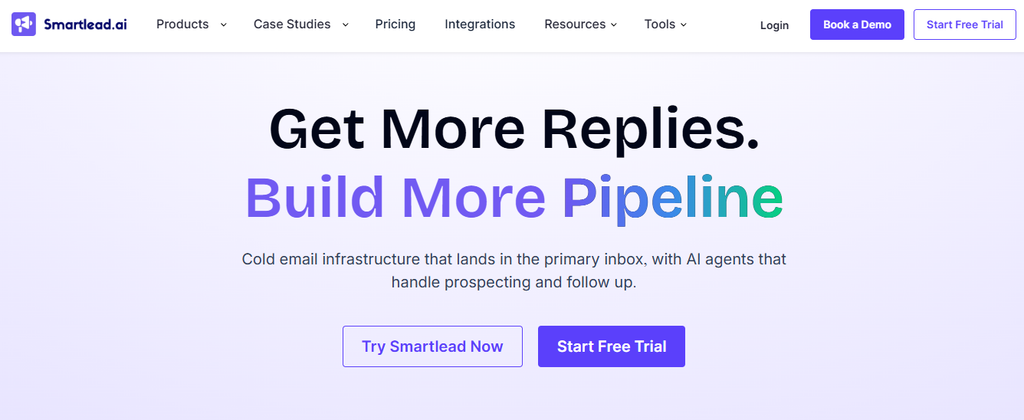
Smartlead targets outbound sales rather than traditional support. It brings campaign sequences, mailbox rotation, warmup, lead management, analytics, API access, deliverability infrastructure, and a unified Master Inbox into one cold-email platform.
That makes it useful when your reason for replacing Gmelius is outbound scale. It is less appropriate when your priority is handling customer-service tickets, SLAs, or knowledge-base workflows.
Smartlead Key Features
- Email campaign sequences: Automate multi-step outbound communication.
- Mailbox rotation: Distributes campaign sending across connected accounts.
- Email warmup: Helps manage sender reputation before outreach.
- Master Inbox: Centralizes campaign replies across mailboxes.
- API and webhooks: Connect campaigns and lead activity to other systems.
Smartlead Pros
- Built specifically for outbound teams.
- Strong deliverability tooling.
- Centralized reply management.
- Agency and client workflows are available.
- Higher tiers support substantial sending volume.
Smartlead Cons
- Not primarily a customer-support help desk.
- Base does not include CRM access.
- Some infrastructure capabilities cost extra.
- Costs rise significantly at high sending tiers.
Smartlead Pricing Plans
Monthly pricing starts at Base $39, Pro $94, Unlimited Smart $174, and Unlimited Prime $379. Annual billing is advertised at roughly 17% lower effective rates: $32.50, $78.30, $144.50, and $314.60 per month respectively.
Why Choose Smartlead?
Smartlead is worth examining when your inbox workflow revolves around acquiring prospects rather than servicing existing customers. Mailbox rotation, warmup, sequences, unified replies, automation, and API access address problems that conventional shared-inbox platforms do not prioritize.
The trade-off is specialization. If you need ticketing, support SLAs, customer portals, and service knowledge management, Smartlead is solving a different problem.
9. Instantly
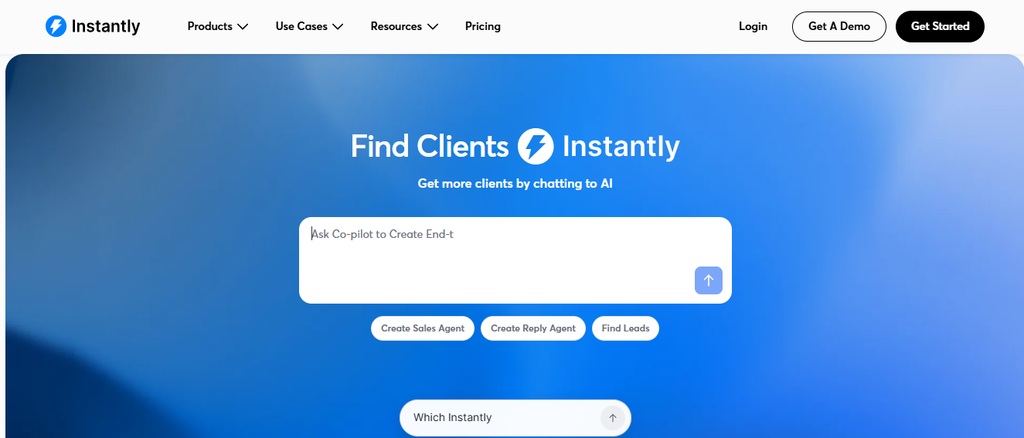
Instantly is another outreach-focused alternative. Its current product structure separates Email Outreach, Instantly Credits, CRM, inbox-placement testing, domains, and other services, giving sales teams a broad outbound stack.
That modular approach adds flexibility but can make budgeting less obvious. Your Outreach subscription does not automatically represent the total price if you also need lead data, enrichment, CRM, AI, or deliverability services.
Instantly Key Features
- Unlimited email accounts: Paid Outreach plans allow scalable mailbox connections.
- Email warmup: Helps prepare connected sending accounts.
- Campaign sequences: Automate outbound follow-up.
- SuperSearch and credits: Support prospecting, enrichment, and verification.
- CRM and reply tools: Manage sales activity and responses.
Instantly Pros
- Flat Outreach pricing rather than per mailbox.
- Strong outbound orientation.
- Multiple send-volume tiers.
- Lead and enrichment ecosystem available.
- Suitable for agencies managing many inboxes.
Instantly Cons
- CRM is a separate product area.
- Credits can create extra costs.
- Uploaded-contact limits apply by plan.
- Not designed primarily for customer-support ticketing.
Instantly Pricing Plans
Email Outreach Growth costs $47 per month and includes 1,000 uploaded contacts plus 5,000 monthly emails. Hyper Growth costs $97 with 25,000 contacts and 125,000 monthly emails. Light Speed costs $358 with 100,000 contacts and 500,000 monthly emails. Instantly also sells separate credits and related products.
The platform currently advertises access to a database of more than 450 million B2B leads through its broader credits ecosystem.
Why Choose Instantly?
Instantly fits a team whose main objective is high-volume prospecting. Unlimited accounts, warmup, sequence automation, reply handling, lead data, and optional CRM capabilities can reduce the number of separate outbound tools you need.
The biggest concern is modular pricing. You may start with Outreach, then discover that your production workflow also requires credits, CRM, inbox-placement testing, or additional services.
10. Salesloft

Salesloft sits at the enterprise end of this list. Its current Predictive Revenue System combines Cadence, Conversation Intelligence, Deals, Rhythm, forecasting, pipeline inspection, analytics, and AI agents around the revenue lifecycle.
It is therefore much broader than Gmelius for many buyers. That breadth can benefit mature revenue organizations but may create unnecessary complexity if you simply need a Gmail shared inbox or basic email tracking.
Salesloft Key Features
- Cadence: Structures multichannel sales engagement and follow-up.
- Conversation Intelligence: Turns calls and meetings into insights and coaching signals.
- Deals: Shows opportunity risks, buyer activity, and progress.
- Rhythm: Prioritizes seller actions using revenue signals.
- Revenue analytics and forecasting: Connect execution data with pipeline decisions.
Salesloft Pros
- Comprehensive revenue-execution platform.
- Strong sales-engagement workflows.
- Advanced conversation intelligence.
- Deep deal and forecasting capabilities.
- Built for larger revenue organizations.
Salesloft Cons
- Current self-serve pricing is not publicly displayed.
- More complex than a simple inbox tool.
- Enterprise deployment can require greater onboarding.
- Many capabilities are irrelevant to teams seeking only email tracking.
Salesloft Pricing Plans
Why Choose Salesloft?
Salesloft is most relevant when your Gmelius search is really part of a wider revenue-technology decision. It combines prospect engagement, conversation analysis, deal management, forecasting, pipeline visibility, and AI-driven prioritization.
A 2025 Forrester study commissioned by Salesloft modeled a 3.3x ROI, a 12% increase in closed-won rates, and a 40% increase in selling activity for its composite enterprise organization. Those results should be read as study findings, not guaranteed outcomes for every company.
Must-know Tip: Salesloft CRO Mark Niemiec said, “Revenue teams win more when the execution is clear.” That is also a useful buying principle: sophisticated software has value only when it produces clearer action for your team.
Gmelius Alternative Cost for 5, 10, 25 and 50 Users
A starting price rarely tells you what a team will actually spend. Seat limits and plan restrictions become important as headcount grows, so compare costs using the tier your team could realistically use.
For five users, Mailtrackio Business is unusual because its $390 annual plan covers up to five connected team members, which works out to $32.50 per month for the workspace. Hiver Growth at its annual rate would cost $125 per month for five users. Front Starter would also cost $125, Missive Starter $70, Help Scout Standard $125, Helpwise Standard $60 on annual billing, and Intercom Essential $145 before usage charges.
At ten users, Hiver Growth becomes $250 per month, Front Starter $250, Missive Productive $240 if you need a tier that supports more than five users, Help Scout Standard $250, Helpwise Standard $120 annually billed, and Intercom Essential $290 before usage.
At twenty-five users, Front Starter no longer fits because it stops at ten seats, so Professional at $65 becomes $1,625 per month. Hiver Growth would be $625, Missive Productive $600, Help Scout Standard $625, Helpwise Premium at its $23 annual rate would be $575, and Intercom Essential $725.
At fifty users, Front Professional would reach $3,250 per month. Hiver Growth reaches $1,250, Missive Productive $1,200, Help Scout Plus $2,250, Helpwise Premium $1,150, and Intercom Essential $1,450 before usage.
Smartlead and Instantly should not be multiplied by user count in the same way because their main outbound plans are volume-based rather than simple per-seat subscriptions. Salesloft requires a quote.
Must-know Tip: Always price the production configuration, not the cheapest plan. AI outcomes, additional inboxes, sending credits, support channels, security features, and required plan upgrades can change the comparison substantially.
Gmail-Native vs Standalone Gmelius Alternatives: Which Is Better?
A major decision is whether you want your replacement to remain inside Gmail or move your team into a separate application.
Gmail-Native Tools Reduce Behaviour Change
A Gmail-native system can shorten adoption because employees continue working in an interface they already understand. Hiver in Gmail is a clear example. It adds assignments, shared inboxes, ticketing, AI, and automation without asking users to adopt a completely separate email environment.
That familiarity matters when your team resists new software. It can also reduce the number of tabs people open throughout the day.
The downside is ecosystem dependence. Hiver’s Gmail edition requires Gmail or Google Workspace, so a company using Microsoft 365 or mixed providers needs a different product configuration.
Standalone Platforms Give You More Control
Front, Intercom, Missive, Help Scout, Helpwise, Smartlead, Instantly, and Salesloft approach communication from their own interfaces or broader platforms. This gives them more freedom to combine channels, reporting, sales workflows, AI, CRM data, tickets, and operational controls.
The cost is transition. Your team must learn a new workspace, migrate processes, and sometimes restructure how it thinks about email.
Standalone tools make the strongest case when email is no longer your only channel. If your customers also contact you through chat, social messaging, SMS, WhatsApp, voice, or support portals, forcing everything back into Gmail can create more complexity than it removes.
Focused Tools Can Be the Third Option
You do not always need either extreme. Mailtrackio shows another approach: keep Gmail for sending while adding a separate intelligence layer for open activity, clicks, reporting, and signing workflows.
That can be useful when your core email workflow already works and the missing piece is visibility rather than ticketing.
Your final choice should therefore follow the problem. Keep Gmail when familiarity is valuable. Move to a standalone workspace when operational complexity demands it. Add a focused tool when only one part of the workflow needs improvement.
Conclusion
The best Gmelius alternative depends on what you are actually trying to replace. Shared inbox teams may prioritize assignments, routing, automation, SLAs, and reporting. Sales organizations may care more about sequences, deliverability, CRM context, pipeline intelligence, and AI-driven prioritization.
If engagement visibility is the bigger problem, features such as email-open tracking, link-click reporting, searchable activity, and document-signature monitoring can help you follow up with better context without adopting a full help desk. Mailtrackio focuses specifically on that workflow.
Whatever you choose, evaluate pricing, provider compatibility, team size, AI depth, security, and migration requirements together. The right platform should remove work rather than simply move it into a different dashboard.
Frequently Asked Questions About Gmelius Alternatives
What is the best Gmelius alternative?
There is no single best choice for every business. Mailtrackio is suited to Gmail engagement tracking and document workflows, Hiver to Gmail-based support, Front to collaborative multichannel customer operations, Smartlead and Instantly to outbound email, and Salesloft to enterprise revenue execution.
Is there a free Gmelius alternative?
Some products provide free plans or trials. Help Scout currently has a $0 plan for up to five users, while several other platforms provide time-limited trials. Free tiers usually have restrictions on users, inboxes, automation, contacts, or advanced reporting.
Is Mailtrackio a full replacement for Gmelius?
Not feature-for-feature. Mailtrackio is better understood as an alternative when the capabilities you need most are Gmail email tracking, open activity, link-click intelligence, engagement reporting, and fill-and-sign requests. It does not position itself as a complete enterprise help desk.
What is the best Gmelius alternative for Gmail?
Hiver is one of the closest choices if you want shared inboxes and customer-support workflows directly inside Gmail. Mailtrackio is more appropriate when you mainly want engagement tracking rather than ticket management.
What is the best Gmelius alternative for Outlook?
Look at platforms that support Microsoft email rather than requiring Gmail. Missive supports Outlook, while Hiver also offers its standalone Hiver Omni product for teams that do not use Gmail.
Which Gmelius alternative is best for a shared inbox?
Hiver, Front, Missive, Help Scout, Helpwise, and Intercom all provide shared-inbox or team-support capabilities. Your choice should depend on channels, automation depth, AI, security, reporting, and how many users require access.
Which Gmelius alternative is best for cold email?
Smartlead and Instantly are designed more directly around cold outbound workflows. They offer features such as sequences, warmup, multiple sending accounts, reply handling, campaign analytics, and deliverability tools that traditional shared-inbox platforms do not emphasize.
Which Gmelius alternative is best for customer support?
Hiver, Help Scout, Front, Helpwise, and Intercom are stronger candidates when customer support is your main use case. Intercom goes furthest into AI-first service, while Hiver is particularly relevant if your agents want to remain close to Gmail.
Which Gmelius alternative has AI agents?
Several modern platforms have moved beyond basic AI writing. Hiver includes AI Agents in its current Gmail plans, while Intercom’s Fin AI Agent handles customer interactions and configured procedures. Front also offers AI automation products and add-ons.
How much do Gmelius alternatives cost?
Prices range widely. Focused products can start below $20 per month, while advanced customer-service and revenue platforms can exceed $100 per user monthly before AI or usage charges. Always calculate the required plan, headcount, and add-ons rather than comparing starter prices.
Should I choose a Gmail-native or standalone alternative?
Choose Gmail-native software when familiarity and low workflow disruption matter most. Choose a standalone platform when you need richer omnichannel support, stronger reporting, complex automation, CRM context, or broader customer-service operations.
What should I test before switching from Gmelius?
Run real conversations through the alternative. Test assignments, search, open and click visibility, integrations, mobile use, AI output, automations, reporting, permissions, support responsiveness, and any workflows your team performs every day.
Can AI replace human email and support teams?
AI can now handle considerably more repetitive work, but mature deployment remains uncommon. Intercom’s 2026 research found only 10% of surveyed teams had reached mature AI deployment even though 82% of senior leaders invested in AI during 2025. Human judgment remains important for sensitive, complex, and relationship-driven conversations.
Why are AI capabilities becoming important when comparing Gmelius alternatives?
AI is shifting from writing assistance toward routing, summarization, classification, autonomous resolution, and external actions. That means two products that both advertise “AI” can deliver completely different levels of operational value, so you should examine exactly what the AI can do.

Comments
0 responsesNo comments yet. Be the first to share your thoughts.