

Click any AI tool above to instantly get a summary of this article. Perfect for quick insights when you're short on time.
There is a frustrating moment many sales teams eventually reach. You invest in a powerful platform, add users, connect your CRM, build workflows, and then realize your team may be paying for far more technology than it actually uses. That is why finding the right Salesloft alternative has become less about replacing one popular brand and more about choosing software that fits how your team really sells.
The market is changing quickly. Gartner reported in 2026 that 67% of B2B buyers prefer a rep-free buying experience, yet buyers still want useful human support at critical moments. In this guide, you will compare 10 Salesloft alternatives based on their real features, pricing, advantages, limitations, and practical use cases. Let’s dive in!
What Is Salesloft and What Does It Do in 2026?
Salesloft has evolved well beyond its earlier identity as a sales engagement and cadence platform. Following its merger with Clari, the combined company moved under the Salesloft brand in 2026 and now positions itself as a broader revenue orchestration platform. Here’s what you need to know:
Sales Engagement Is Still a Core Part of Salesloft
Salesloft Cadence helps your sales team structure prospecting and customer communication across multiple steps. Reps can organize emails, calls, tasks, and other activities into repeatable workflows instead of managing every interaction manually.
Salesloft also uses buyer and account signals to help sellers decide where to focus. Its Rhythm capabilities prioritize activities so reps can spend more time on accounts and opportunities that appear to need attention.
That matters because sales professionals still struggle with limited selling time. LinkedIn reported in 2024 that sales professionals spend only about one-third of their working time actively selling, which makes workflow efficiency an important part of sales technology decisions.
Salesloft Now Covers More of the Revenue Lifecycle
The Salesloft platform now combines sales engagement with conversation intelligence, deal management, revenue analytics, forecasting, pipeline inspection, and AI-driven workflows. Clari Forecast remains part of the broader platform, connecting forecast information with seller activity and deal information.
Salesloft says more than 4,000 organizations use its platform. This scale makes it attractive to larger revenue organizations that want engagement, deal intelligence, forecasting, coaching, and execution connected through one system.
However, this broader product scope can also create a reason to evaluate alternatives. If you only need email engagement, prospect data, a dialer, outbound sequences, or a simpler CRM, a more focused product can make more operational and financial sense.
AI Is Becoming More Important to Salesloft’s Strategy
Salesloft increasingly uses AI agents and automated recommendations across prospecting, deal execution, coaching, and forecasting. This reflects a wider sales trend rather than a Salesloft-only shift.
LinkedIn’s 2024 research found that 75% of sellers who achieved quota were using AI. Gartner’s 2026 research also found that 45% of B2B buyers had used AI during a recent purchase.
The challenge is not simply adding AI. Your sales platform must turn information into useful action without making your workflow harder to manage.
Must-know Tip: Do not choose sales software because it has the largest feature list. Start by identifying which workflows your team uses every day, which workflows produce revenue, and which features sit unused.
Why Are Businesses Looking for Salesloft Alternatives?
The reasons vary between organizations. Some teams want to reduce costs, while others want better prospect data, easier cold email infrastructure, stronger dialing, simpler reporting, or fewer administrative requirements.
Cost and Technology Consolidation
Sales technology stacks have become crowded. A company may already pay separately for prospect data, CRM software, calling, email sequencing, enrichment, conversation intelligence, forecasting, and AI tools.
Salesloft’s 2026 U.S. Revenue Benchmark reported that 26% of organizations were actively consolidating their revenue technology. Another 32.6% were evaluating where consolidation made sense, while 26.4% still preferred specialized point solutions.
This shows why there is no universal answer. One organization may save money by consolidating everything, while another may achieve better results by choosing two or three specialized tools rather than one large platform.
Complexity and Time to Value
Powerful enterprise software can require configuration, training, permissions, integrations, reporting setup, and process changes. That investment can make sense for a mature revenue organization, but smaller teams may prefer software they can deploy and understand faster.
A startup with five sellers does not necessarily need the same governance and forecasting infrastructure as an enterprise revenue team with hundreds of employees. Paying for unnecessary complexity can create additional administration without improving sales execution.
This is also why focused tools remain competitive. They often solve fewer problems, but they can solve those problems with a shorter learning curve.
Buyers Expect Better Outreach
Outbound volume alone is becoming less effective. Gartner reported in 2025 that 73% of B2B buyers actively avoid suppliers that send irrelevant outreach.
LinkedIn’s research found that 78% of B2B buyers strongly agree that outreach should be personalized. The same research also found that 62% of top-performing sellers invest time learning about a prospect’s industry, compared with only 20% of lower-performing sellers.
The right Salesloft alternative should therefore help your team improve relevance, timing, research, or engagement visibility instead of simply sending more messages.
Must-know Tip: John Barrows has summarized the modern sales challenge clearly: “If you’re not doing your research and bringing insights to the table, you’re not getting asked to the table anymore.”
10 Salesloft Alternative Tools to Consider in 2026
The best replacement depends on what you actually want to replace. Some options below are complete sales engagement platforms. Others focus on prospect intelligence, cold email, calling, CRM workflows, AI sales automation, or email engagement visibility.
This distinction matters. A small team that mainly wants to know when prospects open emails should not automatically buy the same software as a large organization managing complex pipeline forecasts. The following 10 Salesloft alternative tools cover different needs, budgets, and sales motions.
1. Mailtrackio
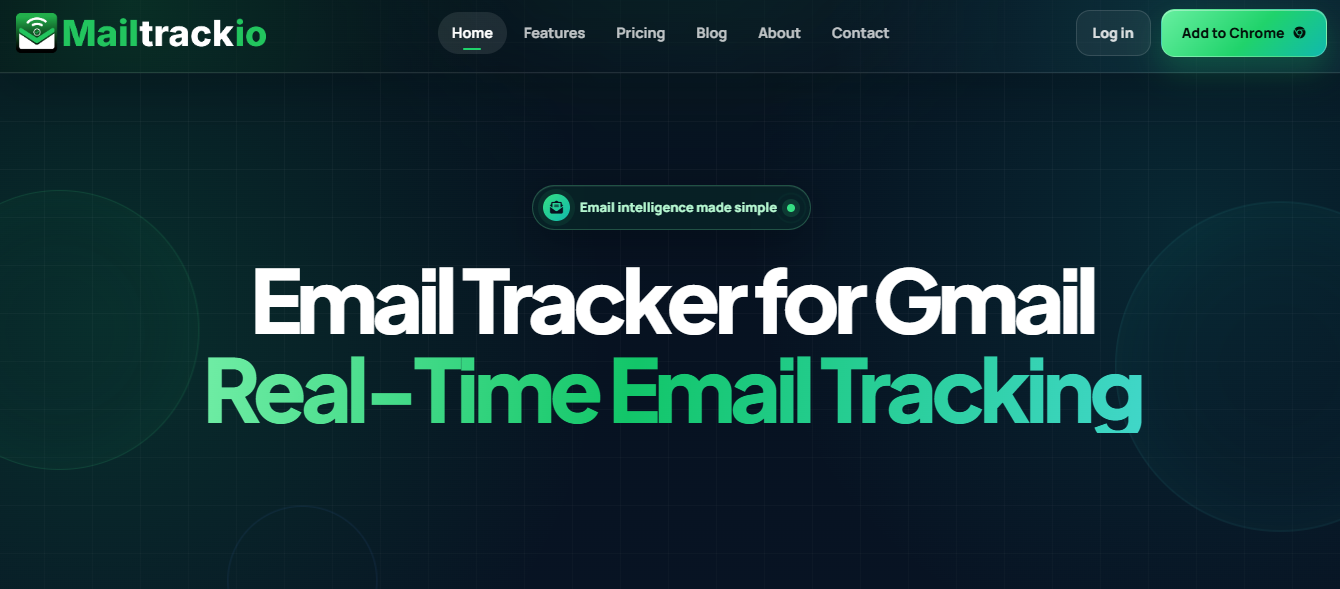
Mailtrackio takes a focused approach to sales communication. Instead of surrounding you with a large enterprise revenue platform, it gives you visibility into what happens after you send an email, including opens, clicks, recipient engagement, recent activity, and document-signing progress.
That focus can be useful when your biggest problem is not building complicated cadences. Your problem may simply be knowing whether a prospect viewed your email, clicked the proposal, returned to a link, or completed a document request.
Its searchable activity timeline also gives you context before you follow up. You can review recent events instead of repeatedly checking different inboxes, spreadsheets, or document systems.
Mailtrackio also combines engagement tracking with fill-and-sign workflows. This means proposals, approval documents, agreements, or other signature requests can remain connected to your communication workflow instead of becoming a completely separate process.
Mailtrackio Key Features
• Email-open tracking: Shows when tracked messages receive attention so you can make better decisions about follow-up timing.
• Link-click reporting: Identifies which links recipients interact with, helping you distinguish a simple email open from stronger interest in a resource or offer.
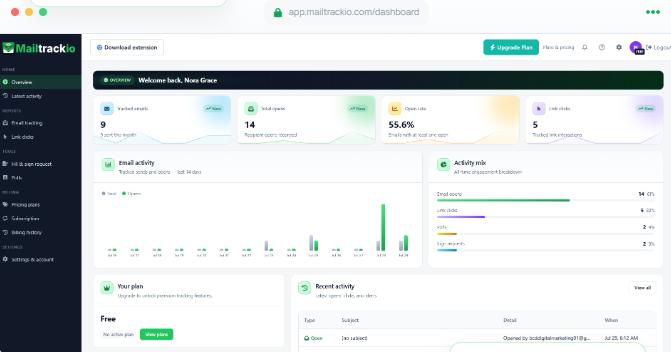
• Searchable activity timeline: Lets you filter engagement events by details and dates so important activity is easier to find.
• Engagement dashboard: Combines tracked emails, opens, open-rate information, clicks, and recent activity in one workspace.
• Fill-and-sign requests: Allows you to monitor document requests, signer progress, completion status, and signed files without separating the process from email activity.
• Custom tracking domain support: Available on the Business tier, helping teams use a more branded tracking setup.
Mailtrackio Pros
• Clear email engagement visibility without requiring a large revenue platform.
• Open and click information can help you prioritize active conversations.
• Searchable history makes past recipient activity easier to review.
• Fill-and-sign functionality connects document progress with communication activity.
• Pricing starts substantially below many enterprise sales engagement tools.
• Annual and lifetime options provide different ways to control long-term software costs.
• The Business plan supports shared reporting and up to five connected team members.
Mailtrackio Cons
• It is more focused than a complete enterprise sales engagement platform, so teams needing advanced forecasting or complex multichannel sequencing may require additional software.
• Higher-volume teams may need to monitor plan limits for tracked emails and fill-and-sign requests.
Mailtrackio Pricing Plans
Starter: $9 per month, or $90 per year, equivalent to $7.50 per month.
Professional: $19 per month, or $190 per year, equivalent to about $15.83 per month.
Business: $39 per month, or $390 per year, equivalent to $32.50 per month.
Starter Lifetime: $149 one-time payment during lifetime-plan availability.
Professional Lifetime: $299 one-time payment during lifetime-plan availability.
Business Lifetime: $599 one-time payment during lifetime-plan availability.
Why Choose Mailtrackio?
Mailtrackio makes sense when you want useful communication intelligence without turning every email interaction into a complicated enterprise workflow. You can see opens, link activity, recent engagement, and document progress, then use that context to decide when and how to follow up.
Its pricing also gives individuals and small teams a low-cost entry point compared with many full sales engagement platforms. The combination of email tracking and fill-and-sign requests is especially practical when your sales process regularly involves proposals, approval documents, contracts, recruiting documents, or other files that need signatures.
Must-know Tip: Treat an email open as a signal, not proof of purchase intent. Link engagement, repeated activity, replies, meetings, and document actions provide stronger context when deciding which prospects deserve immediate attention.
2. Outreach

Outreach is one of the closest enterprise-level Salesloft competitors. It combines multichannel sequencing, AI agents, conversation intelligence, deal management, pipeline management, coaching, account planning, and forecasting-related capabilities.
It is powerful, but that breadth can also be a concern for teams that want simple software or predictable public pricing. Outreach currently uses custom pricing based on licenses, team requirements, platform capabilities, and AI consumption.
Outreach Key Features
• Multichannel sequences: Coordinates prospect engagement and tasks across structured sales workflows.
• AI agents: Supports research, personalization, deal assistance, revenue workflows, and other AI-driven activities.
• Conversation intelligence: Provides transcription, call insights, coaching information, and meeting analysis.
• Deal and pipeline management: Helps teams inspect opportunities and identify risks throughout the sales cycle.
• Account planning: Supports relationship maps and account-focused sales execution.
Outreach Pros
• Broad enterprise revenue functionality.
• Strong combination of engagement and deal management.
• Built-in conversation intelligence and coaching.
• Multiple AI capabilities for research and seller assistance.
• Suitable for complex revenue organizations with formal processes.
Outreach Cons
• Public dollar pricing is not available.
• Costs can include both license-based and AI-consumption elements.
• The platform may be more complex than smaller sales teams require.
• Professional services or structured onboarding may be useful for larger deployments.
Outreach Pricing Plans
Outreach offers Amplify Essentials, Amplify Core, Amplify Plus, and Amplify Pro packages. Public dollar pricing is not listed, and organizations must request a customized quote.
Why Choose Outreach?
Outreach is worth considering when your organization wants an enterprise sales execution system rather than a lightweight outreach application. Its sequencing, AI, conversation intelligence, deal management, coaching, and account-planning capabilities make it a good fit for larger revenue teams.
The trade-off is complexity. Pricing isn’t publicly listed, AI usage can introduce consumption considerations, and smaller teams may end up paying for more platform than they need. Evaluate it using total implementation cost and expected adoption rather than comparing feature counts alone.
3. Apollo.io
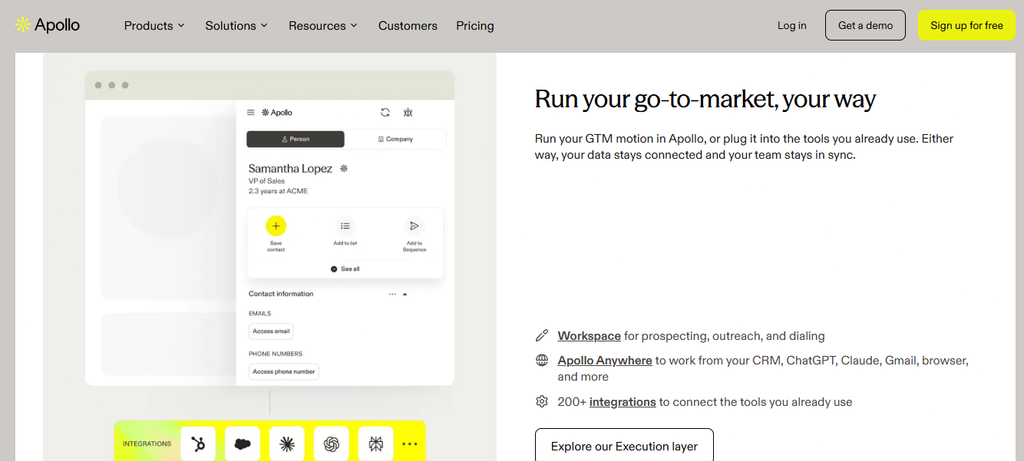
Apollo combines sales intelligence and sales engagement in one platform. This is a major reason it appears frequently in Salesloft alternative searches.
Apollo’s current platform advertises access to about 240 million contacts and 30 million companies. You can combine that data with prospect filters, enrichment, email sequences, AI assistance, Chrome-based prospecting, deliverability tools, and dialing capabilities.
The concern is its credit structure. Credits control several data and platform actions; unused credits do not roll over, and organizations need to monitor consumption carefully.
Apollo.io Key Features
• B2B database: Provides access to a large database of contacts and companies for prospecting.
• Sales sequences: Allows teams to organize automated outbound activities.
• Waterfall enrichment: Helps improve contact and account records using enrichment processes.
• Dialing tools: Higher plans provide calling features, including advanced dialing capabilities.
• AI and prospecting tools: Includes AI assistance, advanced filters, buying signals, and browser-based prospecting.
Apollo.io Pros
• Combines prospect data and outreach.
• Free plan provides an entry point for testing.
• Strong search and filtering capabilities.
• Integrates prospecting, enrichment, and sales execution.
• Paid plans cover different team sizes and usage needs.
Apollo.io Cons
• Credit usage requires ongoing monitoring.
• Unused credits expire rather than rolling over.
• All team members generally use the same account plan level.
• Organization pricing requires a minimum of three users.
Apollo.io Pricing Plans
Free: $0 with limited annual credits.
Basic: $49 per user per month when billed annually.
Professional: $79 per user per month when billed annually.
Organization: $119 per user per month when billed annually, with a minimum of three users.
Why Choose Apollo.io?
Apollo is attractive when prospect data is as important to you as sales engagement. Instead of sourcing contacts from one platform and moving them into another system, you can research prospects, reveal data, enrich records, create sequences, and use calling tools within the same ecosystem.
However, you need to understand its credit model before committing. Teams that perform heavy enrichment, data reveals, or AI-supported research should calculate realistic consumption instead of judging cost only by the advertised seat price.
4. Reply.io
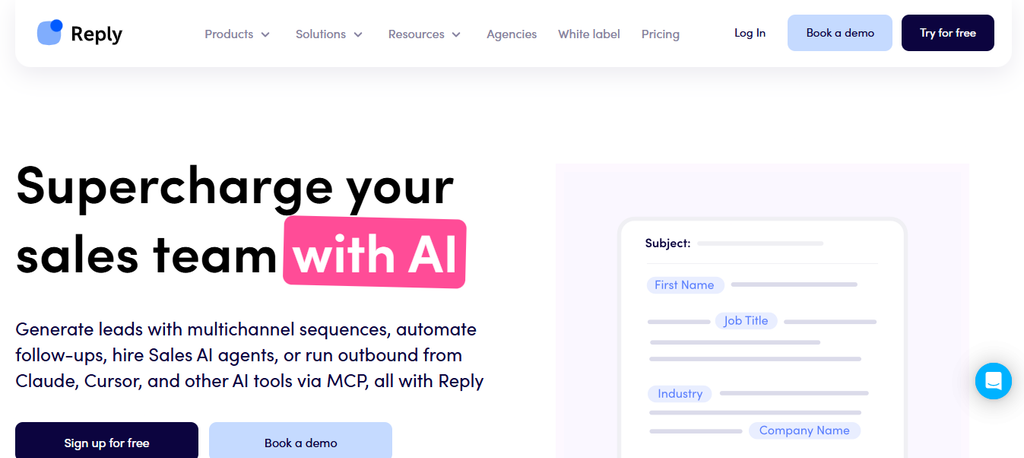
Reply.io is designed around outbound prospecting and sales engagement. It supports email automation and can extend outreach into LinkedIn, calls, SMS, WhatsApp-related tasks, and other workflows depending on your plan.
Its email infrastructure also includes warm-up and deliverability functionality. The main concern is that some channels are included only in specific packages or require additional subscriptions, so the real cost depends on the outreach mix you need.
Reply.io Key Features
• Email automation: Builds automated sequences for prospect follow-ups.
• LinkedIn automation: Supports LinkedIn outreach within eligible packages.
• Calls and SMS: Adds phone and messaging steps to multichannel campaigns.
• Email warm-up: Helps users manage sending infrastructure and deliverability.
• B2B data tools: Provides access to prospect information and live-data functionality.
Reply.io Pros
• Supports multiple outbound channels.
• Unlimited email functionality is available within its outreach structure.
• Includes deliverability-focused tools.
• Supports common CRM and automation integrations.
• Offers packages for teams, agencies, and AI-driven outreach.
Reply.io Cons
• Some LinkedIn capabilities can require additional fees.
• Calls and SMS can also introduce extra costs on certain plans.
• AI SDR pricing starts significantly higher than basic outreach plans.
• Mailbox allowances can still be governed by fair-use policies.
Reply.io Pricing Plans
Email Volume: Starts from $59 per month, with pricing changing according to active-contact volume.
Multichannel: Starts from $99 per user per month.
AI SDR: Starts from $500 per month.
Agency: Starts from $166 per month.
Additional LinkedIn automation and calling options may carry separate charges depending on the package.
Why Choose Reply.io?
Reply.io works well when you want outbound execution across several channels rather than email alone. It combines sequencing, LinkedIn activities, calls, SMS, warm-up, prospect information, and reporting.
The challenge is understanding package boundaries. A low entry price does not necessarily represent your final multichannel cost because LinkedIn accounts, calling, validation, data, or other services can affect total spend. Model the exact outreach workflow your team plans to use before comparing Reply.io with Salesloft or other alternatives.
5. Instantly
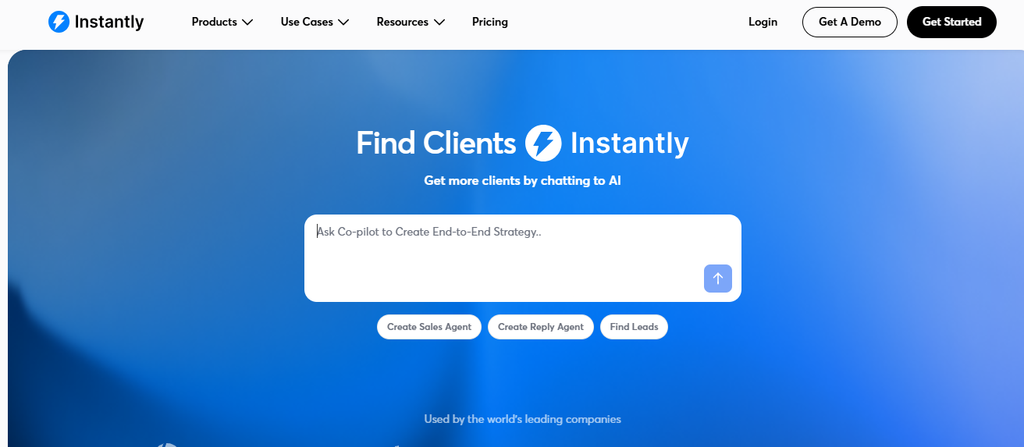
Instantly has built its reputation around cold email infrastructure, campaign execution, warm-up, deliverability, and high-volume mailbox management. It is particularly relevant to agencies, lead-generation businesses, founders, and outbound teams that depend heavily on email.
Its specialization can be a strength if email is your primary acquisition channel. However, teams looking for deep native phone, coaching, opportunity management, and enterprise forecasting workflows may find it narrower than Salesloft.
Instantly Key Features
• Unlimited email accounts: Supports multiple sending accounts without charging by each connected mailbox on core outreach plans.
• Email warm-up: Helps users maintain sending activity and mailbox reputation.
• Campaign sequences: Automates cold email follow-ups and scheduling.
• Unibox: Centralizes replies from multiple campaigns and accounts.
• Deliverability tools: Includes bounce protection, reputation features, and higher-tier infrastructure designed for scaled sending.
Instantly Pros
• Built specifically around scalable cold email.
• Unlimited connected email accounts can support mailbox rotation strategies.
• Warm-up is included in core outreach plans.
• Higher tiers support substantial email volume.
• Useful for agencies managing multiple outbound campaigns.
Instantly Cons
• Growth has relatively modest contact and monthly email limits.
• Higher-volume plans become considerably more expensive.
• Phone-first teams may need additional software.
• Several data and AI activities rely on separate credit allowances.
Instantly Pricing Plans
Growth: $47 per month, or about $37.60 per month on annual billing.
Hypergrowth: $97 per month, or about $77.60 per month on annual billing.
Light Speed: $358 per month, or about $286.30 per month on annual billing.
Enterprise: Custom pricing.
Why Choose Instantly?
Instantly is a strong option when your sales motion is built primarily around cold email. Unlimited connected accounts, warm-up, centralized replies, sequences, testing, and deliverability controls address the practical problems high-volume email teams face.
Its narrower focus is also its main limitation. If your sales organization relies heavily on phone outreach, enterprise forecasting, manager coaching, and opportunity inspection, you may need additional tools. Compare the combined stack cost rather than evaluating Instantly’s subscription in isolation.
6. Outplay

Outplay positions itself as a multichannel sales engagement platform. Depending on your plan, you can work across email, phone, social channels, SMS, CRM integrations, website activity, centralized replies, and automated sequences.
It can therefore cover more channels than email-focused tools. However, several of its stronger multichannel and administrative features are reserved for the Growth and Enterprise tiers.
Outplay Key Features
• Multichannel sequences: Coordinates email, calling, social, and SMS activities.
• AI writing tools: Helps generate sequences and outbound email copy.
• Built-in calling: Higher tiers provide dialing and phone-related functionality.
• CRM integrations: Connects sales activity with systems such as Salesforce and HubSpot.
• Website and hot-lead signals: Helps teams identify prospects showing stronger engagement.
Outplay Pros
• Covers several outbound channels.
• Offers a free entry plan.
• Includes AI-assisted email and sequence creation.
• Growth supports unlimited sequences and broader outreach.
• Enterprise plans add team and security controls.
Outplay Cons
• Starter is more limited than the full multichannel experience.
• Growth and Enterprise are priced per user.
• Advanced team governance requires the Enterprise tier.
• High-level calling functionality varies by package.
Outplay Pricing Plans
Free Forever: $0.
Starter: $39 per month when billed annually.
Growth: $89 per user per month when billed annually.
Enterprise: $139 per user per month when billed annually.
Why Choose Outplay?
Outplay can suit sales teams that want email, social outreach, SMS, and phone activities coordinated within one engagement platform. It also includes CRM connectivity, AI writing assistance, sequence management, and higher-level team controls.
The key is choosing the right tier. Teams attracted by the Starter price should check whether they actually need the multichannel, dialing, automation, and administrative capabilities available higher up the pricing structure. Costs increase quickly as user count grows.
7. Amplemarket
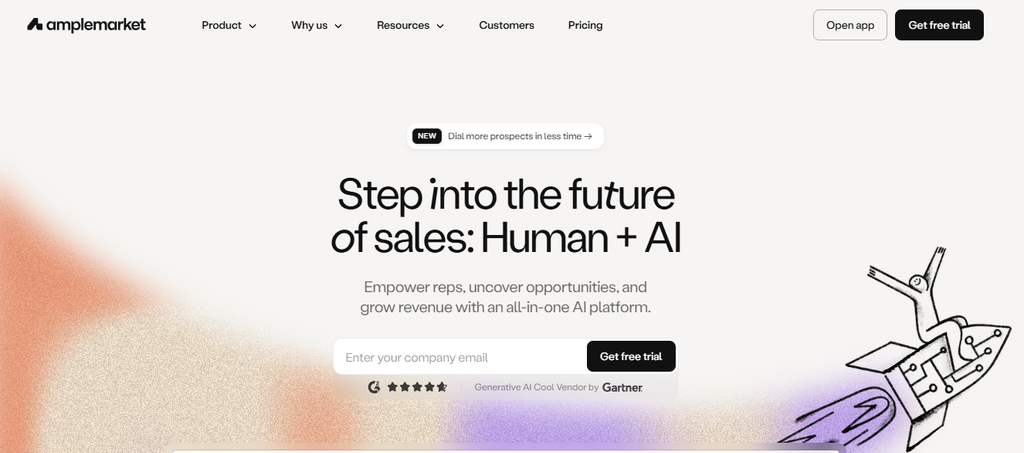
Amplemarket combines prospect data, outbound engagement, intent information, and AI sales assistance. Its current plans include contact data, multichannel sequences, AI intent signals, and Duo Copilot, with more advanced capabilities added at higher tiers.
This makes it attractive to teams looking to consolidate data and sales execution. The concern for smaller organizations is cost, because its publicly listed Startup plan begins at $600 per month with an annual term.
Amplemarket Key Features
• Contact database: Gives teams access to prospect information for lead generation.
• Multichannel sequences: Coordinates outbound engagement across multiple steps.
• AI intent signals: Helps prioritize accounts showing potentially relevant buying activity.
• Duo Copilot: Provides AI assistance for outbound research and execution.
• Duo Voice: Available on higher plans for more advanced calling workflows.
Amplemarket Pros
• Combines data with outreach execution.
• Includes AI-driven account and prospect signals.
• Supports multichannel engagement.
• Higher tiers provide dedicated onboarding and customer support.
• Can reduce reliance on separate prospect-data and engagement tools.
Amplemarket Cons
• Startup begins at $600 per month.
• The Startup plan uses an annual term.
• Growth and Elite prices are not publicly disclosed.
• Some advanced capabilities are reserved for higher plans.
Amplemarket Pricing Plans
Startup: $600 per month on an annual term and includes two users.
Growth: Custom pricing.
Elite: Custom pricing.
Why Choose Amplemarket?
Amplemarket makes more sense for teams that want prospect data, sales engagement, intent signals, and AI-driven workflows under one vendor. Consolidating those functions can reduce the need to maintain several disconnected products.
The biggest consideration is cost. A $600 monthly Startup plan is a substantial commitment for a small sales team, and Growth and Elite require custom quotes. Before switching, calculate whether replacing separate data, sequencing, enrichment, and intent platforms creates enough savings or productivity to justify the investment.
8. Nooks
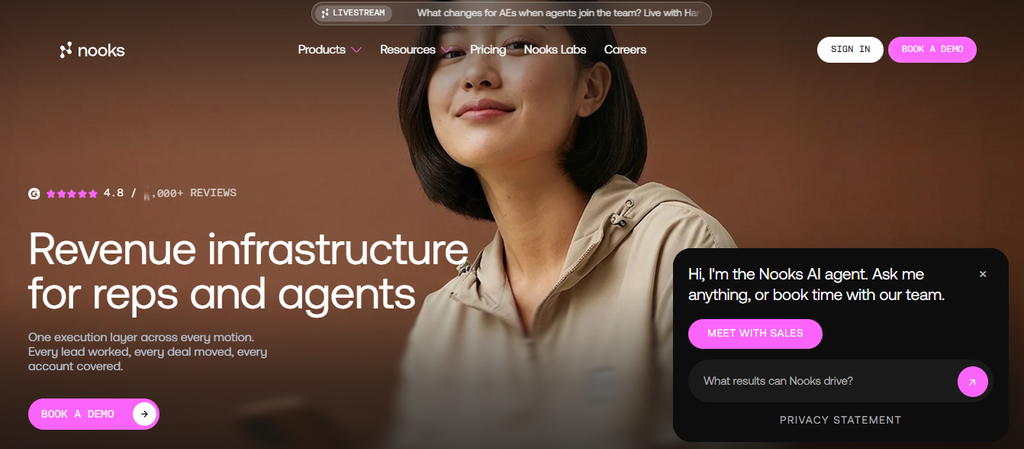
Nooks has expanded from an AI-powered dialing platform into a broader sales engagement product. It now offers AI dialing, sequencing, sales signals, coaching, contact enrichment, and workflow automation.
The product is particularly notable for phone-heavy outbound teams. Parallel dialing, answer detection, automated voicemail drops, live coaching, and signal-based prioritization can increase calling efficiency, but Nooks does not publicly disclose pricing.
Nooks Key Features
• AI Dialer: Supports multi-line, power, and parallel dialing.
• AI Sequencing: Coordinates email, call, SMS, and social steps.
• Signals and intelligence: Uses account signals to prioritize prospecting activity.
• AI Coaching: Provides role-play, call analysis, scoring, and coaching tools.
• Contact enrichment: Supports email and phone enrichment through several data providers.
Nooks Pros
• Strong capabilities for phone-focused SDR teams.
• Combines dialing and sequencing.
• Provides live coaching and virtual sales-floor functionality.
• Supports signal-driven prioritization.
• Integrates with major CRM and sales-engagement systems.
Nooks Cons
• Public dollar pricing is unavailable.
• Teams must speak with sales before comparing exact cost.
• Its advanced dialer may be unnecessary for low-call sales motions.
• Salesforce and HubSpot receive the strongest native CRM emphasis.
Nooks Pricing Plans
Nooks uses custom pricing. Public dollar figures are not currently displayed.
Why Choose Nooks?
Nooks deserves consideration when calling is a major part of your outbound strategy. Its parallel dialing, answer detection, voicemail automation, live coaching, sales-floor experience, and signal-based prioritization directly address problems faced by high-volume SDR teams.
The main obstacle to quick comparison is pricing transparency. You need a quote before calculating cost per rep or total return. Teams that rarely call prospects may also struggle to justify a dialer-centered platform compared with simpler email engagement software.
9. Close
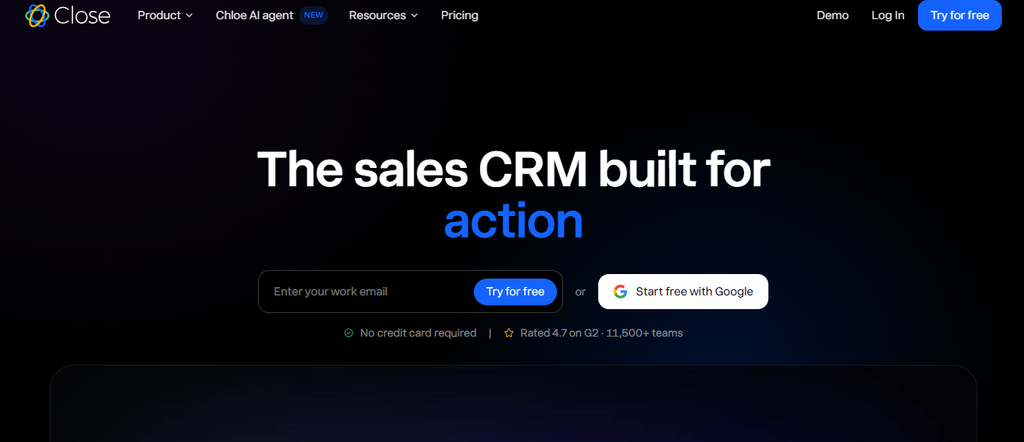
Close combines CRM functionality with sales communication. Email, calling, SMS, pipeline management, workflows, forms, tasks, and AI tools are available within the same environment.
This can make Close attractive to smaller companies that would rather use one sales-focused CRM than connect a separate CRM and engagement platform. The downside is that automation and advanced dialing require higher-tier plans.
Close Key Features
• Sales CRM: Manages leads, contacts, opportunities, and pipeline information.
• Built-in communication: Supports email, calling, and SMS from the CRM.
• Automated workflows: Growth and higher plans allow more advanced sales automation.
• Power and predictive dialers: Higher plans improve phone-based prospecting efficiency.
• Chloe AI: Provides AI-supported sales workflows and automated calling functionality.
Close Pros
• Combines CRM and communication.
• Calling, email, and SMS are available within one system.
• Offers plans for solo sellers through larger teams.
• Higher tiers provide strong phone-sales capabilities.
• AI credits are included across paid plans.
Close Cons
• Solo supports only one user.
• Workflows are unavailable on Solo and Essentials.
• Power dialing requires Growth or higher.
• Calling and SMS usage can create additional variable costs.
Close Pricing Plans
Solo: $19 per user per month monthly, or $9 per user per month annually.
Essentials: $49 per user per month monthly, or $35 per user per month annually.
Growth: $109 per user per month monthly, or $99 per user per month annually.
Scale: $149 per user per month monthly, or $139 per user per month annually.
Custom configurations are available for more complex requirements.
Why Choose Close?
Close is useful when your team wants CRM and sales engagement functions together. Instead of moving between one application for lead records and another for calls, email, SMS, and tasks, reps can handle much of the sales process from one environment.
The plan structure deserves attention. Automated workflows and power dialing begin at Growth, while predictive dialing and advanced controls require Scale. Calculate your price using the features your team actually needs rather than judging Close by its low Solo entry price.
10. Saleshandy
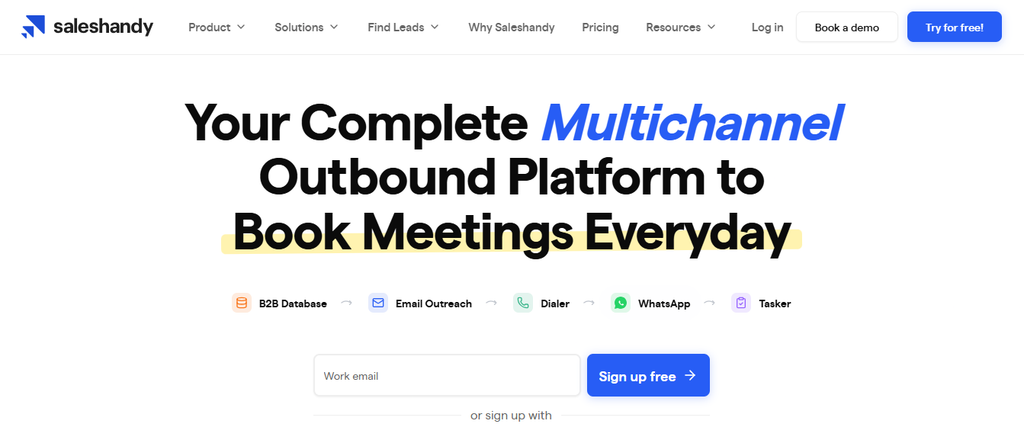
Saleshandy has developed from a cold email application into a broader outbound platform with lead data, multichannel sequences, mailbox management, enrichment, warm-up, and agency-focused capabilities.
Its current plans support unlimited connected email accounts, which can be useful for teams operating many outbound mailboxes. However, prospect and sending limits still vary substantially by tier.
Saleshandy Key Features
• Unlimited email accounts: Lets teams connect multiple sending mailboxes without paying per inbox.
• Multichannel sequences: Supports email, calls, LinkedIn, WhatsApp, and sales tasks.
• Lead Finder: Provides prospect data and search filters.
• Waterfall enrichment: Uses multiple data sources to find and verify contact information.
• Email warm-up and deliverability tools: Helps teams manage outbound sending health.
Saleshandy Pros
• Unlimited connected email accounts on current plans.
• Combines prospect data and outreach.
• Offers multichannel campaign functionality.
• Useful features for agencies and client management.
• Public pricing makes budgeting easier than custom-quote platforms.
Saleshandy Cons
• Starter supports only one user.
• CRM integrations are restricted on the Starter tier.
• Active-prospect and sending limits vary considerably between plans.
• Larger operations may need the more expensive Pro or Scale packages.
Saleshandy Pricing Plans
Starter: $41 per month monthly, or $34 per month when billed annually at $408 per year.
Pro: $99 per month monthly, or $76 per month when billed annually at $912 per year.
Scale: $189 per month monthly, or $149 per month when billed annually at $1,788 per year.
Why Choose Saleshandy?
Saleshandy fits teams that want prospect discovery, data enrichment, multiple mailboxes, warm-up, outreach, and agency-friendly functionality from one platform. The ability to connect many email accounts can be especially valuable for outbound operations that use mailbox rotation.
The limitation is tiering. Starter is designed around a single user and does not include several CRM and team capabilities. Teams that need integrations, larger prospect volumes, advanced automation, or multiple users should calculate costs using Pro or Scale rather than assuming Starter will cover the full workflow.
How to Choose the Right Salesloft Alternative for Your Sales Motion
Choosing replacement software is easier when you stop comparing everything against everything. Start with the specific job your current platform needs to perform.
Identify Your Primary Sales Channel
An email-first sales organization has different requirements from a calling-heavy SDR team. Mailtrackio and Instantly focus strongly on email-related workflows, while Nooks places much more emphasis on calling.
Products such as Outplay and Reply.io cover a wider collection of outreach channels. Decide what percentage of your successful conversations begin with email, phone, LinkedIn, inbound activity, or another channel before evaluating features.
Gartner’s 2026 research found that 70% of B2B buyers prefer completely digital self-service purchasing experiences. At the same time, 69% still turn to sales representatives to validate AI-generated insights. Your technology should therefore help sellers add value at the moments when human interaction actually matters.
Calculate Total Cost Instead of Subscription Price
A $49 sales tool can become expensive after you add data, enrichment, mailboxes, dialing, AI credits, implementation, integrations, and another CRM. A higher-priced platform can sometimes cost less if it genuinely replaces several subscriptions.
Do not stop at seat pricing. Calculate your expected annual cost using the number of reps, required credits, sending volume, phone usage, data consumption, onboarding, and additional software you still need.
Salesloft’s 2026 research shows that organizations have not reached one universal answer on consolidation. Some are consolidating technology while others continue choosing specialized tools.
Must-know Tip: Compare your complete revenue stack before and after the change. Saving $50 per user is meaningless if your team then needs three additional subscriptions to replace missing functions.
Test CRM and Workflow Compatibility
An integration badge does not tell you how well two systems actually work together. Test field mapping, contact ownership, activity logging, opportunity updates, duplicate handling, automation triggers, and reporting.
Your most complicated real workflow should be part of the trial. If it works only in a product demonstration built around ideal data, it may not work cleanly in your environment.
This is especially important for teams running Salesforce or HubSpot as their primary system of record.
Evaluate Adoption, Not Just Features
The best software is useless when your sellers avoid it. Measure how many clicks basic tasks require, how quickly a new employee can understand the workflow, and whether managers can get useful reporting without constant administrative work.
Salesloft’s 2026 U.K. benchmark found that 36.2% of respondents identified writing personalized outbound emails as an administrative bottleneck. Automation should reduce work, not simply move it from one dashboard to another.
Must-know Tip: Neil Padwardhan’s advice remains relevant: “Sales is never about the sale itself. Instead, it’s about the relationships you build along the way.”
Run a Controlled Pilot Before Migrating
Move one representative workflow first. Rebuild a sequence, sync a small account segment, send real campaigns, place calls, review reporting, and test manager visibility.
Then compare measurable outcomes. Look at response rates, meetings, time saved, CRM accuracy, prospect coverage, adoption, and administrative workload.
A controlled pilot also gives you a chance to identify migration problems before changing the workflow for your entire revenue organization.
Conclusion
The right Salesloft alternative depends on the problem you are trying to solve rather than the popularity of a specific product. Salesloft now covers a wide portion of the revenue lifecycle, which makes direct comparisons more complicated than simply comparing email-sequencing features.
Some teams need broad sales engagement, forecasting, coaching, and pipeline tools. Others need prospect data, cold email infrastructure, advanced calling, a sales CRM, or straightforward email engagement visibility.
Features such as email-open tracking, link-click reporting, searchable activity history, document-signing workflows, multichannel sequences, verified lead data, dialing, AI assistance, and CRM integration can all improve sales execution when they match the way your team actually works. The best decision comes from comparing your core sales motion, total cost, implementation requirements, and expected adoption before committing to any Salesloft alternative.
Frequently Asked Questions About Salesloft Alternatives
What is the best Salesloft alternative?
There is no single best alternative for every business. Mailtrackio focuses on email engagement and document progress, Outreach provides broad enterprise revenue functionality, Apollo combines prospect data with engagement, Nooks focuses strongly on calling, and Close combines CRM with communication.
The best choice depends on your sales process, company size, channels, budget, CRM, and reporting requirements.
Is there a cheaper alternative to Salesloft?
Yes. Several products offer publicly listed plans that can cost less than enterprise revenue platforms.
Mailtrackio starts at $9 per month, while other tools such as Apollo, Instantly, Outplay, Close, and Saleshandy provide different entry-level pricing options. Compare the full cost because data credits, calling, extra mailboxes, integrations, or additional software can affect your final spend.
Is Mailtrackio a Salesloft alternative?
Mailtrackio can serve as a focused Salesloft alternative when your main requirement is understanding email engagement rather than replacing every enterprise revenue-management capability.
It tracks email views, link activity, recent engagement, and document-signing progress. Teams requiring advanced forecasting, complex sequencing, or enterprise pipeline inspection may still require additional software.
Is Apollo better than Salesloft?
Apollo can be more suitable when prospect data and lead discovery are major priorities. Its database, enrichment tools, filters, sales sequences, and dialing functionality combine prospect intelligence and sales execution.
Salesloft covers a broader enterprise revenue lifecycle that now includes forecasting and revenue intelligence. Your choice depends on whether your priority is data-driven prospecting or broader revenue orchestration.
What is the best Salesloft alternative for cold email?
Instantly, Reply.io, Saleshandy, Outplay, Apollo, and Mailtrackio address different parts of email-based selling.
Instantly emphasizes cold email infrastructure and mailbox scalability. Reply.io and Outplay add multichannel engagement. Saleshandy combines sending with lead data, while Mailtrackio focuses on understanding opens, clicks, activity, and document progress.
What is the best Salesloft alternative for small businesses?
Small businesses usually benefit from tools with clear pricing and limited administrative overhead.
Mailtrackio can suit businesses focused on email engagement. Close can work well when CRM and communication need to stay together. Apollo can appeal to teams that also need prospect data, while Instantly can suit businesses built around cold email campaigns.
Which Salesloft competitor has the best sales dialer?
Nooks is particularly focused on dialing. Its AI Dialer includes parallel and power dialing, answer detection, voicemail automation, number-reputation tools, live coaching, and sales-floor functionality.
Close also offers power and predictive dialing on higher plans. Outplay and Apollo provide calling functionality as part of broader sales platforms.
Which Salesloft alternative includes a B2B database?
Apollo and Amplemarket combine B2B prospect information with sales execution. Saleshandy also provides lead-search and enrichment functionality.
Reply.io offers live prospect data features as part of its ecosystem. The right database depends on your geographic coverage, target market, data fields, verification requirements, and expected credit consumption.
Can I replace Salesloft with several smaller tools?
Yes, but you should calculate the operational cost carefully. A specialized email tool, dialer, CRM, data provider, and forecasting platform may collectively provide stronger functionality in specific areas.
They can also create more integrations, invoices, user permissions, data synchronization, and administrative work. Compare the total stack rather than individual subscription prices.
What should I check before leaving Salesloft?
Document the workflows your team currently uses. Include cadences, templates, email settings, calling workflows, integrations, CRM mappings, reporting, dashboards, permissions, suppression rules, historical activity, coaching information, and forecasting processes.
You should also identify which Salesloft features your team pays for but rarely uses. Those unused capabilities can help determine what you do not need to replace.
How long does it take to migrate from Salesloft?
Migration time depends on your organization. A small team replacing basic outreach workflows can move much faster than an enterprise that relies on complex CRM synchronization, coaching, forecasting, permissions, and reporting.
Run a pilot before migrating everything. Test your most important sequence, reporting workflow, CRM integration, user permissions, and manager process first.
Should startups use Salesloft?
Salesloft can support sophisticated revenue processes, but startups should compare the platform’s breadth with what they currently need.
Early-stage companies often prioritize simple prospecting, affordable outreach, fast setup, and clear reporting. Buying enterprise-grade capabilities too early can increase software cost and administrative work before those features create meaningful value.
Are AI sales tools replacing traditional sales engagement platforms?
AI is changing sales engagement, but it is not eliminating the need for good sales processes. Gartner found in 2026 that 45% of B2B buyers had used AI during a recent purchase, while 69% turned to salespeople to validate AI-generated information.
The strongest platforms use AI to reduce research, writing, prioritization, and administrative work while keeping sellers involved in the conversations where context and trust matter.
Why is personalization important when choosing sales engagement software?
Buyers receive large amounts of automated outreach. LinkedIn found that 78% of B2B buyers strongly agree that sales outreach should be personalized, while Gartner reported that 73% actively avoid suppliers sending irrelevant outreach.
A useful platform should therefore help you understand accounts, identify engagement, personalize messaging, or reach prospects at the right time rather than simply maximizing outbound volume.
Is it better to use an all-in-one sales platform or specialized tools?
Both approaches can work. An all-in-one platform reduces context switching and can simplify data management, while specialized tools may provide deeper capabilities for one specific workflow.
Your decision should depend on utilization. If your team actively uses engagement, forecasting, deal intelligence, coaching, and revenue analytics, consolidation can make sense. If you only need a few focused capabilities, specialized software can reduce complexity and unnecessary spending.

Comments
0 responsesNo comments yet. Be the first to share your thoughts.