

Click any AI tool above to instantly get a summary of this article. Perfect for quick insights when you're short on time.
Sending more outreach does not automatically create more pipeline. In fact, the wrong data, poor timing, or irrelevant messages can turn potential buyers away before a real conversation begins. Gartner reported in 2025 that 73% of B2B buyers actively avoid suppliers that send irrelevant outreach, while Salesforce reported in 2026 that the average seller spends only 40% of working time actually selling.
That pressure explains why teams are looking for the right Apollo alternative instead of automatically choosing another large prospect database.
This guide compares 10 options across email tracking, prospecting, contact data, verification, automation, outreach, pricing, and everyday usability so you can choose a platform that fits how your team actually sells.
Why Are Sales Teams Moving Away From Apollo.io?
Apollo.io combines prospect data, enrichment, engagement, and sales workflows in one platform. That breadth is useful, but it also means the platform is not automatically the best option for every sales motion.
Data Quality Has Become More Important Than Database Size
A huge database looks impressive until your reps spend time calling disconnected numbers or emailing contacts who left the company months ago. Modern sales teams increasingly care about verification, freshness, enrichment sources, job-change signals, and how often contact records are refreshed.
That matters because a bad record costs more than a credit. It costs research time, affects email deliverability, and can make outreach feel careless to a prospect.
Credit Economics Can Change the Real Cost
The advertised subscription price rarely tells you what prospecting actually costs. Email reveals, mobile numbers, exports, enrichment, sending infrastructure, additional users, integrations, and other usage limits can change the total considerably.
Teams evaluating an Apollo alternative should therefore calculate cost per usable contact instead of simply comparing monthly subscription prices. A cheaper plan becomes expensive quickly if you need several separate tools to complete the same workflow.
Specialized Tools Can Fit Specific Workflows Better
Some businesses do not need Apollo’s entire prospecting stack. You may already have a CRM and lead source but need better visibility into who opened an email, clicked a proposal, or returned to an important message.
Other teams need international mobile data, waterfall enrichment, large-scale cold email infrastructure, or email verification. Choosing software around your actual bottleneck prevents you from paying for functions your team rarely uses.
Buyers Expect More Relevant Outreach
Gartner’s 2025 research found that 61% of B2B buyers preferred an overall rep-free buying experience. The same research found that 69% encountered inconsistencies between information on a supplier’s website and information provided by its salespeople.
This changes what good prospecting looks like. Your technology should help you identify the right people, understand engagement, and contact them with useful context instead of simply increasing outbound volume.
Must-know Tip: Robert Blaisdell of Gartner put the risk plainly: “Bad prospecting actively damages relationships with potential customers.” Your sales tool should improve relevance, not merely make higher outreach volume possible.
What Should an Apollo.io Alternative Actually Replace?
Before changing platforms, define the job you need the replacement to perform. Few alternatives reproduce every Apollo function equally well.
Contact Discovery: Find People Who Match Your ICP
If Apollo is primarily your lead database, your replacement should let you identify contacts by useful attributes such as job title, company, location, seniority, industry, company size, or other ICP criteria. Verify whether work emails and phone numbers are available before comparing database-size claims.
Data Verification: Reduce Bad Outreach
Accurate prospect data helps protect sending reputation and salesperson productivity. Look for real-time email verification, data-refresh processes, phone verification, enrichment, or waterfall data sources where these matter to your workflow.
Outreach Execution: Move From Data to Conversation
A prospect database alone does not create pipeline. If Apollo currently powers your sequences, the replacement should support your preferred channels, follow-ups, personalization, sending accounts, analytics, and deliverability processes.
Engagement Intelligence: Know What Happened After Sending
Engagement visibility is especially useful when your team already has prospect data elsewhere. Email opens, link clicks, document activity, reply signals, and recent engagement can help you prioritize follow-ups instead of treating every recipient equally.
Integrations and Data Portability: Protect Your Workflow
Your replacement should work with the systems you already use. Check CRM syncing, APIs, webhooks, CSV exports, browser extensions, and automation options before committing.
In 2024, Salesforce reported that sales reps spent 70% of their time on non-selling tasks. The right replacement should reduce that administrative burden rather than create another disconnected dashboard.
10 Best Apollo Alternative Tools to Consider in 2026
The best choice depends on what you want to improve. Some tools below emphasize B2B contact intelligence. Others focus on cold outreach, enrichment, verification, or engagement tracking.
That difference matters. A business that already owns quality prospect data may gain more value from understanding email engagement than from buying another database, while an SDR team entering new markets may prioritize direct dials and verified contacts.
1. Mailtrackio
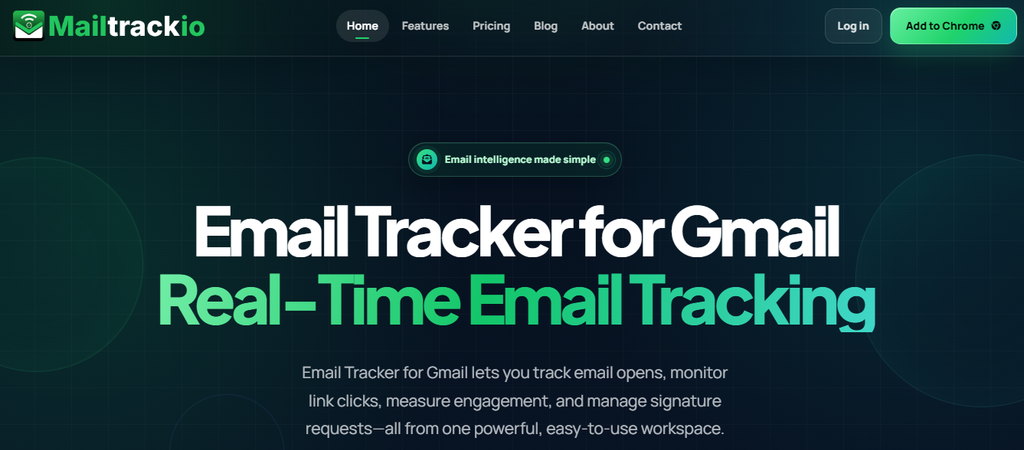
Mailtrackio takes a different approach from database-heavy sales intelligence platforms. Instead of trying to become another massive prospect directory, it focuses on what happens after you send an important Gmail message: whether the email was opened, which links attracted attention, when engagement occurred, and how document-signing activity is progressing.
That makes Mailtrackio particularly useful when you already have prospects from your CRM, referrals, website inquiries, recruiting pipeline, networking, or another data provider. You can use engagement information to decide which conversations deserve attention first instead of following up blindly.
Its dashboard brings tracked emails, total opens, open rate, link clicks, recent activity, and other engagement information together. The searchable activity timeline also lets you narrow events by subject, detail, activity type, or date, reducing the need to dig through individual threads.
Mailtrackio also connects email engagement with fill-and-sign requests. You can review signer information, request status, completion progress, and signed PDFs from the same environment, which makes it useful for proposals, agreements, recruitment documents, client approvals, and other email-driven workflows.
Mailtrackio Key Features
- Email-open tracking: Shows when tracked Gmail messages receive attention so you can follow up with better timing.
- Link-click reporting: Identifies links recipients interact with, helping you distinguish a simple open from stronger interest.
- Searchable activity timeline: Lets you find engagement events by subject, detail, type, or date instead of reviewing conversations manually.
- Engagement dashboard: Brings opens, clicks, open rates, recent activity, and account information into one focused view.
- Fill-and-sign requests: Keeps document-signing progress close to the email activity that led to the request.
- Custom tracking domain support: Business plans can use a custom tracking domain for a more controlled tracking setup.
Mailtrackio Pros
- Focuses on actionable email engagement instead of overwhelming users with a large sales platform.
- Shows both email opens and link-click activity.
- Includes document-signing workflows alongside email tracking.
- Provides searchable records that help you investigate recent engagement quickly.
- Offers monthly, yearly, and launch-time lifetime pricing options.
- Supports small-team collaboration on the Business plan.
- Gives users a focused Gmail-oriented workflow that can be easier to adopt than a broad enterprise prospecting suite.
Mailtrackio Cons
- It is designed around Gmail email intelligence rather than functioning as a large B2B prospect database.
- Team collaboration and custom tracking-domain support are concentrated in the Business tier.
Mailtrackio Pricing Plans
Starter: $9/month or $90/year. Professional: $19/month or $190/year. Business: $39/month or $390/year. Starter Lifetime: $149 one time. Professional Lifetime: $299 one time. Business Lifetime: $599 one time.
Why Choose Mailtrackio?
Choose Mailtrackio when your biggest problem is not finding another million contacts but knowing what to do after you contact the people already in your pipeline. Its combination of open tracking, click reporting, searchable engagement history, and document-signature progress provides signals you can use to prioritize follow-ups.
That focused approach can also appeal to founders, recruiters, freelancers, agencies, customer-success teams, and sales professionals who don’t need an enterprise intelligence platform. Instead of forcing your workflow around a complex database, Mailtrackio helps you identify when attention is building around an email, link, proposal, or document and act while the conversation is still warm.
Must-know Tip: Opens alone are weak intent signals. A prospect who repeatedly opens an email, clicks a proposal link, and reviews a document gives you much stronger context for prioritizing a follow-up.
2. Saleshandy
Saleshandy combines B2B lead discovery with multichannel outreach, making it a closer functional Apollo competitor than email-only prospecting tools. Its current platform includes a large people-and-company database, waterfall enrichment, email and mobile reveals, sequences, email warm-up, API access, and CRM integrations on qualifying tiers.
The trade-off is that important limits still vary by plan. Starter is designed for one user, while CRM and no-code integrations require higher tiers, and Lead Finder credits reset according to the billing structure.
Saleshandy Key Features
- Lead Finder: Searches a large B2B database using people and company criteria.
- Waterfall enrichment: Checks multiple providers before returning contact information.
- Multichannel sequences: Coordinates email and other sales activities within structured outreach.
- Unlimited connected email accounts: Allows teams to spread outreach across multiple mailboxes.
- Email warm-up and deliverability tools: Helps teams operate outbound infrastructure more systematically.
Saleshandy Pros
- Combines prospect discovery and outreach in one platform.
- Includes waterfall enrichment and real-time verification.
- Supports multiple connected sending accounts.
- Provides CRM and no-code integrations on higher plans.
- Offers API, MCP, and automation options for technical workflows.
Saleshandy Cons
- Starter supports only one user.
- CRM and no-code integrations are not included with Starter.
- Unused included Lead Finder credits do not roll over under the current platform structure.
- Phone reveals consume substantially more credits than work-email reveals.
Saleshandy Pricing Plans
Starter: $41/month, or $34/month billed annually at $408/year. Pro: $99/month, or $76/month billed annually at $912/year. Scale: $189/month, or $149/month billed annually at $1,788/year. Enterprise: custom pricing.
Why Choose Saleshandy?
Saleshandy is worth considering when you want prospect data and outbound execution in the same environment. Waterfall enrichment can be particularly useful when one database does not return enough usable contact information, while real-time verification adds another layer before leads enter campaigns.
Its limitations become more noticeable for very small teams that need advanced integrations without moving up a tier. Credit consumption also deserves calculation before you commit, especially if phone numbers are central to your sales motion. For teams primarily focused on scalable cold email and lead discovery, however, it covers more of Apollo’s end-to-end workflow than many specialist tools.
3. Cognism
Cognism is built around B2B sales intelligence with a strong emphasis on verified mobile data, compliance, international prospecting, CRM enrichment, and buying signals. Its Diamond Data offering is particularly relevant to teams that value phone-verified mobile numbers over relying solely on large database counts.
Cognism is less suitable if you want transparent self-service pricing or a complete cold-email sending system in the same subscription. Pricing is customized, and its core strength is data intelligence rather than functioning as an all-purpose email outreach platform.
Cognism Key Features
- Diamond Data: Provides phone-verified mobile numbers for selected contacts.
- B2B prospecting database: Helps identify decision-makers using company and contact criteria.
- Signal Data: Surfaces events including hiring changes, funding, technographics, news, and intent.
- CRM enrichment: Updates and enriches existing customer and prospect records.
- AI-powered search: Supports faster account and contact research inside the prospecting workflow.
Cognism Pros
- Strong emphasis on verified mobile contact information.
- Compliance-focused approach is useful for international sales teams.
- Provides signal data for more contextual prospecting.
- Supports CRM enrichment and list improvement.
- Includes account and contact search capabilities for targeted B2B prospecting.
Cognism Cons
- Public dollar pricing is not displayed.
- Its sales-led buying process may not suit users who want instant self-service checkout.
- Teams wanting native high-volume cold-email infrastructure may need another platform.
- Five-seat packaging can be more capacity than a solo salesperson requires.
Cognism Pricing Plans
Why Choose Cognism?
Cognism is a serious option when data quality, mobile numbers, and international compliance matter more than obtaining the lowest possible subscription price. Its verified mobile-data approach can be valuable for SDR organizations where phone conversations contribute heavily to pipeline.
The biggest buying obstacle is transparency. You cannot simply compare a public monthly figure with self-service alternatives, and teams focused mainly on automated cold email may need another engagement layer. Cognism therefore makes the most sense for sales organizations that have a clear need for high-quality contact intelligence and are prepared to evaluate the product through a sales process.
Gartner’s 2026 research found that buyers used an average of seven information sources during a recent B2B purchase. Better account information can help your reps understand that broader journey before they contact someone.
4. ZoomInfo
ZoomInfo remains one of the best-known B2B intelligence platforms for companies that need deep contact and company information, intent signals, enrichment, account intelligence, and enterprise sales workflows. Its ecosystem goes far beyond a basic email-finding product and can support prospecting, marketing, RevOps, and large go-to-market organizations.
That breadth is also the main concern for smaller teams. Public dollar pricing is not readily available, and the scope of the platform can be unnecessary if your goal is simply to find verified emails or run straightforward outreach.
ZoomInfo Key Features
- Contact and company intelligence: Gives sales teams access to detailed professional and firmographic records.
- Intent signals: Helps identify accounts showing research or buying activity.
- Company insights and trigger events: Supports timing outreach around meaningful organizational changes.
- Data enrichment: Improves existing CRM and go-to-market records.
- Sales workflow integrations: Connects prospect intelligence with established CRM and revenue systems.
ZoomInfo Pros
- Broad B2B company and professional intelligence.
- Strong fit for enterprise prospecting and account-based selling.
- Combines contact data with intent and account signals.
- Supports data enrichment for larger CRM environments.
- Integrates into sophisticated go-to-market stacks.
ZoomInfo Cons
- Dollar pricing is not transparently published for straightforward comparison.
- The platform can be more complex than small teams need.
- Broader enterprise workflows can require more implementation than lightweight tools.
- Buyers focused on one narrow use case may pay for capabilities they rarely use.
ZoomInfo Pricing Plans
Why Choose ZoomInfo?
ZoomInfo makes sense when your sales organization needs enterprise-scale intelligence rather than a lightweight contact finder. It can support account research, prospecting, enrichment, intent-led targeting, and multiple go-to-market teams under a broader data strategy.
The trade-off is accessibility. Smaller organizations may find a custom sales process and a large feature set harder to justify than a self-service alternative. Evaluate ZoomInfo around expected pipeline contribution, data coverage in your target markets, required integrations, and actual user adoption rather than treating database size alone as proof of value.
Must-know Tip: Large databases are not automatically better databases. Test every shortlisted vendor against a sample of contacts from your own ICP before signing an annual agreement.
5. Lusha
Lusha combines contact intelligence, verified emails and phone numbers, search filters, enrichment, signals, integrations, and sales workflow features. Its free plan provides a practical way to test the platform before committing, while paid tiers increase credits, seats, API access, team controls, and enrichment options.
The most important issue to model is credit consumption. Revealing a verified email costs one credit under the current structure, while revealing a phone number costs five, so phone-heavy prospecting can use allowances much faster.
Lusha Key Features
- Verified emails and phone numbers: Provides direct business contact information for prospecting.
- Prospect and company search: Helps build targeted lead lists.
- Buying signals: Adds context about prospects and accounts showing relevant activity.
- Browser extension: Brings contact intelligence into websites and common prospecting workflows.
- Enrichment and integrations: Moves prospect data into broader sales systems.
Lusha Pros
- Permanent free plan offers a low-risk starting point.
- Provides both email and phone contact data.
- Supports prospecting from a browser extension.
- Includes enrichment and signal capabilities.
- Offers higher-tier API and team-management functionality.
Lusha Cons
- Phone reveals consume five credits each.
- Credit allowances can disappear quickly in call-heavy workflows.
- Annual unused credits reset at the end of the annual cycle.
- Advanced administration and higher-volume capabilities require more expensive plans.
Lusha Pricing Plans
Free: $0 with 40 credits per month. Starter: $37.45/month billed yearly with 4,800 annual credits. Pro: $52.45/month billed yearly with 7,200 annual credits. Premium: $299.95/month billed yearly with 40,800 annual credits. Scale: custom pricing.
Why Choose Lusha?
Lusha is attractive when you want an approachable way to search for business contacts without immediately entering an enterprise contract. The free tier gives you a practical opportunity to test results using people your team already knows before paying.
Credit economics remain important. If your SDRs reveal large numbers of mobile phones, five-credit phone reveals can change the effective cost substantially. Teams should therefore measure usable contact coverage and cost per contacted prospect during the trial rather than simply counting the number of records returned.
In 2026, Gartner reported that 67% of B2B buyers preferred a rep-free experience and 70% preferred completely digital self-service buying. Better targeting becomes more important when buyers are less tolerant of unnecessary seller interaction.
6. Seamless.AI
Seamless.AI positions itself as a real-time sales lead platform that helps users find business emails, cell phones, contact information, and prospect intelligence. Its search engine, data-enrichment options, job-change information, integrations, and AI functionality can support teams that prospect continuously rather than working from occasional static lists.
Pricing transparency is the main consideration. The public pricing page presents a free option and sales-led paid packages rather than giving straightforward dollar figures for Pro, which makes direct cost comparison difficult.
Seamless.AI Key Features
- Real-time search engine: Researches business contact information as users prospect.
- Email and phone discovery: Supplies contact details for outbound workflows.
- Job-change filtering: Helps salespeople identify changes that may create new opportunities.
- AI Assistant: Supports prospecting and sales research workflows.
- Integrations and enrichment: Connects contact intelligence with external sales systems.
Seamless.AI Pros
- Supports both email and phone prospecting.
- Uses a real-time search approach instead of relying only on static lists.
- Includes job-change functionality for trigger-based outreach.
- Provides integrations for established sales workflows.
- Offers optional enrichment and buyer-intent capabilities.
Seamless.AI Cons
- Pro dollar pricing is not publicly displayed.
- Buyer intent, enrichment, and Autopilot are presented as add-ons rather than universal core features.
- Credit packages introduce another variable when forecasting total cost.
- A sales conversation may be necessary before you can calculate the full price for your team.
Seamless.AI Pricing Plans
Why Choose Seamless.AI?
Seamless.AI can fit teams that want to research contacts continuously and bring emails, mobile numbers, job changes, and prospecting information into the same workflow. It is particularly relevant when sales reps need contact discovery while browsing and researching target accounts.
The difficulty is budgeting. Without public Pro pricing, you cannot make a reliable subscription comparison from the pricing page alone, and add-on products may affect total ownership cost. Test contact accuracy against your own ICP and request a complete quote that includes the functionality your team actually plans to use.
7. Instantly
Instantly is best known for cold email infrastructure and high-volume campaign execution. Its Outreach plans include unlimited email accounts and warm-up, with tiers determined largely by uploaded contacts and monthly email limits. The platform has also expanded into lead data, enrichment, AI agents, CRM workflows, and broader outbound functionality.
The catch is that outreach capacity and prospect-data credits are separate parts of Instantly’s pricing structure. Teams replacing Apollo should calculate the combined cost of sending, lead data, enrichment, CRM requirements, and any additional infrastructure they need.
Instantly Key Features
- Unlimited email accounts: Lets teams connect multiple sending inboxes on paid Outreach plans.
- Email warm-up: Helps maintain sending infrastructure across connected accounts.
- Automated sequences: Runs structured cold-email follow-ups.
- SuperSearch and enrichment: Adds B2B data discovery and enrichment through separate credit plans.
- Unibox and campaign analytics: Centralizes replies and campaign performance information.
Instantly Pros
- Strong focus on cold-email scale.
- Paid Outreach plans allow unlimited connected email accounts.
- Includes warm-up capabilities.
- Supports large sending volumes on higher tiers.
- Expanding AI, enrichment, and lead-data capabilities make the platform broader than a simple sequencer.
Instantly Cons
- Lead-data credits are priced separately from core Outreach plans.
- Growth has a relatively small uploaded-contact limit.
- Subsequences require higher Outreach tiers.
- Light Speed represents a significant price jump for teams that need the highest sending limits.
Instantly Pricing Plans
Growth Outreach: $47/month. Hypergrowth Outreach: $97/month. Light Speed Outreach: $358/month. Enterprise: custom pricing. Instantly also sells separate credit, CRM, and other product plans, so total cost depends on the combination you use.
Why Choose Instantly?
Instantly is a strong Apollo alternative when your primary objective is scaling cold email across many sending accounts. Unlimited account connections and warm-up on paid Outreach plans reduce some of the per-mailbox friction that can appear in other sending platforms.
It is less straightforward if you expect one subscription to include every database, enrichment, CRM, and outreach requirement. Lead data and other functionality can involve separate plans or credits. Model the full stack before switching, especially if Apollo currently supplies both your leads and your sending workflow.
Microsoft and LinkedIn reported in 2024 that 75% of knowledge workers were already using AI at work, while 79% of leaders considered AI adoption important to competitiveness. Instantly’s growing AI layer reflects that wider shift toward automation in daily sales operations.
8. Snov.io
Snov.io combines prospect discovery, email finding, verification, enrichment, CRM-style lead management, email campaigns, warm-up, and LinkedIn automation options. That breadth makes it useful for small and mid-sized teams that would rather connect prospect discovery and outreach inside one ecosystem.
The trade-off is quota complexity. Plans can involve credits, recipients, enrichment tokens, warm-up capacity, and separate LinkedIn automation slots, so teams should map their expected monthly activity before choosing a tier.
Snov.io Key Features
- Email Finder: Finds professional contact information from several prospecting inputs.
- Email Verifier: Checks email validity before outreach.
- Email Drip Campaigns: Automates personalized sequences and follow-ups.
- Lead enrichment: Adds missing information to prospect records.
- LinkedIn Automation: Supports LinkedIn actions as part of multichannel prospecting workflows.
Snov.io Pros
- Combines lead discovery and outreach.
- Includes built-in email verification.
- Supports unlimited follow-ups within its campaign structure.
- Paid plans include unlimited team seats.
- Unused credits can roll over while an eligible paid subscription remains active.
Snov.io Cons
- Several quota types make usage forecasting less simple.
- LinkedIn automation slots can require separate purchasing.
- Higher-volume Pro tiers become considerably more expensive.
- Teams primarily needing direct-dial phone intelligence may prefer a more phone-focused database.
Snov.io Pricing Plans
Trial: free. Starter: $39/month. Pro S: $99/month. Pro M: $189/month. Pro L: $369/month. Ultra: $738/month. Annual subscriptions currently advertise a 25% discount.
Why Choose Snov.io?
Snov.io works well when you want to move from finding an email to verifying it and contacting the prospect without constantly switching platforms. Its email discovery, verification, campaign, enrichment, and LinkedIn capabilities cover several steps of the outbound workflow.
The main challenge is understanding the quotas. Credits, recipients, enrichment tokens, and LinkedIn slots represent different types of usage, so your effective cost depends heavily on how you prospect. Calculate a typical month using your real workflow before deciding which plan replaces Apollo most efficiently.
Microsoft’s 2024 Work Trend Index also found that 78% of AI users were bringing their own AI tools to work. Sales platforms adding AI and external-assistant integrations are responding to a behavior that was already happening inside teams.
9. RocketReach
RocketReach is built around professional and company contact discovery. It is widely used by salespeople, recruiters, business-development professionals, and researchers who need business emails, phone data, company information, search filters, browser-based prospecting, and export capabilities.
It can be a useful prospect-data alternative to Apollo, but it is not necessarily a complete replacement for every Apollo workflow. Plan restrictions around data type, lookups or exports can also affect high-volume teams, so testing your intended volume is important.
RocketReach Key Features
- Professional contact search: Helps locate business contacts across companies and roles.
- Company search: Supports account-level prospect research.
- Email and phone data: Provides contact channels according to available data and plan access.
- Browser extension: Lets users research contacts while browsing.
- CRM and workflow integrations: Moves prospect information into broader sales processes.
RocketReach Pros
- Straightforward focus on professional contact discovery.
- Useful for both sales and recruiting workflows.
- Includes company-level research.
- Browser functionality supports prospecting without constantly changing tabs.
- Higher plans support deeper workflow and integration needs.
RocketReach Cons
- Plan limits can constrain high-volume prospecting.
- Lower-tier access may be more email-focused than phone-focused.
- Outreach functionality is less central than in dedicated cold-email platforms.
- Current public pricing information has changed enough that you should confirm the live checkout terms before budgeting.
RocketReach Pricing Plans
Why Choose RocketReach?
RocketReach deserves consideration when your biggest requirement is finding professional contact information without adopting a broad enterprise sales suite. Its search and browser workflows are particularly useful for recruiters, founders, and salespeople conducting targeted research.
It is less compelling if your primary objective is sophisticated multichannel sequencing or large-scale sender infrastructure. You may still need an engagement platform after finding contacts. Review the current limits around exports, phone access, integrations, and billing before deciding whether it can replace the parts of Apollo you currently use.
10. Hunter
Hunter has evolved from a well-known email-finding utility into a broader outreach platform with Discover, Domain Search, Email Finder, Email Verifier, enrichment, lead management, signals, campaigns, CRM integrations, API access, and MCP connectivity.
Its strongest focus remains professional email discovery and verification. Teams that depend heavily on mobile numbers and cold calling should therefore compare it with phone-first sales intelligence providers before making a final choice.
Hunter Key Features
- Domain Search: Finds professional email addresses associated with a company or domain.
- Email Finder: Locates a specific professional’s email from known identifying information.
- Email Verifier: Checks email deliverability before campaigns.
- Discover: Searches Hunter’s B2B database using prospecting criteria.
- Sequences: Sends automated outreach from connected email accounts.
Hunter Pros
- Strong specialization in professional email discovery.
- Shows sources and verification information for contact data.
- Combines finding, verification, and outreach.
- Includes unlimited team members across current All-in-One plans.
- Offers API and MCP access for automated and AI-assisted workflows.
Hunter Cons
- It is not primarily a mobile-phone intelligence platform.
- Connected email-account limits vary by plan.
- Recipient limits increase only as you move to higher tiers.
- Additional sending-account capacity can require paid add-ons.
Hunter Pricing Plans
Free: $0. Starter: $34/month billed annually at $408/year. Growth: $104/month billed annually at $1,248/year. Scale: $209/month billed annually at $2,508/year. Enterprise: custom pricing.
Why Choose Hunter?
Hunter is a strong option when your prospecting process revolves around finding and verifying professional email addresses. Its Domain Search and Email Finder remain straightforward, while Discover, enrichment, lead management, signals, sequences, APIs, and AI connectivity make the platform substantially broader than a simple email lookup service.
Its main limitation appears when phone outreach is central to your strategy. Sales organizations that need large quantities of mobile numbers may get more value from a phone-oriented intelligence provider. For email-first prospecting, however, Hunter offers a relatively cohesive path from discovering a contact to validating and contacting that person.
Must-know Tip: Email verification is not cosmetic. Removing obviously undeliverable addresses before sending protects campaign efficiency and reduces the number of wasted touches your team has to investigate manually.
What Happens to Your Data When You Leave Apollo.io?
Switching software is not just a subscription decision. Apollo may already contain saved lists, CRM mappings, sequences, enrichment, suppression information, contact records, notes, and workflow history that your sales process depends on.
Export the Information You Are Allowed to Keep
Start by identifying which contacts, accounts, lists, and other records can be exported under your current plan and agreement. Do this before canceling access.
Do not assume every piece of information in the platform will remain available indefinitely after cancellation. Keep approved business records in the system your organization treats as its source of truth, usually a CRM.
Preserve Suppression and Outreach History
A new platform should not cause you to contact people who previously unsubscribed, opted out, bounced repeatedly, or were intentionally suppressed. Transfer the necessary compliance and suppression information before restarting campaigns.
This is also an opportunity to clean your data. Moving every stale record simply recreates the same problem inside a new system.
Rebuild CRM Fields Carefully
Sales intelligence platforms often enrich records using different fields, naming conventions, and data types. Map those fields before synchronizing the new platform with your CRM.
Otherwise, a bulk enrichment job can overwrite valuable information, create duplicates, or make reporting inconsistent. Test a small sample before allowing a new provider to update thousands of records.
Move Campaigns Without Damaging Deliverability
Sequences can be recreated. Sender reputation is harder to repair.
If you also change sending tools, maintain proper SPF, DKIM, DMARC, sending-domain practices, mailbox limits, suppression lists, and gradual campaign deployment. Avoid treating migration day as an excuse to suddenly multiply outbound volume.
Gartner reported in 2026 that 45% of surveyed B2B buyers had used AI in a recent purchase, while 69% preferred to validate AI-generated insights with a sales representative. Your data and automation therefore need to support credible human conversations, not replace context with automated volume.
Measure the New Platform Against Real Outcomes
Do not judge a migration only by how many contacts the new tool contains. Track valid-email rate, mobile-number coverage, positive replies, meetings, opportunities, time saved, cost per usable record, and seller adoption.
That final measure matters. A technically powerful platform delivers little value if reps avoid using it.
How to Choose the Right Apollo Alternative
The right decision becomes easier when you stop asking which platform has the longest feature list.
Start with your sales motion.
If you already have prospect data and want clearer email-engagement signals, Mailtrackio addresses a different problem from traditional B2B databases. If you want prospect discovery plus large-scale cold outreach, Saleshandy or Instantly may align more closely with your workflow.
If verified mobile data and international sales intelligence are priorities, evaluate Cognism. If enterprise account intelligence is the central requirement, ZoomInfo belongs on the shortlist. Lusha and Seamless.AI emphasize contact discovery, while Snov.io and Hunter put substantial focus on email-led prospecting workflows.
Next, test your own data.
Take a representative sample from the markets, industries, company sizes, and job functions you actually sell to. Measure how many current contacts each vendor identifies, how many emails verify, how many phone numbers connect, and how much each usable record costs.
Then calculate total ownership cost.
Subscription price is only the beginning. Include seats, credits, domains, mailboxes, verification, sending infrastructure, enrichment, phone access, integrations, API usage, implementation, and other required add-ons.
Finally, consider how quickly your team can turn data into a useful conversation. Gartner’s 2026 study found that buyers increasingly use AI and digital self-service, but 69% still wanted sales reps to validate AI-generated insights. Good sales technology should therefore help your reps arrive with better context.
Ryan Roslansky, LinkedIn’s CEO, summarized the broader shift clearly: “AI is redefining work.”
Microsoft and LinkedIn’s 2024 research found that AI power users saved more than 30 minutes per day. Automation has value, but its best use is reducing repetitive work so people can spend more time on judgment, relevance, and meaningful buyer interaction.
Conclusion
Choosing an Apollo alternative starts with identifying the part of your current workflow that needs improvement. Contact discovery, mobile data, verification, email sending, enrichment, engagement tracking, deliverability, integrations, and AI automation solve different problems, and no single platform leads every category.
Tools that reveal real engagement can help you prioritize people already showing interest. Platforms with verified B2B data can improve who enters your pipeline, while outreach systems can make campaign execution more repeatable.
Mailtrackio focuses on email opens, link clicks, searchable engagement activity, and document-signing progress, while the other tools in this guide cover different combinations of prospect intelligence, enrichment, verification, and outbound execution. The best choice is the one that solves your highest-cost bottleneck without adding unnecessary complexity.
Frequently Asked Questions
What is the best Apollo alternative?
There is no universal winner because Apollo covers several functions. Mailtrackio is useful when you already have contacts and want Gmail engagement intelligence, Saleshandy combines prospecting with outbound execution, Cognism focuses heavily on verified B2B intelligence, and other alternatives specialize in different parts of the sales process.
Is there a free Apollo alternative?
Several products offer free access or trials. Lusha has a permanent free tier, Hunter has a free plan, Snov.io provides a trial option, and other vendors offer different evaluation methods. Always check current limits before selecting a platform around its free tier.
Which Apollo alternative is best for email tracking?
Mailtrackio is specifically focused on email engagement. It tracks opens, link clicks, recipient activity, and document-signing progress while providing dashboards and searchable activity information.
Which Apollo alternative is best for cold email?
Saleshandy, Instantly, Snov.io, and Hunter all provide cold-email or sequence functionality. Your best option depends on sending volume, connected accounts, lead-data requirements, warm-up needs, team size, and other limits.
Which Apollo alternative has phone numbers?
Cognism, Lusha, Seamless.AI, ZoomInfo, RocketReach, and Saleshandy provide phone-related B2B data in different forms. Coverage and verification approaches vary, so test contacts from your target market before buying.
What is the cheapest Apollo alternative?
The answer depends on the feature you need. Free plans exist for several tools, while Mailtrackio’s published paid plans start at $9 per month for its email-tracking workflow. A low subscription price does not necessarily produce the lowest cost per qualified conversation.
Why do companies switch from Apollo.io?
Common reasons include wanting a more specialized workflow, different data coverage, stronger mobile data, different credit economics, simpler software, different outreach infrastructure, or tools focused on engagement after an email is sent.
Is Mailtrackio a full Apollo replacement?
Not in every use case. Mailtrackio is centered on Gmail engagement intelligence and document workflows rather than functioning as a massive B2B prospect database. It is most relevant when you already have contacts and need better visibility into email opens, link clicks, activity, and follow-up timing.
What should I test before buying a sales intelligence platform?
Use a representative sample of your own ICP. Check email validity, phone coverage, current job information, geographic performance, search filters, export limits, CRM integration, credits, data freshness, and actual cost per usable contact.
Should database size determine which Apollo alternative I choose?
No. A smaller database with better coverage of your ICP may produce more value than a huge database filled with irrelevant or stale contacts. Accuracy, freshness, verification, market coverage, and usable contact rate matter more than a headline record count.
What is waterfall enrichment?
Waterfall enrichment checks multiple data sources sequentially until the requested information is found. The approach can improve coverage compared with depending on one source, although pricing and verification methods still need to be evaluated.
Can I use more than one Apollo alternative?
Yes. A modular stack can be more effective than forcing one platform to handle every job. For example, a business might use one source for B2B data, another for email verification, a third for sending, and Mailtrackio for engagement visibility.
How should I compare Apollo alternative pricing?
Calculate total cost rather than the advertised subscription alone. Include seats, prospect credits, phone reveals, enrichment, domains, email accounts, sending infrastructure, API usage, integrations, verification, onboarding, and required add-ons.
How often should I review prospect data?
Review it regularly, especially before launching an important campaign. People change jobs, companies restructure, domains change, and phone numbers become outdated. Fresh verification is particularly important for older lists and contacts your team has not approached recently.
Are AI features important when choosing a sales platform?
They can be useful when they reduce repetitive research, enrichment, writing, or workflow tasks. Gartner reported in 2026 that 45% of surveyed B2B buyers had used AI during a recent purchase, while Microsoft and LinkedIn reported in 2024 that 75% of knowledge workers used AI at work. The important question is whether AI improves your sales process rather than simply adding another feature label.

Comments
0 responsesNo comments yet. Be the first to share your thoughts.