


Click any AI tool above to instantly get a summary of this article. Perfect for quick insights when you're short on time.
Choosing the right Hunter.io alternative can feel surprisingly difficult when every platform promises cleaner data, more prospects, and better outreach. The real frustration starts after you pay, when limited credits, inaccurate contacts, weak integrations, or missing engagement insights force you to add another tool to your stack.
That matters more than ever. Salesforce reported in 2024 that sales representatives spend about 70% of their time on non-selling work, while Gartner found in 2025 that 73% of B2B buyers actively avoid suppliers that send irrelevant outreach.
This guide compares 10 alternatives across tracking, contact discovery, verification, enrichment, outreach, pricing, and practical business fit so you can decide what actually deserves a place in your workflow.
Why Are Businesses Looking for a Hunter.io Alternative?
Hunter remains a capable email prospecting platform, but your requirements can outgrow any single tool. The better question is not whether Hunter works. It is whether its approach still matches the way your team finds prospects, communicates with them, measures interest, and manages costs.
Outreach Now Requires More Than Finding an Email
A valid address is only the beginning of the sales process. You may also need mobile numbers, buyer-intent signals, email engagement tracking, CRM enrichment, job-change alerts, document workflows, or automated follow-ups.
Buyer behavior has changed as well. Gartner reported in 2025 that 61% of B2B buyers preferred an overall rep-free buying experience, while its 2026 research found buyers used an average of seven information sources during a recent purchase and 45% used generative AI.
That puts more pressure on sales teams to contact the right person with relevant information instead of simply increasing volume.
Must-know Tip: Gartner analyst Robert Blaisdell summarized the risk clearly: “Bad prospecting actively damages relationships with potential customers.”
Deliverability Has Become a Bigger Business Risk
Finding thousands of contacts has little value if poor list quality damages your sending reputation. Google requires bulk senders sending more than 5,000 messages per day to Gmail accounts to use stronger authentication, including SPF, DKIM, and DMARC, while keeping reported spam rates below 0.3%.
Yahoo also began enforcing stricter sender requirements in 2024 and tells senders to keep complaint rates below 0.3%.
The practical lesson is simple. You need to evaluate data quality, verification, targeting, and engagement together rather than treating email discovery as an isolated task.
Teams Want Better Economics and Fewer Disconnected Tools
Credit models can look affordable until your team starts revealing phone numbers, enriching records, verifying lists, and paying for multiple seats. Some alternatives bundle several functions, while others specialize in one part of the workflow.
Sales teams are therefore comparing the real cost per usable contact rather than simply looking at the cheapest monthly subscription.
Must-know Tip: When comparing tools, calculate what you spend to produce one usable, verified prospect and one meaningful conversation. The lowest subscription price does not automatically create the lowest acquisition cost.
How to Test a Hunter Alternative Before Switching
Changing your prospecting stack without testing it against your own market is risky. Database size, advertised accuracy, and review scores matter less than how the platform performs with the exact companies and people you target.
Test the Same Prospect Sample
Create a controlled sample of 50 to 100 prospects across your normal industries, company sizes, job functions, and locations. Run the same sample through Hunter and the alternative.
Compare how many valid work emails, direct dials, company details, and useful enrichment fields each platform returns. Do not count a large database as a win unless it produces contacts you can actually use.
You should also verify a portion independently. A platform that finds fewer contacts but returns cleaner data can be more valuable than one that gives you hundreds of questionable records.
Measure Deliverability and Real Engagement
Run a small outreach campaign before migrating your full workflow. Track hard bounces, replies, positive replies, spam complaints, and the number of conversations generated.
Woodpecker’s platform benchmark, updated in August 2026 using 2025 campaign data, reported a median cold-email open rate of 26% across 37,000 campaigns and a median reply rate of 1.5% across 56,614 campaigns. The company also warns that open tracking can be noisy, making replies a stronger metric.
Belkins used an even stricter measurement method and reported a 0.45% average reply rate across its 2025 campaigns when replies were divided by all emails sent.
Test the Full Workflow, Not One Feature
Check how easily you can move contacts into your CRM, send them to an outreach platform, search old activity, manage your team, and export data.
Then calculate the complete monthly cost. Include subscriptions, additional credits, seats, verification services, enrichment tools, and outreach software.
A platform should reduce friction rather than move the same friction somewhere else.
10 Best Hunter.io Alternative Tools to Consider in 2026
The 10 Hunter.io alternative tools below solve different problems. Some focus on discovering B2B contacts. Others specialize in verification, phone data, enrichment, outreach automation, or post-send engagement.
That distinction matters. The best option is not automatically the platform with the largest database. It is the one that solves the part of your workflow that currently wastes the most time or money.
1. Mailtrackio
Mailtrackio takes a different approach from conventional email finders. Instead of concentrating on building a massive contact database, it focuses on what happens after your email is sent: whether someone opened it, clicked a link, returned to the conversation, or progressed through a document-signing request.
That makes it particularly useful when your problem is not finding contacts but knowing which conversations deserve attention. You can see tracked emails, total opens, open rates, link clicks, recent activity, and engagement information from a focused dashboard rather than manually reviewing message threads.
Its searchable activity timeline adds another practical layer. You can search by subject or activity detail, filter records by date, inspect email views, and see when attention is building around a particular conversation.
Mailtrackio also combines email engagement with fill-and-sign workflows. You can send a document for signature, see signer status and progress, and access completed PDFs without separating document activity from the communication that triggered it.
Mailtrackio Key Features
- Email-open tracking: Shows when tracked messages receive attention so you can time follow-ups with more context.
- Link-click reporting: Reveals which links recipients interacted with and when stronger interest appeared.
- Searchable activity timeline: Lets you find events by subject, detail, activity type, recipient, or date instead of searching long inbox threads.
- Engagement dashboard: Brings tracked emails, opens, open rates, clicks, and recent activity into one clear view.
- Fill-and-sign requests: Keeps document sending, signer status, completion progress, and signed PDFs beside your email workflow.
- Advanced reporting and exports: Higher plans add deeper reporting, extended activity history, recipient insights, and activity exports.
Mailtrackio Pros
- Gives you actionable visibility after an email is sent.
- Combines opens and link-level activity instead of relying on open tracking alone.
- Keeps document-signing progress inside the same workflow.
- Offers a searchable timeline for faster follow-up research.
- Provides monthly, yearly, and lifetime payment options.
- Supports a custom tracking domain on the Business plan.
- Keeps the interface focused on practical engagement signals instead of overwhelming you with enterprise-style reporting.
Mailtrackio Cons
- Its core strength is engagement intelligence rather than building a large B2B prospect database, so you may still use another source for contact discovery.
- The standard Business plan supports up to five connected team members, which may require a different arrangement for larger organizations.
Mailtrackio Pricing Plans
Starter costs $9 per month and includes up to 3,000 tracked emails and 10 fill-and-sign requests monthly. Professional costs $19 per month with up to 15,000 tracked emails and 50 signing requests. Business costs $39 per month with up to 50,000 tracked emails, five connected team members, custom tracking-domain support, and 200 signing requests.
Yearly pricing is $90 for Starter, $190 for Professional, and $390 for Business. Limited lifetime plans are also listed at $149 for Starter Lifetime, $299 for Professional Lifetime, and $599 for Business Lifetime.
Why Choose Mailtrackio?
Choose Mailtrackio when your biggest blind spot begins after you press Send. Open tracking shows when a message gets attention, click reports reveal stronger intent, and the searchable activity timeline helps you prioritize conversations without manually digging through your inbox.
The fill-and-sign workflow is especially useful when outreach eventually leads to proposals, agreements, approvals, or other documents. Instead of treating email engagement and document progress as separate processes, you can keep both visible in one workspace. Its flexible monthly, annual, and lifetime pricing also gives you several ways to control long-term software costs.
Must-know Tip: Open data is useful as a signal, not proof of buying intent. Combine opens with link clicks, replies, document activity, and actual conversation context before deciding which prospects deserve immediate attention.
2. UpLead
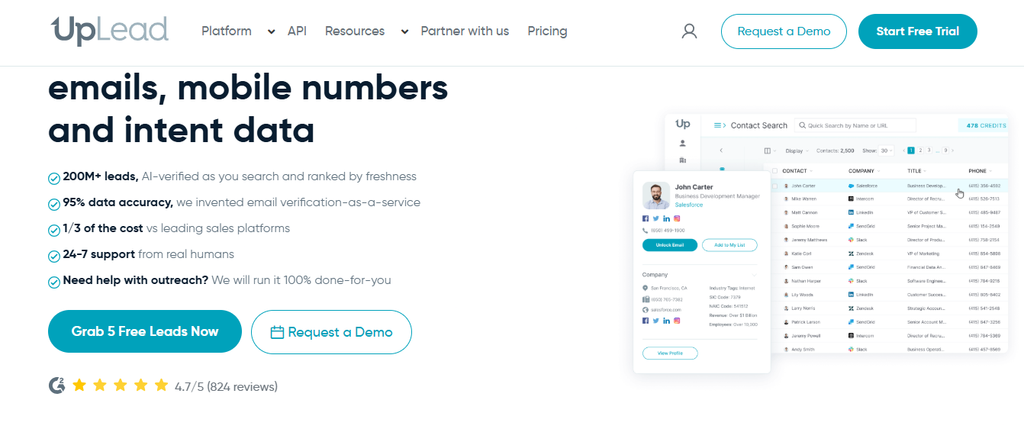
UpLead is closer to a traditional Hunter replacement because it concentrates on B2B contact and company intelligence. Its platform currently advertises more than 200 million contact profiles and provides over 50 search filters, including job title, company size, revenue, industry, location, and technology use.
Its main attraction is verification. UpLead states that it verifies emails in real time and advertises a 95% data-accuracy rate. However, its Essentials and Plus plans are single-user accounts, which can become restrictive if you want multiple prospectors working under one subscription.
UpLead Key Features
- Real-time email verification: Verifies emails as you access or export contacts.
- Advanced search filters: Lets you narrow prospects by more than 50 data points.
- Mobile direct dials: Provides phone data for multichannel prospecting.
- Technographics: Helps you target companies according to technologies they use.
- Data enrichment: Adds missing contact and company information to existing records.
UpLead Pros
- Published 95% data-accuracy claim.
- More than 200 million contact profiles.
- Phone numbers and email data in one platform.
- Strong CRM integration coverage.
- Useful technographic and enrichment functions.
UpLead Cons
- Essentials and Plus support only one user.
- Credit allowances can feel limited for high-volume prospecting.
- Additional credits cost extra.
- Buyer intent and full API access sit in the custom Professional tier.
UpLead Pricing Plans
The seven-day free trial includes five credits. Essentials costs $99 per month for 170 monthly credits or $74 per month billed annually for 2,040 yearly credits. Plus costs $199 monthly for 400 credits or $149 per month billed annually for 4,800 yearly credits. Professional uses custom annual pricing, custom seats, and custom credits.
Why Choose UpLead?
UpLead makes sense when verified B2B data matters more to you than built-in campaign sending. Its combination of real-time email verification, direct dials, advanced filters, technographics, enrichment, and CRM integrations supports structured prospect research.
The tradeoff is scalability at the lower tiers. Essentials and Plus are single-user plans, and heavy prospecting can consume credits quickly. If your team needs multiple users, full API access, or buyer-intent data, you move into quote-based Professional pricing.
3. Instantly
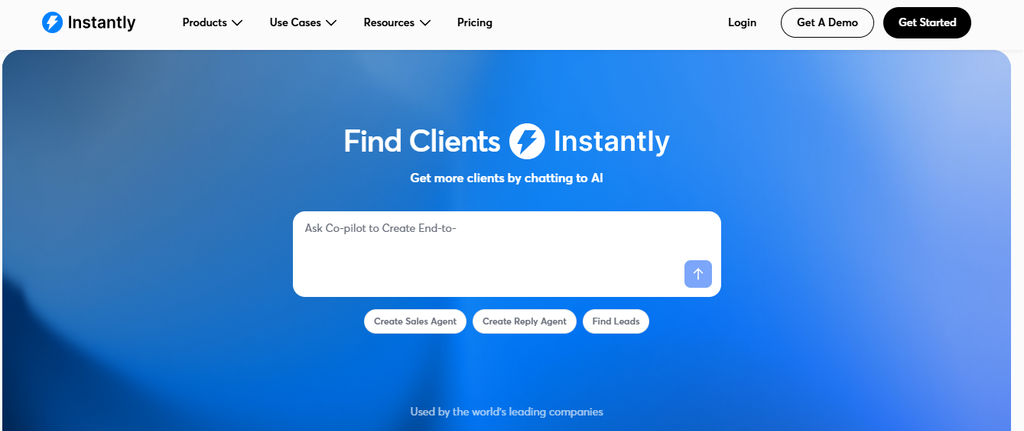
Instantly approaches the problem from the opposite direction. It combines lead discovery and enrichment with large-scale cold-email infrastructure, making it attractive if you want to source prospects and run campaigns inside the same ecosystem.
Its current lead product advertises access to a database of more than 450 million B2B leads, waterfall work-email enrichment using multiple providers, AI research tools, and CRM or outreach exports. Its outreach plans add unlimited email accounts, warmup, campaign automation, scheduling, analytics, and Unibox.
The concern is pricing complexity. Outreach, credits, CRM, inbox-placement testing, domains, and email accounts can be separate subscriptions, so the headline price may not represent your full monthly cost.
Instantly Key Features
- SuperSearch lead database: Gives you access to hundreds of millions of B2B prospects.
- Waterfall enrichment: Checks multiple providers when enriching work emails.
- Unlimited email accounts: Paid outreach plans let you connect multiple sending accounts.
- Email warmup: Supports sender preparation and reputation management.
- AI agents: Adds AI-supported research, writing, reply handling, and sales workflows.
Instantly Pros
- Combines lead data with outreach execution.
- Unlimited email accounts on core outreach plans.
- Built-in warmup.
- High sending limits on larger plans.
- AI and enrichment tools extend beyond basic email discovery.
Instantly Cons
- Several product modules have separate subscriptions.
- Uploaded-contact limits vary sharply by plan.
- Credits can expire.
- Total cost increases when you combine outreach, lead credits, CRM, and deliverability products.
Instantly Pricing Plans
Email Outreach costs $47 per month for Growth, $97 for Hypergrowth, and $358 for Light Speed, with Enterprise priced on request. Instantly Credits start at $9 monthly for Nano, $47 for Growth Credits, $97 for Supersonic, and $197 for Hyper Credits, with larger credit tiers and Enterprise options available. CRM plans are $47 for Growth CRM and $97 for Hyper CRM.
Why Choose Instantly?
Instantly fits teams that want to move directly from lead research into cold-email execution without constantly exporting lists between unrelated platforms. Its unlimited sending-account model, warmup, lead database, enrichment, analytics, and AI tools can consolidate a large part of an outbound stack.
The main drawback is packaging. Because outreach, prospecting credits, CRM functions, and inbox-placement tools may be billed separately, you need to calculate the complete configuration you actually require before comparing its cost with simpler Hunter alternatives.
4. Findymail
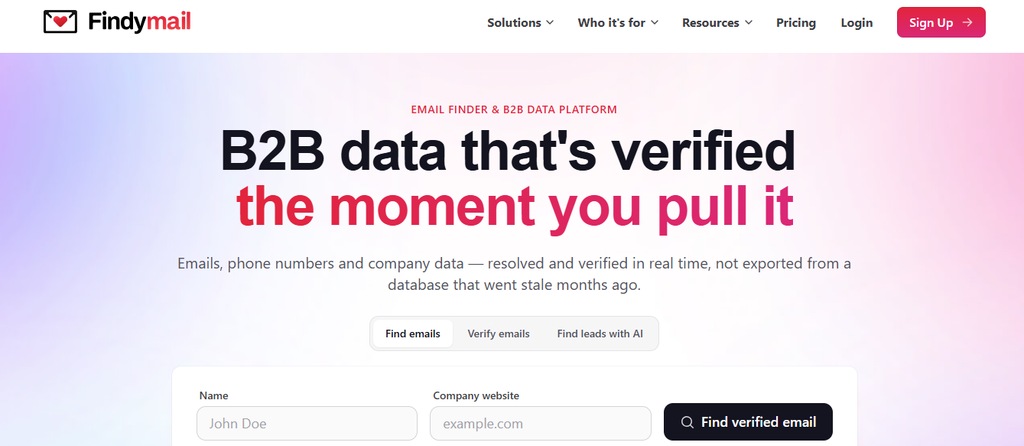
Findymail focuses heavily on returning usable contact data instead of charging for unsuccessful searches. Finder credits are charged when it returns a verified result, while its verifier can clean contacts obtained from other sources.
Its strongest differentiator is verification. Findymail says every returned email is verified in real time and backs its data with a less-than-5% bounce-rate guarantee, with credits refunded if your results exceed that threshold under its guarantee terms. It also includes proprietary catch-all validation, syntax checks, SMTP checks, and spam-trap detection.
The tradeoff is that phone data consumes credits much faster. One email costs one credit, while a phone number costs 10 credits.
Findymail Key Features
- Verified email finder: Charges a finder credit for successful verified results.
- Real-time verification: Checks addresses when you request them.
- Catch-all validation: Attempts to resolve addresses other tools may mark as uncertain.
- Phone finder: Provides phone data at a higher credit cost.
- CRM data care: Can maintain, update, enrich, and deduplicate CRM records.
Findymail Pros
- You do not pay finder credits for unsuccessful results.
- Less-than-5% bounce guarantee.
- Finder contacts arrive already verified.
- Monthly unused credits can roll over up to twice your allowance.
- Includes bonus verifier credits alongside finder credits.
Findymail Cons
- Phone numbers consume 10 credits each.
- Higher-volume plans become expensive.
- Prospecting and CRM hygiene are separate purchasing considerations.
- It is more data-focused than full outbound-sequencing platforms.
Findymail Pricing Plans
Current 2026 pricing starts around $49 monthly for 1,000 Finder credits, followed by $99 for 5,000, $249 for 15,000, $399 for 30,000, $549 for 50,000, and $849 for 100,000. Enterprise pricing is custom. Findymail’s live page currently highlights the $99 Starter tier and offers two months free on annual billing; Datacare starts from $500 per month billed annually.
Why Choose Findymail?
Findymail is appealing when wasted credits and questionable addresses frustrate you more than missing campaign automation. Its pay-for-verified-results approach makes your credit usage easier to connect to usable contact data, while real-time verification reduces the need to purchase a separate validation product for Findymail-generated emails.
You should watch phone usage closely because each phone costs 10 credits. Teams that need thousands of mobile numbers may therefore experience very different economics from teams focused primarily on work emails.
5. Prospeo
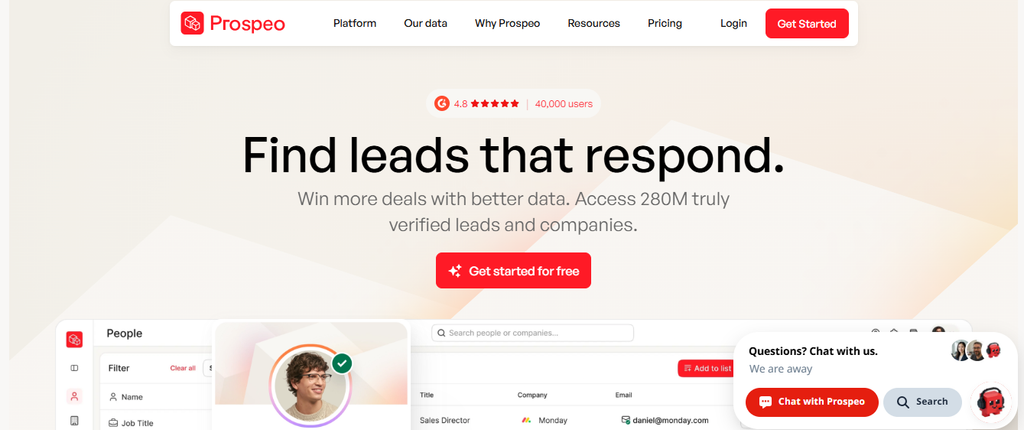
Prospeo has evolved into a broader B2B prospecting and enrichment platform rather than a simple email finder. Its current documentation says the database covers more than 300 million professional profiles across over 30 million companies, including 143 million verified emails and 125 million verified mobile numbers.
The company claims 98% email accuracy through a five-step verification process that includes catch-all handling, spam-trap removal, and honeypot filtering. It also says its data refresh cycle runs every seven days. Those are strong numbers, although they remain vendor-reported performance claims.
The main concern for growing teams is per-user pricing. Adding several salespeople multiplies the base subscription cost.
Prospeo Key Features
- Large B2B database: Searches hundreds of millions of professional profiles.
- Email and mobile discovery: Finds verified work emails and mobile numbers.
- Advanced search: Paid tiers provide increasingly deep prospect filters.
- Intent and job-change signals: Higher plans help identify timely opportunities.
- API and CRM enrichment: Supports automated data workflows and CRM updates.
Prospeo Pros
- 100-credit free plan.
- Large current database.
- Strong vendor-reported email accuracy.
- Phone and email data available together.
- API access begins on paid tiers.
Prospeo Cons
- Paid plans are priced per user.
- Mobile numbers consume more credits than emails.
- CRM integrations and job-change tracking require higher tiers.
- Free-plan limits are best suited to evaluation rather than production.
Prospeo Pricing Plans
Prospeo currently offers Free at $0 with 100 credits monthly, Starter at $49 per user per month with 2,000 credits, Growth at $99 with 5,000 credits, and Pro at $249 with 15,000 credits. Annual pricing is approximately $37, $74, and $187 per user per month respectively.
Why Choose Prospeo?
Prospeo suits you when contact freshness, verification, mobile numbers, and modern filtering matter more than built-in email sending. Its combination of people search, company data, intent topics, job changes, enrichment, API access, and CRM integrations provides more prospecting depth than a basic email-finder workflow.
The main issue is team economics. Pricing is per user, and higher-value capabilities such as native CRM integrations and job-change tracking sit above the Starter tier. Calculate your cost across the entire sales team before comparing it with shared-workspace alternatives.
6. Cognism
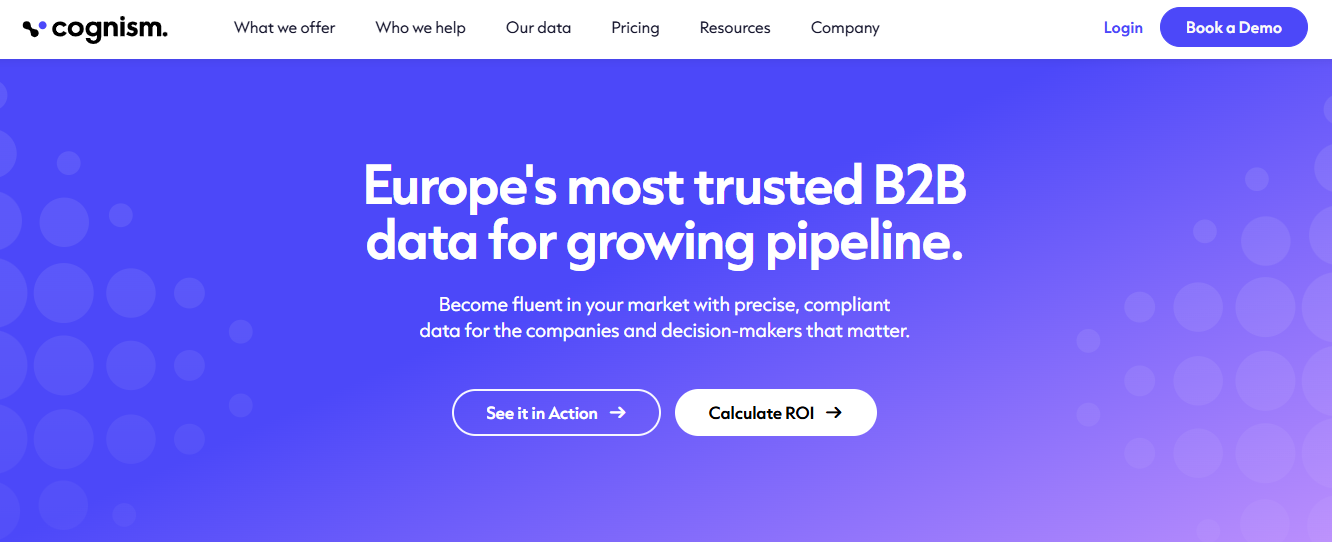
Cognism targets teams that place heavy emphasis on international B2B data, phone-verified mobile numbers, compliance, and account signals. Its Diamond Data process combines automated validation with human verification and screens information against global do-not-call lists.
Cognism states that it cross-checks data against 15 DNC lists globally. Its platform also includes Bombora intent data, technographics, job-change signals, CRM enrichment, AI Search, and Sales Companion for browser-based prospecting.
Its biggest obstacle for smaller buyers is purchasing friction. Cognism does not publicly display simple dollar pricing for its current Standard and Pro sales-prospecting packages.
Cognism Key Features
- Diamond Data: Provides phone-verified mobile contact information.
- Compliance screening: Cross-checks contacts against global DNC lists.
- Intent data: Uses Bombora-powered signals to identify researching accounts.
- Sales Companion: Adds contact and account data while you browse.
- CRM enrichment: Updates and fills sales-database records.
Cognism Pros
- Strong emphasis on phone verification.
- Extensive international prospecting coverage.
- Compliance-first positioning.
- Intent and technographic signals.
- AI-assisted account research.
Cognism Cons
- No straightforward public dollar pricing.
- Requires a sales conversation for a quote.
- Built primarily for professional sales teams rather than casual lookup needs.
- Its broader platform may be excessive if you only need occasional email discovery.
Cognism Pricing Plans
Cognism currently lists Standard and Pro sales-prospecting packages, plus CRM Enrichment, but prices are customized according to products, team structure, usage, and delivery requirements. The company directs prospective customers to sales rather than publishing fixed dollar prices.
Why Choose Cognism?
Cognism deserves consideration when your team relies heavily on direct-dial prospecting, international markets, intent signals, and compliance controls. Phone-verified Diamond Data and global DNC screening distinguish it from simpler email-first tools.
The tradeoff is accessibility. You cannot immediately compare a transparent monthly price with self-service competitors, and the platform is designed for more structured sales organizations. If you only need a few hundred email lookups every month, its broader intelligence layer may be more than your workflow requires.
7. VoilaNorbert
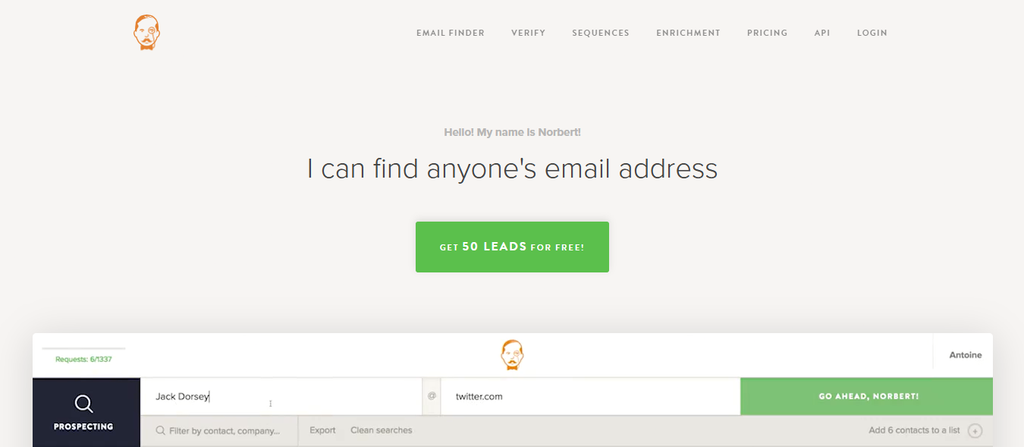
VoilaNorbert remains one of the more straightforward email-finding alternatives. Its core prospecting plans are based on the number of leads you want to find each month, and every tier includes unlimited team members, bulk processing, API usage, and credit rollover.
The platform also separates email verification and enrichment into pay-as-you-go services. That makes it useful when you occasionally need to clean or enrich a larger external list without increasing your monthly prospecting tier.
Its simplicity can also be a limitation. If your sales strategy depends on buyer intent, deep account intelligence, large technology datasets, or sophisticated multichannel workflows, other platforms offer a broader intelligence layer.
VoilaNorbert Key Features
- Email finder: Finds work addresses from prospect information.
- Bulk prospecting: Processes larger contact lists.
- Email verification: Cleans external lists on a pay-as-you-go basis.
- Data enrichment: Adds information to existing email records.
- API access: Lets you incorporate contact discovery into other workflows.
VoilaNorbert Pros
- Predictable published pricing.
- Unlimited team members on prospecting plans.
- Credit rollover with annual subscriptions.
- Bulk and API usage included.
- Separate pay-as-you-go verification.
VoilaNorbert Cons
- Smaller feature scope than full sales-intelligence platforms.
- No comparable deep buyer-intent layer.
- High-volume plans become expensive.
- Advanced multichannel sales automation is not its central strength.
VoilaNorbert Pricing Plans
Valet costs $49 per month for up to 1,000 leads, or $39 monthly on annual billing. Butler costs $99 or $79 annually for 5,000 leads. Advisor costs $249 or $199 annually for 15,000 leads. Counselor costs $499 or $399 annually for 50,000 leads.
Verification costs $0.003 per email up to 500,000 and $0.001 above that, subject to a $2 minimum. Enrichment starts at $0.04 per email and decreases at larger volumes.
Why Choose VoilaNorbert?
VoilaNorbert works well when you want a focused email-finding workflow without a complex enterprise platform. Unlimited team members, published lead allowances, API usage, bulk processing, and separate verification make its costs relatively easy to understand.
Its weakness is depth. Teams that rely on buying signals, extensive company intelligence, job-change monitoring, or sophisticated sales automation will probably need additional software. That makes it stronger as a focused data utility than as a complete revenue-intelligence system.
8. ContactOut
ContactOut is particularly strong when your prospecting begins on professional profiles. Its Chrome extension works on LinkedIn and can surface emails and phone numbers while you browse, while its Search Portal lets you discover people directly from ContactOut’s database.
The platform has expanded beyond sourcing. It now offers data enrichment, email campaigns, Gmail enrichment, a cloud phone dialer, CRM integrations, API access, and ContactSheets.
ContactOut’s marketing materials currently cite a large international data footprint, including roughly 800 million people profiles, 150 million personal emails, 200 million work emails, 100 million direct dials, and coverage across more than 170 countries.
Its major weakness is pricing transparency. The public pricing page directs Team/API customers to contact sales rather than presenting a complete self-service price table.
ContactOut Key Features
- LinkedIn Chrome extension: Finds email and phone information while you browse profiles.
- Search Portal: Lets you find prospects outside LinkedIn.
- Data enrichment: Adds profile, job, and contact information to existing lists.
- Email campaigns: Supports templates, bulk engagement, and automated follow-up.
- CRM integrations: Moves prospect data into tools such as Salesforce and HubSpot.
ContactOut Pros
- Strong LinkedIn-centered prospecting workflow.
- Provides personal and work contact information.
- Includes campaign capabilities.
- Supports sales and recruiting use cases.
- Large vendor-reported database.
ContactOut Cons
- Full paid pricing is not transparently published.
- Team/API packages require sales contact.
- LinkedIn-heavy workflows may be less relevant for domain-first prospecting teams.
- Broader functions increase setup compared with a simple email finder.
ContactOut Pricing Plans
ContactOut offers free access for testing, while its public pricing page directs Team and API buyers to request a quote. Separate sales and marketing pages promote consumption-based plans around the $299-per-month level, but final package pricing and included usage depend on the account configuration.
Why Choose ContactOut?
ContactOut is most attractive when LinkedIn or candidate sourcing already sits at the center of your prospecting process. Its extension reduces the need to move between tabs, while Search Portal, enrichment, campaigns, and CRM connections extend the workflow after a contact is discovered.
The main drawback is purchasing transparency. You cannot build a precise long-term budget from the primary pricing page without speaking to sales. Teams that prefer instant self-service checkout and predictable credit pricing may find that inconvenient.
9. Kaspr

Kaspr is another strong LinkedIn-oriented option, with particular emphasis on European B2B contact data. Its Chrome extension works with LinkedIn, Sales Navigator, and Recruiter Lite and can reveal phone numbers, email addresses, and company information while you prospect.
Kaspr states that its wider data access covers more than 500 million phone numbers and email addresses sourced from over 150 sources. It also provides enrichment workflows, lead management, CSV enrichment, CRM integrations, and team controls.
The platform is less attractive if you do not use LinkedIn heavily. Its strongest workflow depends on identifying prospects through LinkedIn and then enriching them.
Kaspr Key Features
- LinkedIn Chrome extension: Reveals contact information directly on professional profiles.
- Phone and email enrichment: Adds direct contact information to prospect records.
- LinkedIn list enrichment: Enriches contacts from search lists in bulk.
- CRM integrations: Sends enriched prospects into sales systems.
- Lead management: Lets you save, organize, and annotate prospects.
Kaspr Pros
- Strong European-data positioning.
- Fast LinkedIn prospecting workflow.
- Phone data available.
- CRM and CSV enrichment.
- Free plan for testing.
Kaspr Cons
- Most valuable if LinkedIn is central to your workflow.
- Phone credits remain limited on self-service plans.
- Pricing is per user.
- Large teams may need Enterprise arrangements.
Kaspr Pricing Plans
Free costs $0. Starter is $65 per user per month on monthly billing or $49 per month on annual billing. Business costs $99 per user monthly or $79 per month with annual billing. Enterprise uses custom pricing and can include unlimited credits, intent data, advanced Salesforce enrichment, enterprise compliance, and SSO.
Why Choose Kaspr?
Kaspr is a practical option when your representatives already spend most of their prospecting time in LinkedIn or Sales Navigator. Revealing phone and email information directly from a prospect profile can remove repetitive copying, exporting, and searching.
Its strongest fit is therefore workflow-specific. If you primarily prospect from domains, inbound lists, or account databases, a LinkedIn-centered extension may add less value. Also remember that Starter and Business are priced per user, so the cost grows with headcount.
10. Seamless.AI
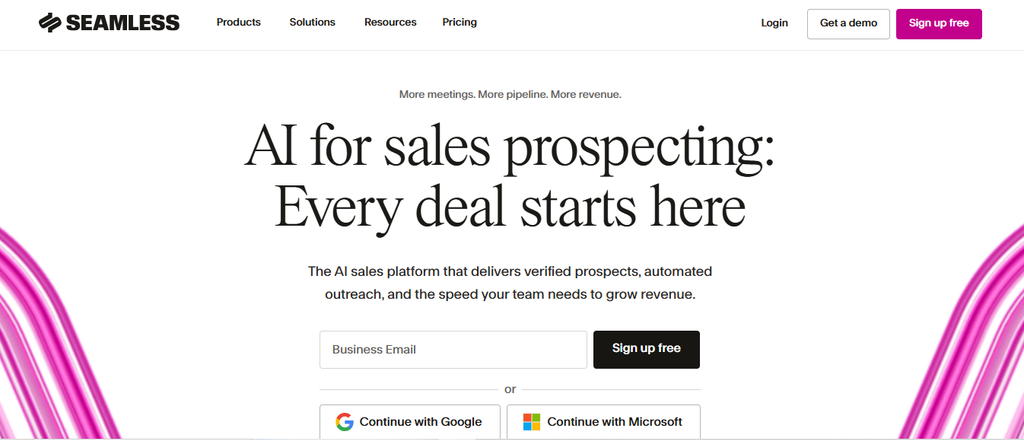
Seamless.AI has moved well beyond simple contact discovery. Its current platform combines a real-time B2B data engine with prospecting, buyer intent, job-change tracking, CRM enrichment, outreach, calling, social selling, API access, and AI-assisted sales research.
The scale is substantial. Current product pages cite more than 1.3 billion verified contacts, more than 414 million verified mobile numbers, and over 100 real-time data points per profile for parts of the Seamless data ecosystem.
That breadth also creates complexity. Paid pricing is customized, and features such as Buyer Intent, enrichment, Autopilot, and AI functionality can depend on the package or add-ons.
Seamless.AI Key Features
- Prospector: Finds verified business emails and mobile numbers.
- Buyer Intent: Identifies accounts showing purchase-related research signals.
- Job Changes: Tracks role changes and promotions.
- CRM Enrichment: Updates incomplete or outdated records.
- Connect and automation: Adds email, calling, tasks, social selling, and automated workflows.
Seamless.AI Pros
- Very large vendor-reported contact coverage.
- Email and mobile data in one platform.
- Buyer-intent and job-change signals.
- Built-in engagement capabilities.
- Enterprise API and enrichment workflows.
Seamless.AI Cons
- Paid prices are not publicly fixed.
- Credit usage requires monitoring.
- Advanced capabilities may be add-ons.
- The breadth of the platform can be unnecessary if you only need occasional email lookups.
Seamless.AI Pricing Plans
The Free plan costs $0 and currently includes one user and 50 credits. Seamless also offers Pro and Enterprise packages, but paid dollar pricing is customized rather than publicly displayed. Its pricing page notes that Pro plans begin with 10,000 annual credits, while Enterprise can include unlimited users, unlimited exports, custom packages, and higher support levels.
Why Choose Seamless.AI?
Seamless.AI fits revenue teams that want prospect discovery, enrichment, buying signals, job changes, and engagement connected in a broader sales platform. It can reduce the number of handoffs between a database, enrichment provider, CRM, and engagement system.
The main disadvantage is cost transparency. You need to speak with sales to know what a production-ready configuration will cost, especially after add-ons. Smaller teams that need only email discovery or verification may find a narrower self-service tool easier to budget and manage.
Must-know Tip: Bigger databases do not guarantee better campaigns. Test 50 to 100 contacts from your actual ICP and compare valid-contact rate, coverage, bounce rate, and positive replies before trusting any vendor’s headline database number.
How to Migrate From Hunter.io Without Losing Your Data
Switching prospecting tools should not begin by canceling your current subscription. Start by protecting the data, workflows, and historical context your team already uses.
Export and Organize Your Existing Data First
Export your important prospect lists, verified emails, company information, tags, suppression lists, campaign contacts, and any data you may need later. Keep an untouched backup before cleaning or transforming anything.
You should also document how your current workflow operates. Note which CRM fields receive Hunter data, which integrations trigger automations, who has access, and where suppression or do-not-contact information lives.
Once the export is complete, separate active prospects from historical contacts. This gives you a cleaner migration set and prevents unnecessary records from consuming enrichment credits in the new platform.
Clean and Map Your Fields Before Importing
Do not import every exported column blindly. Match Hunter fields to the equivalent fields in your new platform or CRM.
Standardize company names, email fields, phone formats, job titles, URLs, countries, and lifecycle stages. Remove obvious duplicates before enrichment so you do not pay repeatedly for the same contact.
Keep suppression data separate and protected. Accidentally reactivating unsubscribed or excluded contacts can create compliance problems and damage sender reputation.
Run Both Systems in Parallel
Use a short parallel-testing period instead of performing an instant cutover. Send a controlled group of prospects through the new workflow while your existing system remains available.
Compare discovery rates, verification results, bounce rates, replies, CRM synchronization, and the time your team spends moving data. Make sure the replacement improves the full process rather than one impressive metric.
Google currently recommends keeping user-reported spam rates below 0.1% and preventing them from reaching 0.3% or higher, so a migration that increases poor targeting or list quality can affect far more than software efficiency.
Retire Hunter Only After You Verify the New Workflow
Confirm that integrations, exports, authentication, team permissions, billing, API workflows, and suppression rules all work before closing the previous account.
Keep your original data backup. You should be able to restore critical records if a field mapping or import fails.
Must-know Tip: Treat migration as a data-quality project, not merely a subscription change. A cheaper platform becomes expensive quickly if the transition introduces duplicates, outdated records, broken CRM fields, or poor-quality sending lists.
Conclusion
Choosing among these 10 Hunter.io alternative tools comes down to identifying the problem you actually need to solve.
Some platforms focus heavily on discovering verified business contacts. Others add phone numbers, intent signals, CRM enrichment, job changes, LinkedIn workflows, or high-volume email automation. A different category, represented by engagement-focused tools such as Mailtrackio, helps you understand what happens after the message is delivered through open activity, link clicks, searchable engagement records, and document-signing progress.
No tool should be judged only by database size or monthly price. Compare verified-contact yield, total software cost, workflow fit, deliverability, integrations, team requirements, and the signals your representatives actually use when deciding what to do next.
The strongest Hunter.io alternative is therefore the one that removes the most expensive friction from your own prospecting and follow-up process.
Frequently Asked Questions
What is the best Hunter.io alternative?
The best alternative depends on why you want to replace Hunter. UpLead, Prospeo, Findymail, Cognism, ContactOut, Kaspr, and Seamless.AI focus strongly on prospect data. Instantly combines prospecting with large-scale email outreach. Mailtrackio is a different type of alternative for users who already have contacts and need stronger email engagement and follow-up visibility.
What is the best free Hunter.io alternative?
Several tools provide free access. UpLead offers a seven-day trial with five credits, Prospeo has a recurring 100-credit free tier, Kaspr offers a free plan, Seamless.AI currently gives free users 50 credits, and Mailtrackio’s website indicates free access is available for testing email tracking. Free plans are best used to evaluate data coverage or workflow fit before paying.
Which Hunter.io alternative is best for email tracking?
Mailtrackio is the most tracking-focused option on this list. It provides email-open tracking, link-click reports, searchable activity, engagement reporting, and fill-and-sign document workflows.
That differs from conventional contact databases. You use it primarily to understand recipient activity after an email has been sent.
Which alternative is best for finding phone numbers?
Cognism, UpLead, Prospeo, ContactOut, Kaspr, Findymail, and Seamless.AI all provide phone information in different forms. Cognism places particular emphasis on phone-verified Diamond Data, while Kaspr is closely integrated with LinkedIn-based phone discovery.
Before buying, test phone coverage against your own region and ICP because results can vary significantly by geography and role.
Is Hunter.io still worth using?
Yes, Hunter can still fit teams that want a focused workflow for email discovery, verification, enrichment, and outreach without adopting a larger sales-intelligence platform.
You should consider switching only when another tool solves a specific limitation that materially affects your work, such as phone coverage, intent data, LinkedIn sourcing, advanced enrichment, higher-volume sending, or post-send engagement analysis.
Which Hunter.io alternative has the largest database?
Database claims change frequently and vendors measure records differently, so raw size should not decide your purchase. Seamless.AI currently reports more than 1.3 billion verified contacts in parts of its platform, while Prospeo reports more than 300 million professional profiles and ContactOut markets hundreds of millions of profiles.
Always compare match rate on your own target market.
Which Hunter.io alternative is best for LinkedIn?
Kaspr and ContactOut are particularly strong choices when LinkedIn is the center of your prospecting workflow. Both provide browser extensions that reveal contact information while you browse professional profiles.
Kaspr also works with Sales Navigator and Recruiter Lite, while ContactOut supports sales and recruiting use cases.
Which Hunter.io alternative is best for cold email outreach?
Instantly is the most outreach-oriented platform on this list. Its paid outreach plans include unlimited connected email accounts, warmup, campaign automation, scheduling, analytics, and centralized reply management.
The tradeoff is that prospecting credits and other modules can create additional subscription costs.
Which Hunter.io alternative has the best email-verification focus?
Findymail and Prospeo both place substantial emphasis on verification. Findymail guarantees a less-than-5% bounce rate for emails it returns under its published guarantee, while Prospeo advertises 98% email accuracy using a multi-step verification process.
UpLead also advertises a 95% data-accuracy rate and real-time email verification.
Are Hunter.io alternatives safe for cold emailing?
The software itself does not make a campaign compliant or deliverable. You still need proper authentication, clean data, sensible sending volume, relevant targeting, suppression management, unsubscribe handling where required, and compliance with applicable laws.
Since February 2024, Google has applied stricter requirements to bulk senders, including SPF, DKIM, DMARC, one-click unsubscribe for qualifying promotional messages, and low spam rates.
Should you choose a contact database or email-tracking tool?
Choose a contact database when your main problem is finding the right people and retrieving reliable contact information.
Choose an email-tracking platform when you already know whom to contact but lack visibility after sending. Tracking opens, clicks, recent activity, and document progress can help you decide when and how to follow up.
Many teams use both categories because they solve different stages of the workflow.
How should you compare Hunter.io alternatives before paying?
Create a sample of real target prospects and test every platform against the same list. Measure contact coverage, valid-email rate, mobile-number coverage, enrichment depth, ease of export, CRM compatibility, and actual outreach performance.
Then calculate total monthly cost across users, credits, verification, enrichment, sending, and required add-ons. That gives you a much more reliable comparison than feature counts or headline prices alone.

Comments
0 responsesNo comments yet. Be the first to share your thoughts.