

Click any AI tool above to instantly get a summary of this article. Perfect for quick insights when you're short on time.
Picture this: you invest in an outreach platform expecting it to simplify prospecting, only to find yourself watching usage limits, managing credits, learning another complex dashboard, or paying for features your team rarely touches. That is why finding the right Lemlist alternative has become more important than simply finding another cold email tool.
The pressure on sales teams is real. Salesforce reported in February 2026 that the average seller spends only 40% of working time actually selling, while HubSpot’s 2025 sales research found that only 8% of sellers reported using no AI at all.
Here, you will find 10 alternatives covering email tracking, cold outreach, lead data, CRM, deliverability, multichannel engagement, and sales automation.
Why Are Businesses Switching From Lemlist?
Lemlist remains a capable sales engagement platform, especially if you value personalized sequences and multichannel prospecting. The problem is that your ideal outreach platform changes as your team, campaign volume, sales process, and budget change. Let’s go deeper:
Your Sales Stack May Have Outgrown Its Original Setup
A tool that fits a two-person startup may become expensive or unnecessarily complicated when you manage several salespeople, clients, inboxes, domains, or outbound motions. At that stage, you may care more about predictable mailbox costs, CRM synchronization, lead databases, reporting, account controls, or simpler day-to-day workflows.
The wider sales market is also moving quickly. Salesforce’s 2024 State of Sales research found that 81% of sales teams were experimenting with or had fully implemented AI, while 83% of teams using AI reported revenue growth compared with 66% of teams without it.
You Need Features That Match the Way You Actually Sell
Not every business needs image personalization, LinkedIn automation, a dialer, a prospect database, and enterprise forecasting in the same platform. You may simply need reliable engagement tracking. Another team may need thousands of verified contacts, multiple sending inboxes, AI-assisted prospecting, or a proper sales CRM.
That difference matters because Salesforce also found that sales representatives spent 70% of their time on non-selling work in its 2024 research. Software should remove unnecessary work rather than add another layer of administration.
Deliverability Has Become a Bigger Business Risk
Deliverability is no longer something you think about only after emails start landing in spam. Gmail’s bulk-sender requirements, introduced in February 2024, require stronger authentication practices for high-volume senders, and Google recommends keeping user-reported spam rates below 0.1% while avoiding 0.3% or higher.
That makes verification, controlled sending, authentication, inbox rotation, suppression management, and engagement monitoring increasingly important when you compare platforms.
Must-know Tip: HubSpot Sales Team Lead Nathalie Castro explained the shift clearly: “AI is not here to take our jobs… AI is here to make our jobs easier and more effective.”
What Are the Benefits of Choosing a Lemlist Alternative?
Switching software only makes sense when the replacement improves a problem that matters to your sales process. The best alternative is therefore not automatically the platform with the longest feature list.
Better Workflow Fit: Pay for What Your Team Actually Uses
A focused platform can reduce unnecessary complexity. If your team mainly needs email engagement intelligence, paying for extensive multichannel functionality may not improve results.
The opposite is also true. If your representatives spend their day prospecting, calling, researching accounts, and updating CRM records, a broader sales engagement platform can reduce the number of disconnected tools they need.
More Useful Automation: Reduce Repetitive Sales Work
AI adoption in sales increased from 24% in 2023 to 43% in 2024, according to HubSpot. The same research found that 73% of surveyed salespeople with AI-powered CRMs said those tools significantly improved team productivity.
Modern alternatives increasingly offer AI writing, research, prioritization, call summaries, automated follow-ups, enrichment, and workflow actions. The benefit is not simply “having AI.” It is giving you more time for conversations where human judgment matters.
Better Outreach Decisions: Use Signals Instead of Guesswork
Tracking opens, clicks, replies, meetings, positive responses, bounce patterns, and pipeline movement gives you evidence about where attention is building. You can then prioritize the prospects showing genuine interest instead of repeatedly following up with everyone in the same way.
HubSpot’s 2024 research also found that 74% of surveyed salespeople said AI helped increase responses across warm and cold calls. That reinforces the value of tools that combine automation with useful engagement data rather than simply increasing message volume.
10 Lemlist alternative Tools to Consider in 2026
The right 10 Lemlist alternative options cover very different needs. Some help you understand what happens after an email is sent. Others provide large prospect databases, automated sequences, mailbox rotation, AI agents, dialers, CRM features, or enterprise revenue intelligence.
Deliverability deserves particular attention. Sinch Mailgun’s 2025 benchmark was based on more than 400 billion emails, with Information Technology traffic recording a 98.05% delivery rate and a 0.14% bounce rate. Your software cannot guarantee inbox placement, but the way it helps you manage data, sending behavior, and engagement can materially affect your operating discipline.
1. Mailtrackio
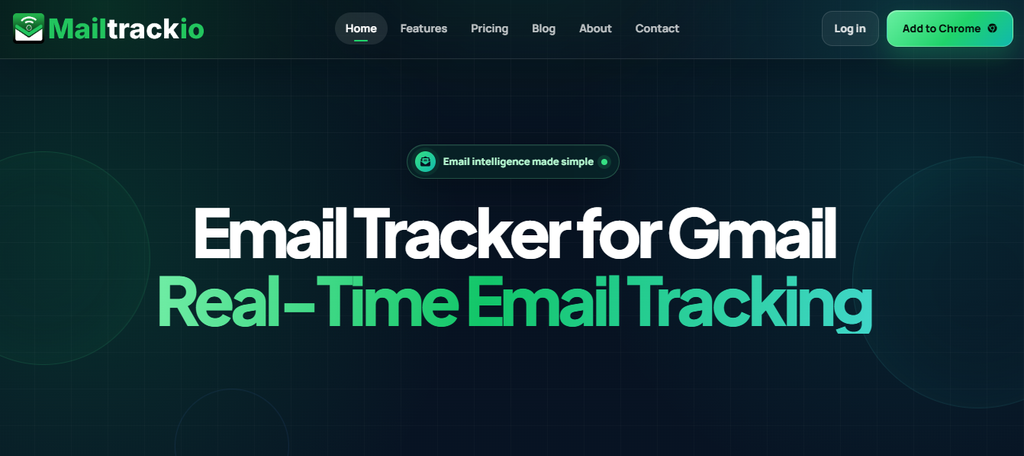
Mailtrackio takes a different route from platforms trying to become an entire sales stack. It focuses on giving you clear email intelligence inside a simple Gmail-oriented workflow, helping you understand whether recipients opened your message, clicked an important link, or interacted with a document.
That focus is particularly useful when your biggest problem is not creating another sequence but knowing what happened after you pressed send. Recent activity, recipient engagement, and link-level information help you decide which conversation deserves attention.
Mailtrackio also brings fill-and-sign requests into the same environment. You can monitor a document’s signing progress and access a completed PDF without separating that workflow from the email activity that triggered it.
The result is a narrower but highly practical Lemlist alternative for sales professionals, consultants, recruiters, agencies, founders, and customer-facing teams that want actionable engagement information without an enterprise-style interface.
Mailtrackio Key Features
- Email-open tracking: Shows when tracked messages receive attention so you can make better-timed follow-up decisions.
- Link-click reporting: Reveals which links recipients interact with and helps you distinguish a basic open from stronger buying intent.
- Searchable activity timeline: Lets you search and filter engagement events by subject, details, activity type, or date.
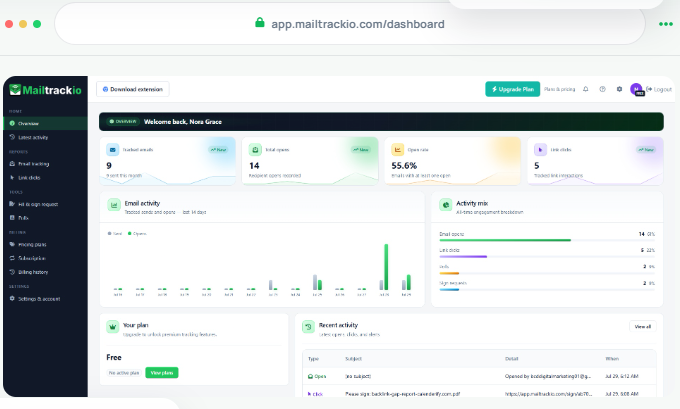
- Engagement dashboard: Brings tracked messages, opens, open rate, clicks, and recent activity into one clear workspace.
- Fill-and-sign workflow: Lets you send signature requests, monitor completion status, and access signed PDFs alongside email activity.
- Recipient-level insights: Helps you review views, send dates, recent engagement, and individual message activity without building separate reports.
Mailtrackio Pros
- Simple interface that keeps important engagement information visible.
- Link-level tracking helps you recognize stronger prospect interest.
- Built-in signing workflow reduces the need to separate document status from follow-up activity.
- Search and date filters make historical engagement easier to investigate.
- Monthly, annual, and lifetime purchase options provide unusual billing flexibility.
- Business plans include shared reporting and team activity views.
- Custom tracking-domain support is available on the Business tier.
Mailtrackio Cons
- Focused product scope: Mailtrackio concentrates on email tracking, engagement reporting, and signatures rather than trying to include a full prospect database, sales dialer, or complex multichannel automation suite.
- Small-team orientation: The published Business plan currently supports up to five connected team members, so a very large sales organization would need to confirm expansion options.
Mailtrackio Pricing Plans
Monthly pricing is Starter at $9 per month, Professional at $19 per month, and Business at $39 per month. Annual plans cost $90, $190, and $390 respectively. Launch lifetime options are Starter Lifetime at $149, Professional Lifetime at $299, and Business Lifetime at $599 as one-time payments.
Why Pick Mailtrackio?
Mailtrackio makes sense when you want your email data to tell you what to do next. Instead of loading your workspace with unrelated sales functions, it concentrates on signals that are immediately useful: opens, clicks, recent activity, recipient behavior, and document progress.
That combination can be especially valuable when you send proposals, partnership emails, recruitment messages, sales follow-ups, client documents, or other communication where timing matters. The integrated fill-and-sign workflow is another practical differentiator because document activity stays close to the engagement that led to it.
Its pricing structure also gives you flexibility. You can start monthly, reduce the effective cost with annual billing, or choose a lifetime option when available.
2. Emailchaser
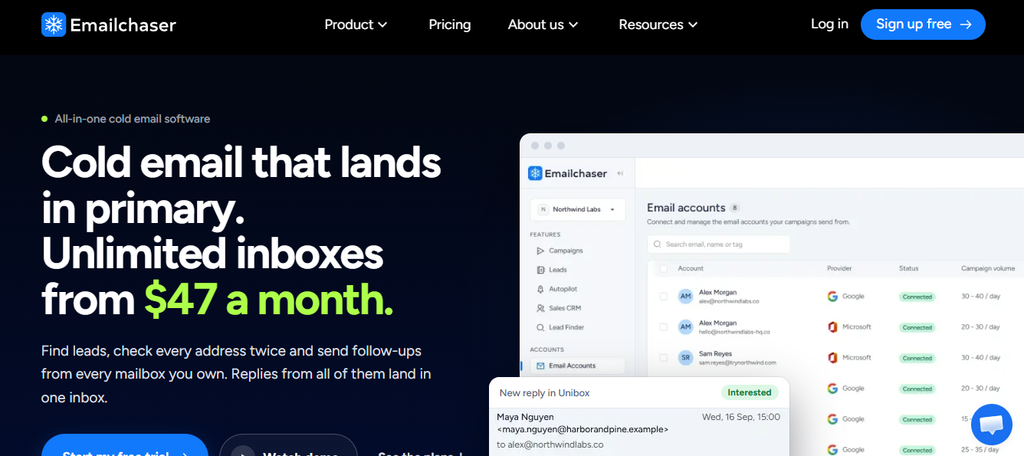
Emailchaser is designed for teams that need high-volume cold email infrastructure rather than simple engagement tracking. It combines unlimited connected email accounts with inbox rotation, verification, lead finding, warm-up, CRM functionality, campaign analytics, A/B testing, and automated follow-ups.
Its main concern is that plan limits still apply to emails, active contacts, and lead credits. Scaling therefore requires monitoring more than the number of inboxes you connect.
Emailchaser Key Features
- Unlimited email accounts: Lets you connect multiple Google, Microsoft, and supported mailboxes without per-inbox pricing.
- Inbox rotation: Distributes campaigns across connected senders.
- Double email verification: Checks addresses through two verification processes before outreach.
- Sales CRM: Provides a built-in workspace for managing leads and sales activity.
- A/B testing: Supports up to 26 subject or body variants per campaign step.
Emailchaser Pros
- Unlimited team seats across published plans.
- Built-in Lead Finder and verification.
- Client workspaces support agency workflows.
- API, MCP, and webhooks support external automation.
- Plans include warm-up and inbox rotation.
Emailchaser Cons
- Starter is capped at 5,000 emails and 1,000 active contacts monthly.
- Monthly plan lead credits do not roll over.
- Lead Finder requires LinkedIn Sales Navigator.
- Private Slack support is reserved for higher tiers.
Emailchaser Pricing Plans
Starter costs $47 per month, Pro $97 per month, Max $358 per month, and Enterprise $897 per month. Published limits rise from 5,000 monthly emails on Starter to 1.5 million on Enterprise.
Why Pick Emailchaser?
Choose Emailchaser when your main concern is scaling cold email across many sender accounts without paying separately for every connected mailbox. Inbox rotation, built-in verification, warm-up, lead finding, CRM functionality, and unlimited team seats reduce the need for several additional products.
Agencies may also appreciate separate client workspaces and high-volume plans. However, unlimited inboxes should not be confused with unlimited overall usage. Email sends, active contacts, and lead credits remain tiered, and higher-volume plans become considerably more expensive.
It is therefore strongest when its flat mailbox model offsets the usage limits that matter to your operation.
3. Snov.io
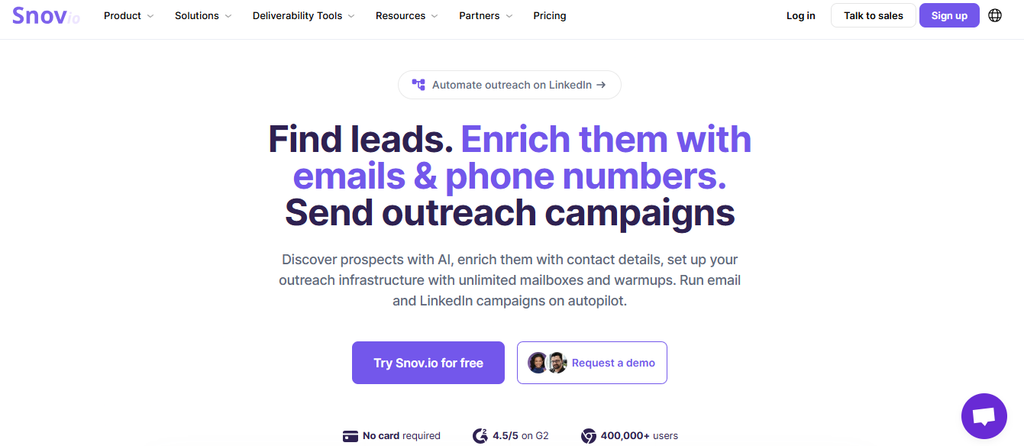
Snov.io is broader than a basic cold email sender. It combines prospect discovery, email finding, verification, enrichment, email warm-up, campaigns, LinkedIn automation, CRM features, and integrations in one platform.
That breadth can simplify your sales stack, but Snov.io uses credits, recipient allowances, enrichment tokens, and warm-up allowances. You need to understand those limits before comparing its headline subscription price with simpler tools.
Snov.io Key Features
- Email Finder: Helps locate prospect email addresses from several search methods.
- Email Verifier: Cleans prospect data before campaigns.
- Multichannel outreach: Combines email sequences with LinkedIn automation.
- Email warm-up: Helps you gradually prepare connected accounts for outreach.
- Built-in CRM: Organizes prospects and deal activity inside the same ecosystem.
Snov.io Pros
- Prospecting and outreach sit in one platform.
- Unlimited team seats are included in paid tiers shown on the current pricing page.
- Email verification is built into the prospecting workflow.
- CRM functionality reduces dependence on a separate lightweight pipeline tool.
- Integrations include HubSpot, Pipedrive, Clay, n8n, and API options.
Snov.io Cons
- Starter includes only 1,000 prospecting/verifying credits.
- Recipient limits apply even though monthly email follow-ups can be unlimited.
- Enrichment uses a separate token system.
- Higher tiers rise substantially in price as volume increases.
Snov.io Pricing Plans
Current monthly pricing lists Starter at $39, Pro S at $99, Pro M at $189, Pro L at $369, and Ultra at $738. Annual subscriptions are advertised with a 25% discount.
Why Pick Snov.io?
Snov.io deserves consideration when your workflow begins before the outreach itself. You can find prospects, verify addresses, enrich contact data, warm mailboxes, run email or LinkedIn campaigns, and manage opportunities without constantly exporting information between separate products.
That makes it useful for small and mid-sized teams trying to consolidate prospecting and sales engagement.
The trade-off is pricing complexity. Credits, recipients, enrichment tokens, and warm-up capacity can all affect how far your subscription goes. You should estimate real monthly usage rather than choosing a tier solely from its advertised price.
4. Apollo.io
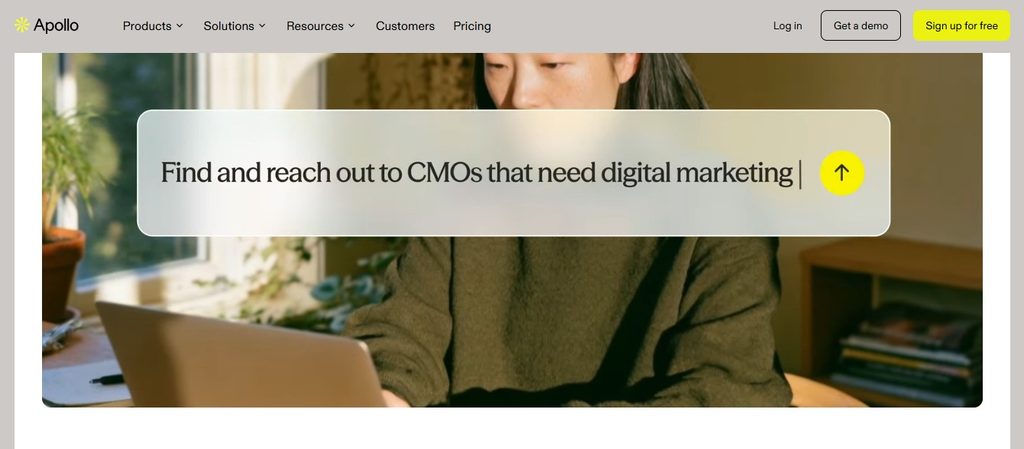
Apollo.io approaches outbound sales as a complete data and execution system. Its platform currently advertises access to more than 240 million contacts and 30 million companies, alongside prospecting, enrichment, sequencing, dialing, AI assistance, integrations, and sales intelligence.
That makes Apollo considerably broader than a conventional email outreach tool. The trade-off is its credit system, which requires you to understand how different actions consume shared account credits.
Apollo.io Key Features
- Large B2B database: Provides access to extensive company and contact data.
- Sales sequences: Supports automated outbound email workflows.
- Waterfall enrichment: Helps complete contact and company records using multiple data sources.
- AI assistance: Supports research, prospecting, messaging, and sales workflows.
- Parallel Dialer: Adds calling functionality for sales teams.
Apollo.io Pros
- Combines prospect data and outbound execution.
- More than 200 integrations are currently promoted.
- Includes both small-business and enterprise use cases.
- Strong enrichment and buying-signal capabilities.
- Free access is available for light usage.
Apollo.io Cons
- Many actions consume credits.
- Unused credits expire at the end of each billing cycle.
- All seats within an account must use the same plan level.
- Complex enterprise requirements may require a Custom plan.
Apollo.io Pricing Plans
Why Pick Apollo.io?
Apollo becomes compelling when data acquisition is just as important as sending outreach. Instead of purchasing a prospect database and a separate engagement platform, you can research contacts, enrich records, create lists, sequence outreach, and add calling within one system.
Apollo says more than 600,000 companies currently use its platform, which shows the scale at which its database-led model operates.
The main concern is credits. Because contact information, AI actions, and other functions can draw from usage allowances, your true cost depends on how your team works. Model your expected usage carefully before standardizing the platform across a large sales organization.
5. Outreach
Outreach has evolved well beyond cold email. It now positions itself as an agentic AI revenue platform covering sales engagement, forecasting, pipeline management, deal management, conversation intelligence, coaching, account management, and AI agents.
That scope makes it attractive to mature revenue organizations but potentially excessive for a freelancer, founder, or small team that simply needs email outreach. Pricing is also customized rather than displayed as a straightforward self-service subscription.
Outreach Key Features
- Multichannel sequences: Coordinates structured prospect engagement.
- AI agents: Automates research, personalization, sequencing, and other revenue tasks.
- Conversation intelligence: Provides transcription, insights, coaching, and action detection.
- Pipeline management: Helps revenue teams identify deal risk and pipeline quality.
- Sales forecasting: Uses AI-assisted projections and revenue insights.
Outreach Pros
- Covers significantly more of the revenue lifecycle than email-only platforms.
- Includes coaching and conversation intelligence.
- Supports pipeline and deal management.
- Offers more than 90 supported integrations.
- Designed for complex sales organizations.
Outreach Cons
- Pricing requires a custom quote.
- AI workflows can introduce consumption-based costs.
- Its breadth can create unnecessary complexity for small teams.
- Implementation and advanced service requirements may add operational overhead.
Outreach Pricing Plans
Why Pick Outreach?
Outreach is best considered when your problem is bigger than cold email. Revenue leaders who want engagement, coaching, pipeline inspection, forecasting, account planning, deal intelligence, and AI-driven workflows under one system will find capabilities that smaller outreach tools do not attempt to provide.
Outreach reports that its AI platform can save 10 hours per representative per week, produce three-times-higher reply rates, and improve speed-to-lead by 99% in its own productivity impact reporting. These are vendor-reported results rather than guarantees for every customer.
The drawback is fit. Smaller businesses may pay for sophistication they do not yet need.
6. Yesware
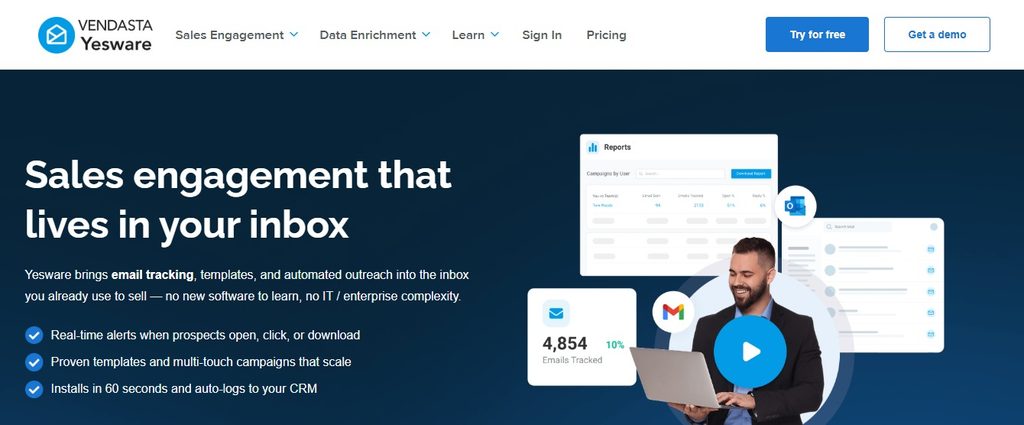
Yesware keeps sales engagement close to the inbox. It works with Gmail and Outlook to provide email tracking, campaigns, templates, attachment tracking, meeting scheduling, reporting, contact management, and Salesforce-related workflows.
That inbox-native approach reduces context switching, but more sophisticated campaign and team features sit on higher plans. Salesforce-heavy teams may also need the Enterprise tier to access the deepest CRM synchronization capabilities.
Yesware Key Features
- Email tracking: Monitors opens, links, and attachment engagement.
- Multichannel campaigns: Combines emails, call reminders, LinkedIn actions, and custom touches.
- Meeting Scheduler: Lets prospects book available meeting times.
- Templates: Saves reusable sales messaging for individual and team use.
- Salesforce integration: Syncs sales activity and CRM data from the inbox.
Yesware Pros
- Works directly from Gmail and Outlook.
- Free plan supports basic tracking.
- Meeting scheduling is built in.
- Strong Salesforce functionality on Enterprise.
- Shared templates and reporting support standardized team workflows.
Yesware Cons
- Pro limits campaign recipient capacity.
- Advanced team campaign functionality requires higher tiers.
- Enterprise pricing is per seat.
- Prospector data credits can create additional cost beyond the core subscription.
Yesware Pricing Plans
Yesware Free costs $0. Monthly Pro costs $19 per seat and Premium costs $45 per seat. With annual billing, Pro is $15 per seat monthly, Premium $35, and Enterprise $65 per seat monthly.
Why Pick Yesware?
Yesware works well when your sales representatives already live in Gmail or Outlook and you do not want them constantly switching into a separate engagement platform.
Tracking, campaigns, templates, scheduling, and CRM activity become part of the inbox workflow. That can make adoption easier for sellers who resist large standalone platforms.
The limitation is depth by tier. Features such as unlimited campaigns, shared resources, detailed team reporting, and Salesforce functionality become more meaningful as you move into Premium and Enterprise pricing. Compare the exact feature tier your representatives need rather than assuming the entry plan will cover a full sales engagement operation.
7. Mailshake
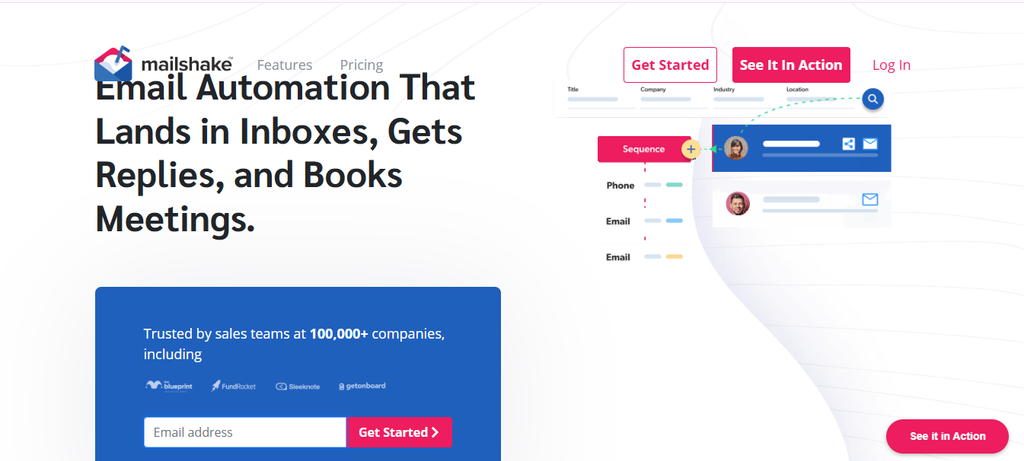
Mailshake combines cold email automation with personalization, A/B testing, warm-up, verification, data finding, inbox rotation, CRM integrations, and, on higher tiers, sales calling.
It is a practical alternative for businesses that want a familiar outbound structure, but connected email-account limits vary considerably by plan. Starter allows one email account, Email Outreach allows two, and Sales Engagement allows ten before the custom Agency option.
Mailshake Key Features
- Automated sequences: Runs personalized email campaigns and follow-ups.
- Email rotation: Spreads sending across connected accounts on supported tiers.
- Data Finder: Helps identify business contact information.
- Unified inbox: Brings prospect replies into one workflow.
- Power Dialer: Adds calling to the Sales Engagement plan.
Mailshake Pros
- Combines email and phone outreach.
- Unlimited uploaded contacts are included.
- Email verification and warm-up are built into published plans.
- Integrates with Salesforce, Pipedrive, and HubSpot.
- A/B testing supports message optimization.
Mailshake Cons
- Starter is limited to one connected email address.
- Starter also caps sends at 1,500 monthly.
- Sales Engagement costs significantly more than email-only plans.
- Unlimited sender accounts require the custom Agency tier.
Mailshake Pricing Plans
Monthly pricing is Starter at $29, Email Outreach at $49, and Sales Engagement at $99. Annual-equivalent prices are $25, $45, and $85 per month respectively. Agency pricing is custom.
Why Pick Mailshake?
Mailshake is a strong middle ground when you want dedicated sales outreach without moving into the scale and complexity of enterprise revenue platforms.
You can automate email, personalize messaging, run tests, verify contacts, rotate sending accounts, manage replies, and integrate with major CRMs. Teams that also cold call can move to Sales Engagement and use the built-in power dialer.
The main issue is mailbox economics. If your strategy depends on operating dozens of sender accounts, standard tiers may become restrictive. Compare how many inboxes each representative actually needs before selecting a plan.
8. QuickMail
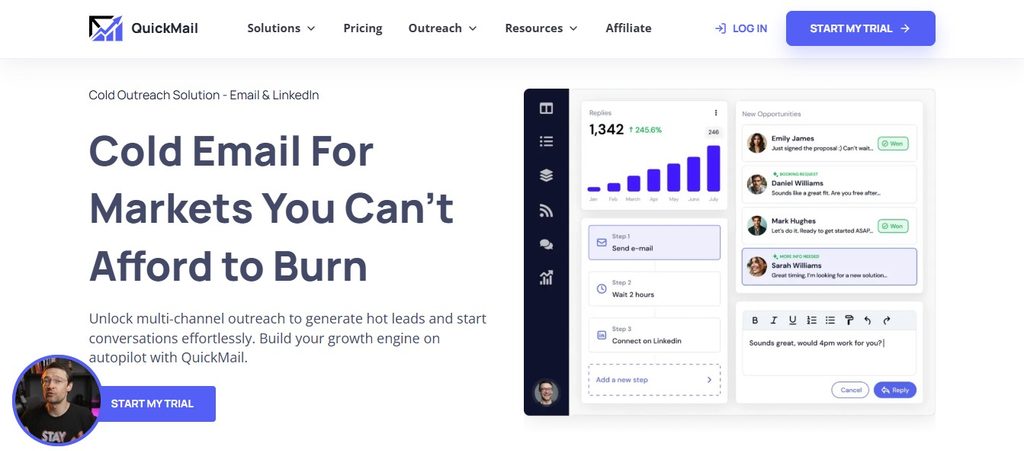
QuickMail is built around scalable cold outreach using multiple email and LinkedIn senders. Current plans include unlimited users and senders, while usage is controlled through contact, email-volume, workspace, and plan limits.
Its inbox-rotation features are particularly useful when you want one campaign distributed across several sending accounts. However, contact and monthly email allowances still define how far each plan can scale.
QuickMail Key Features
- Inbox rotation: Spreads campaign volume across multiple connected sender accounts.
- Provider matching: Can match Google or Microsoft recipient providers to corresponding sender accounts when possible.
- LinkedIn automation: Adds connection and message steps to outreach.
- Unified inbox: Brings email and LinkedIn replies together.
- API and integrations: Connects with tools including HubSpot, Pipedrive, Zapier, and webhooks.
QuickMail Pros
- Unlimited email senders on current plans.
- Unlimited users reduce seat-cost concerns.
- LinkedIn accounts are included.
- Built-in deliverability tools support multi-inbox strategies.
- Agency plan supports high outreach volume.
QuickMail Cons
- Starter is capped at 1,000 uploaded contacts.
- Starter allows 5,000 emails monthly.
- Additional Agency workspaces cost $49 each.
- LinkedIn messaging is capped at 40 daily messages per connected account.
QuickMail Pricing Plans
Starter costs $49 per month, Growth $99 per month, and Agency $299 per month. Growth includes up to 100,000 emails monthly, while Agency includes up to 500,000.
Why Pick QuickMail?
QuickMail becomes attractive when your strategy depends on spreading outbound volume across several inboxes instead of pushing one sender aggressively.
Unlimited email senders, unlimited users, inbox rotation, LinkedIn outreach, provider matching, API access, and agency workflows make it suitable for lead generation teams managing substantial outbound activity.
The important limitation is that “unlimited senders” does not mean unlimited everything. Contacts, total emails, and workspaces remain tiered. Calculate your expected prospect database size and send volume before deciding whether Starter, Growth, or Agency gives you the best economics.
9. Klenty
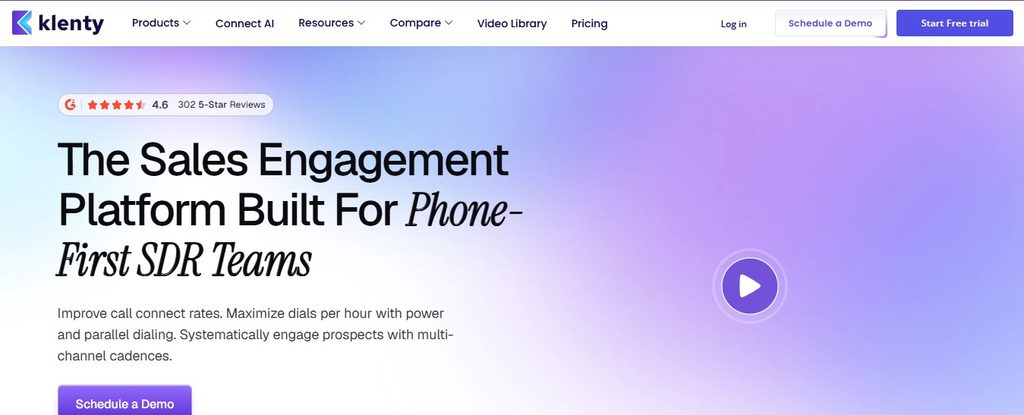
Klenty combines personalized email engagement with calling, social selling, SMS automation, CRM workflows, account-based execution, and AI-assisted call intelligence on higher plans.
The Starter tier focuses primarily on personalized email outreach. Teams wanting multichannel prospecting, CRM automation, calling, or deeper account-based functionality will need Growth, Plus, or paid dialer add-ons, which can increase per-representative cost.
Klenty Key Features
- Personalized cadences: Automates structured outbound email workflows.
- Multichannel outreach: Adds calling, SMS, and social-selling actions on supported plans.
- CRM automation: Supports syncing and stage-based sales workflows.
- AI call intelligence: Detects outcomes, objections, topics, and other call information.
- Account-based selling: Helps mature SDR teams prioritize and execute against target accounts.
Klenty Pros
- Strong fit for dedicated SDR organizations.
- Includes email deliverability controls.
- Combines sales engagement with calling.
- AI-assisted call analysis supports coaching.
- Offers a 14-day free trial without a credit card.
Klenty Cons
- Pricing is largely per user.
- Starter does not include the complete multichannel feature set.
- Growth and Plus increase recurring seat costs.
- Parallel and Power Dialer functionality is a separate $45-per-user monthly add-on.
Klenty Pricing Plans
Starter costs $50 per month when billed annually. Growth costs $70 per user per month annually, while Plus costs $99 per user per month annually. The Parallel and Power Dialer add-on costs another $45 per user monthly.
Why Pick Klenty?
Klenty is worth evaluating when you manage a structured SDR team and need representatives to work across more than email.
Its progression from email engagement into calls, SMS, CRM workflows, account-based selling, AI conversation tracking, battlecards, live transcription, and coaching makes it particularly relevant to teams that treat outbound as a repeatable operating system.
The drawback is cumulative cost. Per-user pricing plus dialer add-ons can become significant as headcount grows. Klenty therefore makes more sense when your representatives will actually use its broader sales-execution capabilities rather than treating it as a simple cold email sender.
10. Mixmax
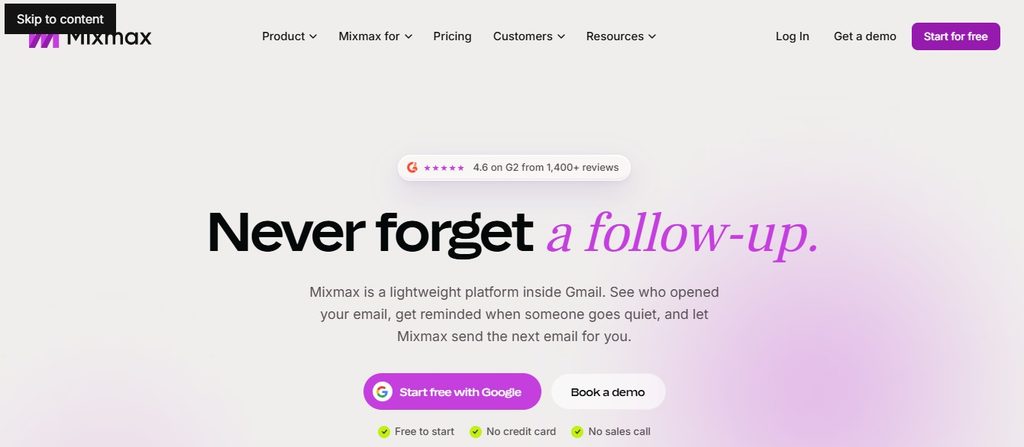
Mixmax brings sales engagement into an inbox-centered workflow, combining tracking, templates, scheduling, sequences, AI sequence building, integrations, and meeting functionality.
Its current packaging separates Inbox Copilot, Engagement Copilot, and the full Mixmax Suite. That modular approach gives you choice, but it also means the functionality most comparable to Lemlist sits beyond the basic inbox product.
Mixmax Key Features
- Email tracking: Monitors opens and clicks on supported plans.
- Multichannel sequences: Creates structured outreach with email and manual tasks.
- AI sequence builder: Assists with building outbound messaging.
- Meeting scheduling: Lets prospects select available meeting times.
- CRM integrations: Supports Salesforce, HubSpot, Zapier, Slack, API, and webhook workflows.
Mixmax Pros
- Works naturally around email workflows.
- Free plan is available.
- Strong scheduling functionality.
- Engagement Copilot includes AI and multichannel sequencing.
- Integrates with major sales systems.
Mixmax Cons
- Free plan has low tracking and sequence limits.
- Engagement Copilot limits sequences to 1,500 contacts monthly before add-ons.
- Custom domains and branding are paid add-ons.
- Mixmax for Teams uses custom pricing.
Mixmax Pricing Plans
Annual pricing is Free at $0, Inbox Copilot at $29 per user monthly, Engagement Copilot at $49, and Mixmax Suite at $89. Monthly billing increases those paid tiers to $34, $65, and $105 respectively. Mixmax for Teams uses custom pricing.
Why Pick Mixmax?
Mixmax works well when you want advanced engagement features without forcing representatives away from the inbox workflow they already understand.
Meeting scheduling, email tracking, shared templates, multichannel sequences, AI sequence creation, Salesforce synchronization, HubSpot integration, and reporting provide a broad productivity layer around everyday selling.
The biggest consideration is packaging. If you need sequences rather than simple inbox intelligence, you will likely look beyond Inbox Copilot to Engagement Copilot or the Suite. Sequence recipient allowances and paid branding or domain options should therefore be included in your cost comparison.
How to Switch From Lemlist Without Disrupting Your Campaigns
Moving from one outreach platform to another should be treated as a data and deliverability migration, not simply a software cancellation. Your goal is to preserve useful information while avoiding accidental duplicate outreach, missing suppression records, or sudden changes in sending behavior.
Export Your Important Sales Data First
Before cancelling anything, export your contacts, campaign lists, templates, CRM fields, sequence copy, analytics, positive replies, and campaign history where possible. Record which contacts are active, completed, paused, bounced, unsubscribed, or blocked.
Your suppression list is especially important. Losing it can cause your new system to contact people who previously opted out, creating both reputation and compliance problems.
Rebuild Your Sending Infrastructure Carefully
Connect the mailboxes and domains you plan to use on the new platform. Confirm SPF, DKIM, DMARC, tracking-domain configuration, sending limits, and mailbox permissions before launching a campaign.
Google began requiring stronger authentication standards for bulk senders in February 2024 and increased enforcement against non-compliant traffic beginning in November 2025. Treat authentication as part of the migration itself, not something to review after deliverability falls.
Transfer Suppression and Unsubscribe Information Before Leads
Import block lists, suppression lists, and unsubscribed contacts before uploading active prospects. That ordering reduces the chance that an automation starts sending before exclusions are correctly applied.
Also remember that warm-up history usually does not “transfer” in the same way as a CSV contact list. Reputation belongs to the real sending infrastructure and recipient-provider relationship, so review sending behavior when you change systems.
Test With a Controlled Campaign
Do not move every live campaign at once. Start with a smaller segment, compare bounce rates, positive replies, spam signals, meetings, delivery errors, and actual pipeline outcomes, then increase volume gradually.
Must-know Tip: Sales expert Jake Dunlap describes preparation as one of AI’s strongest sales uses because better research before a conversation improves what happens during the conversation.
Your migration should follow the same principle. Preparation protects the pipeline you already built.
Which Lemlist Alternative Should You Choose? Match the Tool to Your Biggest Problem
There is no universal winner because each platform solves a different version of the outreach problem. Start with the weakness you are actually trying to remove.
Choose Mailtrackio When Engagement Visibility Is Your Priority
If your work depends on knowing whether someone opened an email, clicked a proposal, returned to a message, or completed a document, Mailtrackio offers a focused approach. The added fill-and-sign workflow is useful when the next step after engagement involves approvals, agreements, or documents.
Choose Emailchaser or QuickMail When You Need Many Sending Accounts
Both platforms emphasize multi-inbox cold email infrastructure. Emailchaser combines unlimited email accounts with verification, CRM, lead finding, and client workspaces, while QuickMail combines unlimited senders with email and LinkedIn outreach.
Your decision should come down to contact limits, sending allowances, workspaces, lead data needs, and workflow preferences.
Choose Snov.io or Apollo When Prospect Data Matters as Much as Sending
Snov.io gives you prospect discovery, verification, outreach, enrichment, warm-up, and CRM functions.
Apollo goes considerably further into B2B data and sales intelligence. Its database-led approach is especially useful when your representatives spend significant time identifying and enriching the right contacts before outreach.
Choose Outreach or Klenty for Structured Sales Teams
Outreach is designed for larger revenue operations needing forecasting, coaching, pipeline management, AI agents, and deal intelligence.
Klenty is more closely centered on SDR execution through email, calls, SMS, account workflows, and coaching. Both can be more complex than necessary for a small founder-led sales operation.
Choose Yesware or Mixmax When Your Inbox Is Your Workspace
Yesware and Mixmax reduce context switching by keeping tracking, campaigns, sequences, templates, scheduling, and related sales activity close to Gmail or Outlook workflows.
That can matter more than having the longest feature list because software only creates value when your representatives consistently use it.
Must-know Tip: Salesforce’s 2026 research says nine in ten sales teams already use AI agents or expect to within two years. The question is moving from whether sales software uses AI to whether its AI solves work your team genuinely needs automated.
Conclusion
Choosing a Lemlist alternative should start with your workflow, not a feature-count competition. The right platform depends on whether your biggest challenge is engagement visibility, cold email scale, prospect data, mailbox management, LinkedIn outreach, CRM synchronization, calling, AI automation, or enterprise revenue operations.
A focused product can sometimes create more value than an overloaded platform. Tools that surface opens, clicks, recipient activity, and document progress, for example, can help you time follow-ups and prioritize warmer conversations without forcing your team through a complicated sales stack.
At the same time, broader platforms can be worthwhile when you genuinely need prospect data, multichannel sequences, calling, AI assistance, and pipeline management together.
Compare the workflows you use today, calculate the real cost at your expected volume, and test the replacement before moving every campaign.
Frequently Asked Questions About Lemlist Alternatives
What is the best Lemlist alternative?
The best Lemlist alternative depends on what you need to improve. Mailtrackio focuses on email engagement and document workflows. Emailchaser and QuickMail emphasize scalable cold email. Apollo and Snov.io combine prospect data with outreach, while Outreach targets broader enterprise revenue operations.
Is there a cheaper alternative to Lemlist?
Yes. Several platforms offer entry plans aimed at individuals or small teams. Mailtrackio starts at $9 per month for its paid Starter plan, while other tools use different pricing structures based on seats, contacts, credits, send volume, or connected inboxes.
What should I look for in a Lemlist alternative?
Start with your real bottleneck. Compare email tracking, mailbox capacity, monthly sends, contact limits, verification, prospect data, CRM integrations, LinkedIn functions, calling, analytics, AI features, team permissions, deliverability controls, and the total cost at the volume you actually expect.
Which Lemlist alternative is best for email tracking?
Mailtrackio is specifically designed around Gmail email tracking, including opens, link clicks, activity timelines, engagement reports, and recipient-level information. It also combines tracking with fill-and-sign document workflows. Yesware and Mixmax also provide tracking as part of broader sales-productivity suites.
Which Lemlist alternative is best for cold email at scale?
Emailchaser and QuickMail are two options to examine when many sending accounts are important. Both support multiple senders, although their contact, email-volume, workspace, and other allowances differ by plan. Always calculate limits against your own expected monthly campaign volume.
Which Lemlist alternative has a built-in lead database?
Apollo offers a large B2B contact and company database alongside prospecting and engagement tools. Snov.io also provides lead database search, email finding, verification, enrichment, and outreach capabilities. Emailchaser provides a Lead Finder that works with LinkedIn Sales Navigator.
Can I switch from Lemlist without hurting deliverability?
Yes, but treat the migration carefully. Preserve suppression and unsubscribe data, verify sending domains, configure SPF, DKIM, and DMARC where appropriate, reconnect mailboxes correctly, and increase sending volume gradually. Do not assume previous warm-up activity automatically transfers to a new platform.
Does changing cold email software automatically improve deliverability?
No. Software can provide verification, inbox rotation, sending controls, tracking, warm-up, authentication guidance, and analytics, but deliverability also depends on your domains, data quality, sending behavior, targeting, complaints, authentication, and recipient engagement.
Is email warm-up still important in 2026?
Warm-up remains offered by several major outreach platforms, but it should never replace sound sending practices. Authentication, controlled volume, relevant prospect targeting, low complaint rates, clean lists, and monitoring matter regardless of whether a platform includes automated warm-up.
What is the best Lemlist alternative for sales teams using Gmail?
Mailtrackio is Gmail-focused for engagement tracking and document activity. Yesware also integrates directly with Gmail, while Mixmax provides tracking, scheduling, templates, sequences, and CRM-related functionality around inbox workflows. The best fit depends on whether you need visibility, automation, or a broader sales stack.
What is the best Lemlist alternative for agencies?
Your agency should prioritize client separation, multiple sender accounts, team access, reporting, and predictable scaling costs. Emailchaser includes client workspaces, QuickMail provides an Agency tier, and Mailshake offers a custom Agency plan. Compare client count and monthly sending volume before choosing.
How do I compare Lemlist alternative pricing accurately?
Do not compare only the lowest advertised monthly figure. Calculate users, sender accounts, contact storage, monthly sends, prospect credits, verification, warm-up, domains, CRM integrations, dialer usage, workspaces, data enrichment, and annual commitments. That total is closer to your real operating cost than the headline subscription price.

Comments
0 responsesNo comments yet. Be the first to share your thoughts.