

Click any AI tool above to instantly get a summary of this article. Perfect for quick insights when you're short on time.
An Adobe Express alternative can give you more control over infographics, AI-generated visuals, data storytelling, collaboration, or your monthly design budget. The market is moving quickly, too.
HubSpot’s 2026 State of Marketing research, based on more than 1,500 marketers, found that 48.57% are using AI to create personalized content, while 35.08% identify content repurposing across channels as a major trend.
Short-form video also delivers the highest reported ROI among media formats at 48.6%. That matters because modern visual tools are no longer simple template editors. The best options now combine AI, branding, data visualization, presentations, social content, and publishing tools in one workflow.
Here, we discussed 13 Adobe Express alternative tools that can transform your visual design project. Check them out.
Why Are People Switching From Adobe Express?
A Practical Content-Team Case Study
Mr. Daniel manages content for a growing financial services company. His team creates educational graphics, reports, social posts, presentations, and data-heavy explainers every week. Adobe Express works for many routine projects, but the team needs deeper infographic tools and faster ways to turn research into visuals.
Daniel also wants more control over charts, reusable brand assets, and exports. His team sometimes needs interactive content, while other campaigns require large batches of images. Instead of forcing one platform to handle everything, he starts comparing specialist alternatives.
This mirrors a wider marketing shift. HubSpot’s 2026 data shows that 49.4% of marketing teams reuse the same content across platforms, while 39.5% adapt their content specifically for each channel. That creates demand for tools that make resizing, repurposing, and visual variation easier.
Different Needs Expose Adobe Express Limitations
Adobe Express is useful, but it may not fit every workflow. Its Free plan limits access to premium assets and generative AI capacity, while several specialist tools offer deeper infographic, visualization, interactive-content, or batch-editing features.
You may also need advanced charting, live data connections, specialized report templates, API access, stronger team controls, or more robust interactive presentation features. Some alternatives build their entire product around one or more of these requirements.
Pricing can become another factor when your team grows. The right alternative may offer a cheaper entry plan, a more useful free tier, a flat team price, or features you would otherwise need several separate subscriptions to obtain.
Benefits of Switching to an Adobe Express Alternative
More Specialized Design Tools:
A specialized tool can reduce the amount of manual work needed to create your most common content. An infographic platform may include ready-made charts, information layouts, timelines, comparison blocks, maps, and data visualization tools that make complex information easier to present.
That specialization matters because visual content remains central to marketing. In HubSpot’s visual-content research, 50% of marketers reported using video and 47% used images in their strategies. Choosing software built around your primary visual format can make recurring production easier.
Better Support for AI and Automation:
AI is now becoming part of normal marketing workflows rather than an experimental extra. HubSpot’s 2026 research found that 47.38% of marketers identify automation as a leading trend, while 48.57% point to AI-powered personalization.
You can therefore benefit from tools that turn prompts, documents, or data into editable visuals. Background removal, layout generation, automated resizing, image generation, and content repurposing can also reduce repetitive production work.
Must-know Tip: Daniel Wäldchen of IPM AG described the value of accessible visual tools simply: “Now, anyone in the Marketing Team can easily create professional, high-quality graphics in a short time.”
Stronger Brand and Multichannel Workflows:
Brand consistency matters more as your content output grows. HubSpot’s 2026 research found that 46.84% of marketers consider creating content that reflects brand values a major trend.
Visual platforms with Brand Kits, custom fonts, reusable templates, team permissions, and locked brand assets can reduce inconsistency. They also make it easier for non-designers to create material without rebuilding your visual identity every time.
Channel requirements matter too. Instagram is now used by 70% of brands in HubSpot’s 2026 findings, narrowly ahead of Facebook at 69.6%. Tools that resize and repurpose visuals can therefore become valuable when you publish across several channels.
13 Top-Rated Adobe Express Alternative Tools for Visual Content
The best option depends on what you create. Some of the tools below focus heavily on infographics and data, while others are stronger in interactive presentations, documents, photo editing, marketing graphics, or AI generation.
Look closely at the figures as you compare them. AI credits, storage, download limits, team seats, Brand Kits, export resolution, project allowances, and pricing can matter more than a long feature list.
1. Infographicmakerai

Infographicmakerai gives you an AI-first way to turn information into polished visual content. You can start with a prompt, text, notes, or data, let AI build the first visual direction, and then refine charts, typography, sections, icons, colors, imagery, and other design elements.
Its biggest practical advantage is the connection between AI generation and infographic creation. One AI credit can power an infographic, presentation, visual generation, image enhancement, chart, graph, or data-visualization action, which gives you a clear way to understand usage.
The platform is also built for more than a one-off infographic. Paid plans add better export quality, larger Brand Kit allowances, higher AI-credit limits, advanced analytics, collaborative capabilities, and professional export formats.
Infographicmakerai reports more than 50,000 active users and displays a 4.9 out of 5 rating from more than 2,400 reviews on its site. Those are vendor-reported figures, but they show the product is positioning itself as more than a simple experimental AI generator.
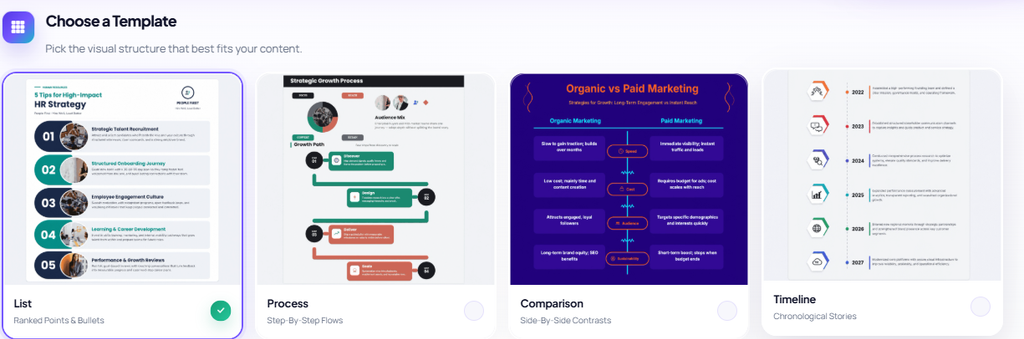
Infographicmakerai Highlighted Features
- AI infographic generation: You can turn text or data into an editable infographic without arranging every section manually.
- AI data visualization: The platform can generate charts and graphs from your information, which helps you explain numerical content visually.
- AI enhancement tools: Background removal, layout optimization, and other AI actions help you improve existing visual assets faster.
- Brand Kits: You can save brand elements and reuse them, reducing repetitive setup across recurring visual projects.
- High-resolution exports: Paid plans move from 1080p output to 4K, SVG, and broader professional export options.
- Team and API capabilities: Higher tiers support collaborative workflows and programmatic visual generation for larger operations.
Infographicmakerai Pros
- The Free plan includes 50 AI credits every month.
- Starter increases your allowance to 500 AI credits.
- Pro provides 2,000 monthly AI credits and unlimited exports.
- Business increases capacity to 5,000 credits per month.
- Paid exports remove the watermark.
- Pro provides 4K export quality.
- Higher plans include stronger branding, collaboration, analytics, and API functionality.
Infographicmakerai Cons
- The Free plan limits you to three exports per month and applies a watermark.
- High-volume professional features require a paid plan, so occasional users should check whether their monthly usage justifies upgrading.
Infographicmakerai Pricing Plans
Free: $0/month with 50 AI credits per month and three watermarked exports.
Starter: $19/month with 500 AI credits, 50 monthly exports, all templates, 1080p output, and one Brand Kit.
Pro: $49/month with 2,000 AI credits, unlimited exports, premium templates, 4K output, five Brand Kits, and advanced analytics.
Business: $99/month with 5,000 AI credits, unlimited exports, advanced export formats, additional collaboration features, API access, and dedicated support.
2. Venngage

Venngage focuses heavily on information design. You can use it for infographics, reports, business graphics, diagrams, charts, presentations, and branded communications, making it relevant when your work involves explaining information rather than simply editing photos.
The Free plan is restrictive, though. You can create only five designs and upload six images, and downloading finished work requires a paid subscription.
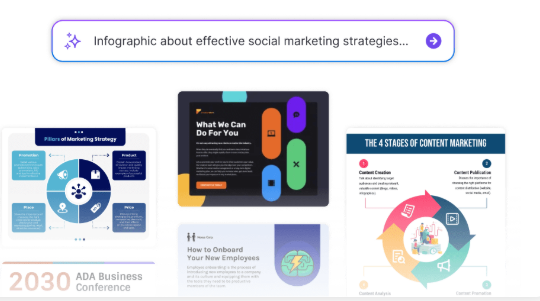
Venngage Highlighted Features
- Infographic templates: Helps you structure reports, processes, statistics, and educational information.
- Charts and widgets: Makes numerical information easier to turn into visual content.
- Premium visual assets: Paid plans expand your access to icons and design elements.
- Brand Kits: Business users can maintain consistent logos, colors, and other brand assets.
- Team sharing: Business accounts support collaborative design workflows.

Venngage Pros
- Strong focus on infographics and information design.
- Premium allows unlimited designs.
- Business includes PDF and PowerPoint exporting.
- High-resolution PNG export is available on paid plans.
- Enterprise options support larger organizations.
Venngage Cons
- Free accounts are capped at five designs.
- Only six image uploads are included on Free.
- Brand Kits require Business.
- Enterprise pricing starts much higher than individual plans.
Venngage Pricing Plans
Free: $0.
Premium: $10/month with annual billing.
Business: $24 per user/month with annual billing.
Enterprise: Starts at $499/month.
3. Visme
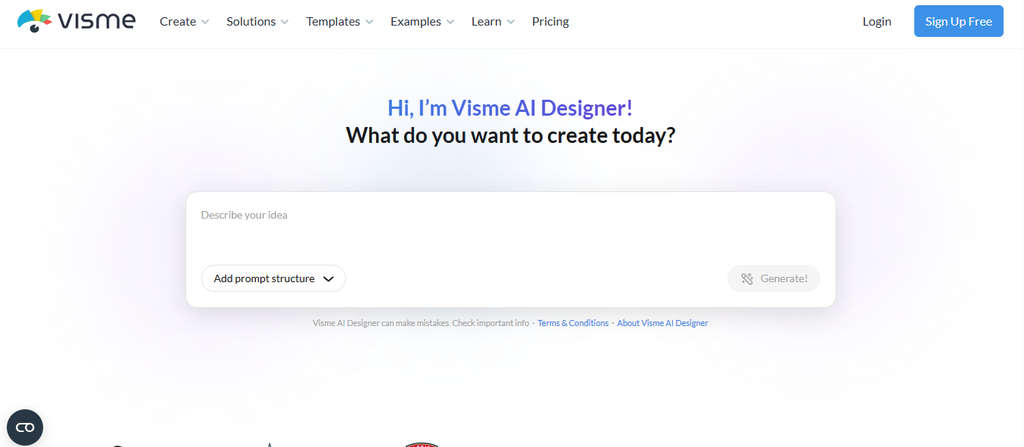
Visme combines design, presentations, infographics, charts, forms, branded content, and interactive visual communication. You can use one workspace for several types of business content rather than limiting yourself to static social graphics.
The trade-off is feature placement. Brand Kits, deeper analytics, many integrations, advanced privacy controls, and formats such as PPTX, HTML5, video, and GIF are mainly tied to the Pro tier.
Visme Highlighted Features
- Data visualization: Lets you build charts, data widgets, and information-rich graphics.
- Interactive content: Helps you create visuals that go beyond static images.
- Presentation tools: Supports business slides, reports, and visual storytelling.
- Brand Kit: Pro users can manage recurring brand elements.
- Advanced export formats: Higher tiers support PPTX, HTML5, video, and GIF.

Visme Pros
- Basic includes unlimited projects.
- Starter unlocks premium templates and assets.
- Pro adds analytics and branding controls.
- Pro includes 10GB of storage per user.
- Enterprise supports larger organizational workflows.
Visme Cons
- Basic has limited premium assets.
- Starter does not include the full Brand Kit feature set.
- Advanced exports require Pro.
- Enterprise pricing is not publicly fixed.
Visme Pricing Plans
Basic: $0.
Starter: $12.25 per person/month when billed annually, totaling $147 per year.
Pro: $24.75 per person/month when billed annually, totaling $297 per year.
Enterprise: Custom pricing.
4. Piktochart
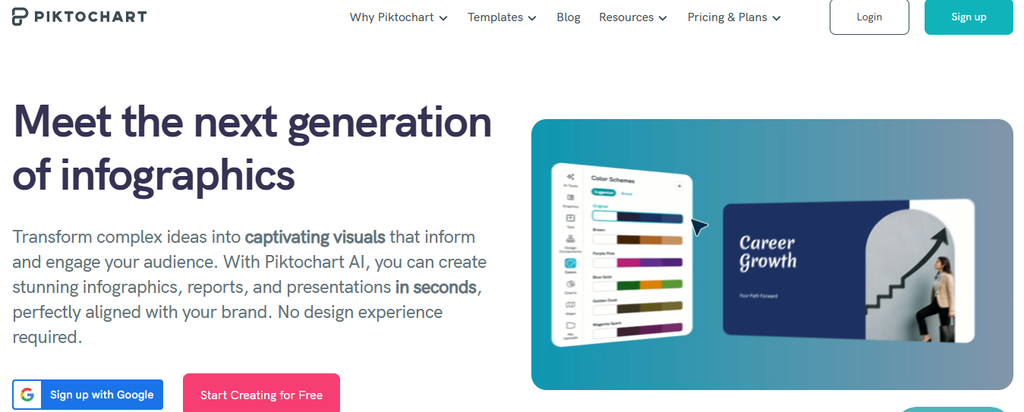
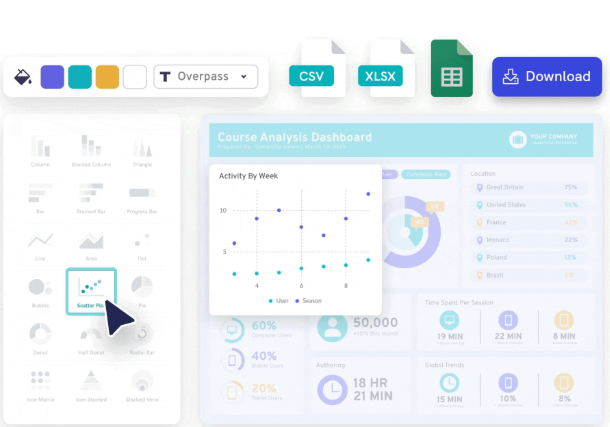
Piktochart is designed for infographics, reports, presentations, charts, diagrams, documents, and AI-assisted visual creation. Its current platform also includes AI tools that can build editable visual drafts from prompts and documents.
Piktochart reports more than 14 million users worldwide and more than 220 million visuals created. However, its Free plan gives you only two PNG downloads, which can become restrictive if you regularly publish finished work.
Piktochart Highlighted Features
- AI visual generation: Converts prompts and information into editable visual drafts.
- Infographic creation: Gives you purpose-built layouts for visual explanations.
- Large asset library: Pro includes more than 5 million premium icons, illustrations, and 3D graphics.
- Brand Kit: Business adds advanced brand controls.
- Presentation and PDF exports: Business supports additional professional download formats.
Piktochart Pros
- Free allows unlimited visual projects.
- Free includes 60 AI credits.
- Pro includes 500 AI credits.
- Business provides 1,000 AI credits.
- Education and nonprofit pricing is available.
Piktochart Cons
- Free provides only two PNG downloads.
- Premium templates require an upgrade.
- PDF and PowerPoint downloads require Business.
- Advanced branding costs more than the Pro tier.
Piktochart Pricing Plans
Free: $0.
Pro: $10 per member/month billed annually, or $15 with monthly billing.
Business: $17 per member/month billed annually, or $20 monthly.
Enterprise: Custom pricing.
Education: $39.99 per member/year for eligible users.
Nonprofit: $60 per member/year for qualifying organizations.
5. Infogram
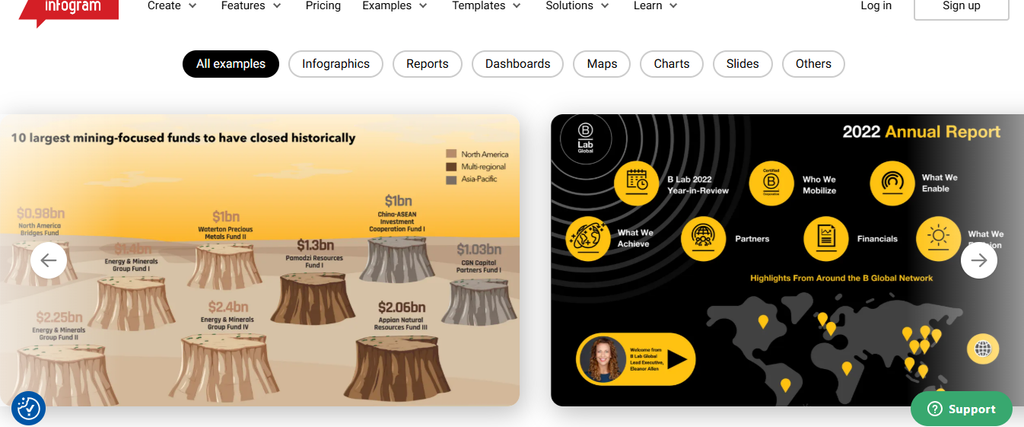
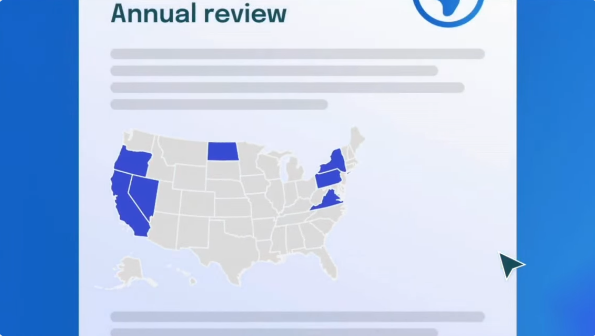
Infogram is built for data-driven visual communication. Its strengths include interactive charts, maps, data connections, analytics, animations, branded visualizations, and content that can update from connected information sources.
As of its 2025 company update, Infogram reported 10 million users, more than 30,000 companies, and customers across over 160 countries. The main concern is price progression, because advanced branding begins on the $67-per-month Business plan.
Infogram Highlighted Features
- Interactive charts: Basic includes more than 35 chart types.
- Map visualization: Pro expands access to more than 800 map types.
- Live data: Pro supports data connections for updating visual information.
- Branding tools: Business adds logos, fonts, colors, and brand assets.
- Engagement analytics: Team adds deeper content-performance insights.
Infogram Pros
- Basic is free.
- Pro supports up to 100 projects.
- Business supports up to 1,000 projects.
- Team allows up to 3,000 projects.
- Enterprise adds API support and HTML export.
Infogram Cons
- Basic is limited to 10 projects.
- Basic projects are restricted to five pages.
- Branding removal requires a higher paid tier.
- Team costs substantially more than Pro.
Infogram Pricing Plans
Basic: $0.
Pro: $19/month billed annually.
Business: $67/month billed annually.
Team: $149/month billed annually for teams of 3 to 10 users.
Enterprise: Custom pricing.
6. Genially
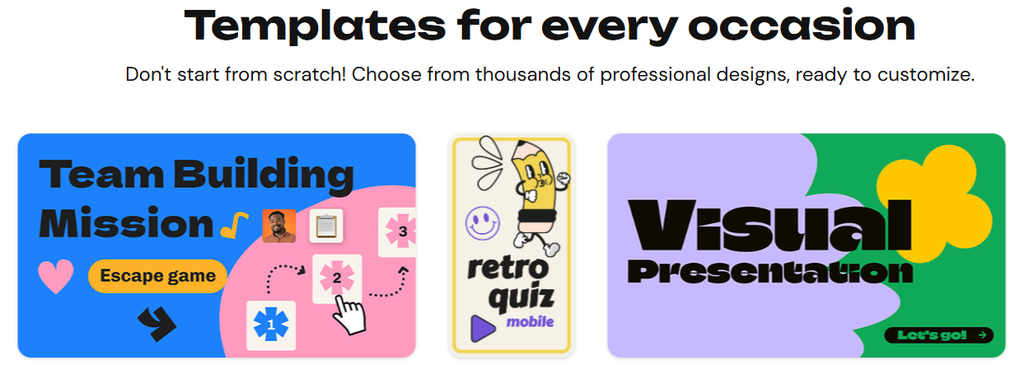
Genially specializes in interactive visual experiences. You can create interactive infographics, presentations, quizzes, learning materials, games, animated content, and clickable visual experiences without coding.
That makes Genially powerful for engagement, but possibly excessive if you only need static images. Advanced branding, collaboration, analytics, and LMS features also require higher plans.
Must-know Tip: Eli Martínez, Digital Specialist at AON, called Genially “an intuitive tool that has radically transformed how we show what we do.”
Genially Highlighted Features
- Interactive elements: Adds clickable areas, animations, effects, and user interaction.
- Presentation importing: Supports PowerPoint, Google Slides, and PDF imports.
- AI content tools: Plans include credits for AI-supported creation.
- Brand Kit: Higher tiers add stronger brand control.
- LMS support: Author and Enterprise support SCORM-related learning workflows.
Genially Pros
- Free includes more than 1,000 templates and resources.
- Free provides 500 annual AI credits.
- Pro provides 2,000 AI credits.
- Interactive effects are a core product strength.
- Higher plans support team expansion.
Genially Cons
- Brand Kit capabilities require higher plans.
- SCORM functionality requires Author or Enterprise.
- Most listed standard pricing is published in euros.
- Static-design users may not need its interactive toolset.
Genially Pricing Plans
Genially publishes its standard prices in euros. The dollar figures below are approximate conversions at the August 29, 2026 exchange rate.
Free: $0.
Pro: €6/month, approximately $6.95/month when billed annually.
Master: €20 per member/month, approximately $23.17.
Author: €40 per member/month, approximately $46.34.
Enterprise: Custom pricing.
7. Easelly

Easelly keeps its focus narrow: infographics. You get templates, icons, photos, chart options, and standard export formats without dealing with the much larger interface of a broad creative suite.
That simplicity is useful, but you lose some of the advanced AI, video, automation, and enterprise features offered by larger competitors. Easelly says it is trusted by 6 million people, thousands of agencies, and hundreds of sign shops.
Easelly Highlighted Features
- Infographic templates: Paid plans include more than 320 premium templates.
- Visual library: Includes around 1.1 million icons and photos.
- Chart tools: Supports about 20 chart types.
- PDF, JPEG, and PNG export: Paid users receive standard publishing formats.
- Collaboration: Business adds groups and real-time collaboration.
Easelly Pros
- Low monthly pricing.
- Built specifically for infographic work.
- Student plan available.
- Business allows commercial use.
- API and Zapier integration are available on Business.
Easelly Cons
- Smaller template collection than some major platforms.
- Limited advanced AI capability.
- Less suitable for complex video production.
- Broader marketing automation requires other tools.
Easelly Pricing Plans
Student: $4/month.
Individual: $5/month.
Business: $6/month.
8. DesignCap
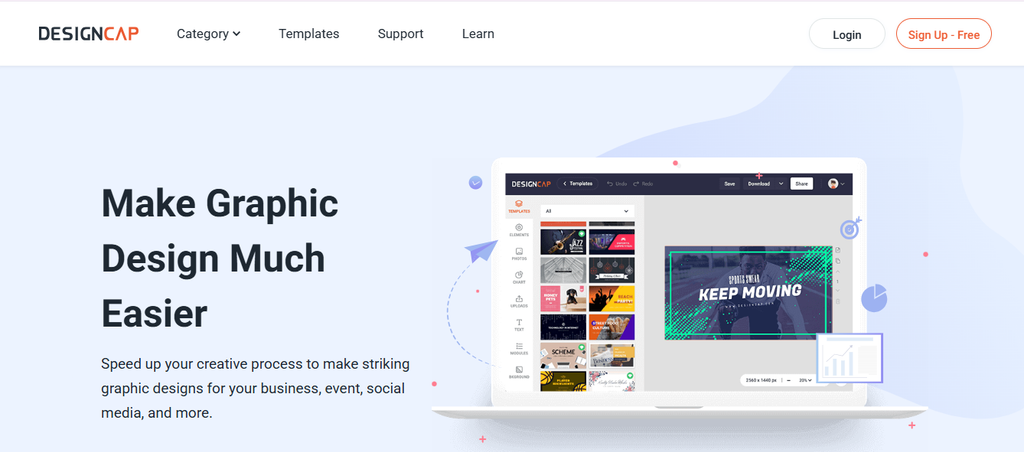
DesignCap gives you a straightforward browser-based editor for social graphics, presentations, posters, flyers, charts, and other visual content. Its interface suits users who want templates and drag-and-drop design without a long learning process.
The limitation is depth. You do not get the same extensive AI ecosystem, automation, or large-team governance found in some newer competitors.
DesignCap Highlighted Features
- Template library: Paid tiers unlock the complete template collection.
- Stock icons: Basic and Plus include unlimited stock icons.
- Design modules: Helps you assemble visual content quickly.
- High-resolution exports: Paid plans support PNG and PDF.
- Cloud design storage: Paid plans expand saved-project capacity.

DesignCap Pros
- Free tier available.
- Affordable annual pricing.
- Basic supports 100 uploaded images.
- Plus increases uploads to 1,000.
- Plus stores up to 1,000 designs.
DesignCap Cons
- Free saves only five designs.
- Free allows only five uploaded images.
- Free export is limited to JPG.
- Collaboration features are less extensive than team-focused competitors.
DesignCap Pricing Plans
Free: $0.
Basic: $8.99/month with monthly billing, or $4.99/month equivalent when billed $59.88 annually.
Plus: $12.99/month with monthly billing, or $5.99/month equivalent when billed $71.88 annually.
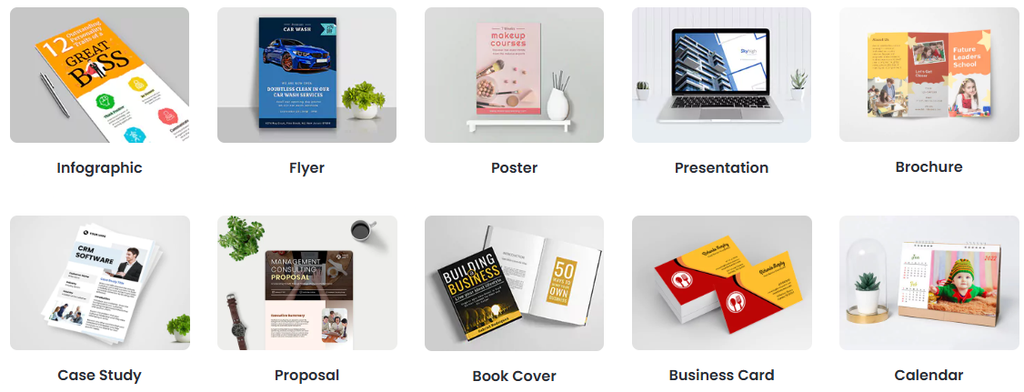
9. DocHipo
DocHipo covers infographics, presentations, proposals, social graphics, posters, videos, business documents, ads, brochures, and other content types. It also combines design tools with AI writing, translation, image generation, background removal, charts, maps, and integrations.
Free users can create only five documents, which is a significant restriction. However, the Free tier does allow watermark-free downloads in supported basic formats.
DocHipo Highlighted Features
- Document design: Supports more than 40 template categories.
- AI tools: Includes AI Writer, Translate, Image Generator, and Background Remover.
- Video maker: Provides multi-scene editing, transitions, music, and animation.
- Real-time collaboration: Lets team members work together on documents.
- Brand management: Supports colors, fonts, logos, imagery, and custom fonts.
DocHipo Pros
- More than 1,500 free templates.
- More than 4,500 premium templates.
- Free downloads do not require a watermark.
- Pro supports unlimited documents.
- Pro provides high-resolution downloading.
DocHipo Cons
- Free is capped at five documents.
- Premium assets require Pro.
- Advanced team usage can become expensive.
- The public standard prices are displayed in euros.
DocHipo Pricing Plans
DocHipo currently displays standard pricing in euros. Dollar figures below are approximate conversions using the August 29, 2026 exchange rate.
Free: $0.
Pro: €11 per user/month, approximately $12.74.
Pro Unlimited: €270/month for unlimited users, approximately $312.78.
10. PosterMyWall
PosterMyWall moves beyond graphic design into marketing execution. You can create visual content, schedule social posts, run email campaigns, manage events, use AI tools, organize a content calendar, and maintain Brand Kits.
The broader workflow is useful, but its credit system can raise costs when you use AI-intensive features frequently. Users without subscriptions may also pay separately for higher-quality downloads.

PosterMyWall Highlighted Features
- Design templates: Supports posters, social graphics, promotions, and campaign assets.
- Social scheduling: Lets you plan and publish content to supported networks.
- Email marketing: Premium plans include email-campaign functionality.
- AI tools: Includes AI images, subtitles, writing, voice, and background-related tools.
- Brand Kits: Helps you maintain consistent brand content.

PosterMyWall Pros
- Free account available.
- Premium includes unlimited high-resolution downloads.
- Premium Plus supports larger marketing workflows.
- Premium Plus includes more than 10,000 monthly email sends.
- Annual billing reduces total subscription cost.
PosterMyWall Cons
- AI actions can consume credits.
- Extra credit packs cost more.
- Advanced marketing features require paid plans.
- The platform may feel broad if you only need infographics.
PosterMyWall Pricing Plans
Free: $0.
Premium: $13/month or $109/year.
Premium Plus: $30/month or $319/year.
Additional credits are available separately when included allowances are exhausted.
11. Desygner
Desygner combines graphic design, PDF tools, social scheduling, background removal, resizing, AI features, team workflows, and document importing. Its Free plan is notable because it includes more than 1 million templates, three workspace users, 20 AI credits each month, up to 100 projects, and 5GB of pooled storage.
The jump to Business is significant for a solo user. Business costs $19 per user each month, while the Team 100 package targets much larger organizations.
Desygner Highlighted Features
- Large template collection: Free includes more than 1 million templates.
- AI tools: Free includes 20 monthly AI credits.
- Document importing: Supports PDF, SVG, PSD, AI, and other formats.
- Automation: Business adds advanced automation features.
- Team scaling: Team 100 supports up to 100 users.

Desygner Pros
- Strong Free plan.
- Three users can share the free workspace.
- Business allows unlimited projects.
- Team 100 includes 1TB of pooled storage.
- API access is available on Business.
Desygner Cons
- Business costs $19 per user/month.
- Enterprise pricing requires a quote.
- Free AI capacity is limited.
- Team 100 is unnecessary for small teams.
Desygner Pricing Plans
Free: $0.
Business: $19 per user/month.
Team 100: $333/month for up to 100 users.
Enterprise: Custom pricing.
Annual billing can reduce pricing by 20%.
12. Fotor
Fotor is more image-focused than most tools on this list. It combines more than 100 editing tools with AI image generation, AI video models, portrait retouching, background editing, templates, effects, batch tools, and cloud storage.
That makes Fotor useful when photographs and AI-generated media dominate your workflow. It is less specialized for detailed infographic and data-visualization projects, so you should consider the type of content you produce before switching.
Fotor Highlighted Features
- 100+ editing tools: Covers common image adjustments and creative edits.
- AI media generation: Supports a growing selection of image and video models.
- Portrait retouching: Includes more than 20 AI portrait-retouch capabilities on paid tiers.
- Template library: Paid plans list more than 100,000 templates and assets.
- Cloud storage: Pro provides 2GB while Pro+ provides 100GB.
Fotor Pros
- Free Basic plan available.
- Pro supports 10 concurrent AI generations.
- Pro+ supports 30 concurrent generations.
- Paid plans provide watermark-free HD output.
- Pro+ includes multiple Brand Kits.
Fotor Cons
- The Free tier has substantial premium-feature restrictions.
- Infographic creation is not its primary specialty.
- Advanced AI use depends on credits.
- Paid prices can vary dynamically by location, promotion, and billing configuration.
Fotor Pricing Plans
13. BeFunky
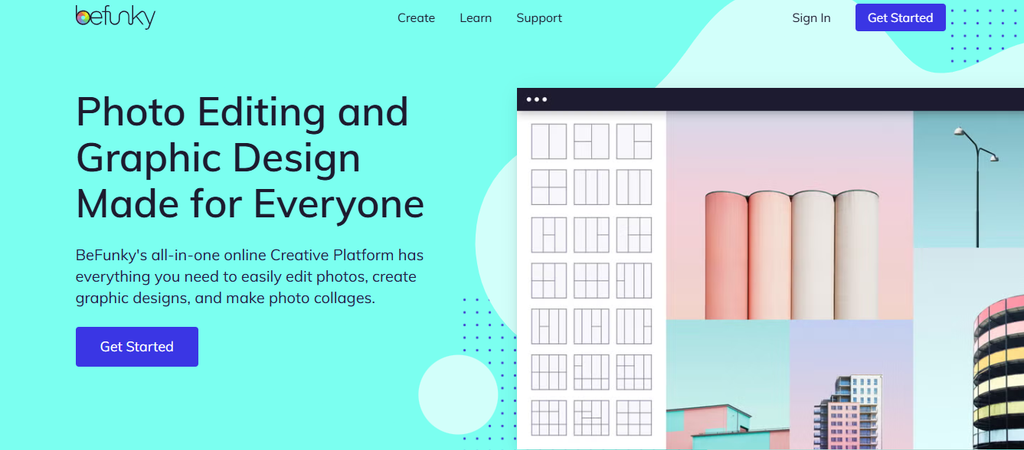
BeFunky combines a Photo Editor, Graphic Designer, collage tools, effects, background removal, AI editing, and batch-processing capabilities. It works well when your content production depends heavily on photos and you want a simpler workflow than professional image-editing software.
The biggest limitation is its focus. You do not get the same data visualization, interactive charting, or information-design depth available from dedicated infographic platforms.
BeFunky Highlighted Features
- Photo editing: Handles cropping, resizing, exposure, enhancement, and other common edits.
- Graphic Designer: Supports templates, typography, and promotional visual creation.
- Collage tools: Creates automatic or custom photo layouts.
- AI editing: Plus unlocks more advanced AI-powered image improvements.
- Batch AI: Pro can process large groups of images at once.

BeFunky Pros
- Free plan available.
- Plus unlocks premium design and editing tools.
- Pro includes 5,000 Batch AI credits each month.
- Batch AI supports high-volume image workflows.
- Annual plans reduce the monthly equivalent significantly.
BeFunky Cons
- Premium AI tools require payment.
- Batch AI requires Pro.
- It is not an advanced infographic platform.
- Pro may be expensive if you rarely batch-process images.
BeFunky Pricing Plans
Free: $0.
BeFunky Plus: $6.99/month when billed $83.88 annually.
BeFunky Pro: $12.49/month when billed $149.88 annually and includes 5,000 Batch AI credits each month.
How to Choose an Adobe Express Alternative Without Regretting the Switch
Start With Your Most Common Output
Do not choose a platform because it has 100 features if you regularly use only six. Write down the content you created during the last 30 days. Infographics, presentations, social posts, reports, photographs, data charts, and videos each point toward different products.
Then look at depth rather than availability. Two products may both claim to support infographics, but one may offer interactive data, live connections, charts, maps, AI layouts, and professional exports while the other provides only infographic templates.
You should also consider the future. A platform that works for five monthly graphics may become frustrating when you start producing 100 assets for several brands.
Calculate the Real Cost Instead of the Advertised Price
A free plan can become expensive when it blocks the feature you actually need. Venngage Free allows five designs, Piktochart Free gives you two PNG downloads, and Infographicmakerai Free limits you to three watermarked exports each month.
Look at the paid tier where all your essential requirements become available. Include team seats, AI credits, additional storage, Brand Kits, high-resolution export, and any extra credit purchases.
This is especially important as AI usage increases. If one tool charges less but gives you too few monthly generations, the cheaper subscription may not be cheaper in practice.
Check Export, Brand, and Repurposing Options
A design is useful only if you can deliver it in the format your workflow requires. Check PNG, JPG, SVG, PDF, PowerPoint, GIF, video, transparent-background, and high-resolution options before paying.
Repurposing deserves equal attention. HubSpot found short-form video delivered the highest ROI among surveyed media formats in 2026 at 48.6%, compared with 28.6% for long-form video and 25.1% for live-streaming video. Your visual platform should therefore make it practical to adapt assets across the channels and formats your audience actually consumes.
Must-know Tip: Marketing strategist Ganeshan recommends starting with one question for every channel: “Who is the audience on this channel?” Your design workflow should follow the answer, not the other way around.
Conclusion
The right Adobe Express alternative depends on what slows you down today. You may need faster AI-generated infographics, deeper charting, interactive presentations, better photo tools, stronger Brand Kits, more flexible exports, simpler collaboration, or a pricing structure that matches your workload.
The 13 tools in this comparison approach those needs differently. Infographic-oriented platforms concentrate on turning information and data into clear visuals, while photo, presentation, interactive-content, and marketing platforms solve different parts of the creative workflow.
Features such as AI generation, editable data visualizations, reusable Brand Kits, high-resolution exports, collaboration, and API access can save substantial production effort when they match the way you work. Compare those practical capabilities against current plan limits and prices before making your decision.
Frequently Asked Questions
What is an Adobe Express alternative?
An Adobe Express alternative is a visual-content platform that replaces some or most tasks you would otherwise complete with Adobe Express. Depending on the tool, this can include infographic creation, presentations, photo editing, social graphics, AI generation, charts, videos, Brand Kits, or collaborative design.
Why should you consider an alternative to Adobe Express?
You may need a tool with deeper infographic functionality, more advanced data visualization, different AI limits, interactive content, stronger batch editing, specialized team controls, or a pricing model that fits your usage better.
Are there free Adobe Express alternatives?
Yes. Several tools in this guide provide free plans, including Infographicmakerai, Venngage, Visme, Piktochart, Infogram, Genially, DesignCap, DocHipo, PosterMyWall, Desygner, Fotor, and BeFunky.
Free does not mean unlimited. Always check watermarks, download limits, AI credits, project caps, storage, and premium assets.
Which Adobe Express alternative is useful for infographics?
Infographicmakerai, Venngage, Piktochart, Infogram, Easelly, Visme, and several other platforms in this comparison support infographic creation. Their approaches differ, so compare AI generation, charting, templates, export formats, and data features.
Can AI create an infographic automatically?
Yes. Modern AI infographic tools can take a prompt, text, notes, or data and generate a first visual draft. You should still review facts, layout, readability, hierarchy, and brand consistency before publishing the result.
Can you create charts from data with Adobe Express alternatives?
Yes. Platforms such as Infographicmakerai, Infogram, Piktochart, Venngage, Visme, DocHipo, and Easelly provide charting or data-visualization capabilities in different forms.
Check whether you need static charts or live data connections. Those are different features.
Which alternative is suitable for interactive content?
Genially has a particularly strong focus on interactive experiences, animations, clickable elements, quizzes, games, and learning content. Infogram also provides interactive data visualization.
Which Adobe Express alternative is suitable for photo editing?
Fotor and BeFunky place more emphasis on photo editing than most infographic-focused tools. They include image enhancement, effects, AI tools, background processing, and other photo-centered capabilities.
What should you check in a free plan?
Check project limits, monthly exports, watermarks, AI credits, storage, template restrictions, premium assets, export quality, commercial-use rights, and Brand Kit access.
A free tier can still be useful for testing the editor before you pay.
Do Adobe Express alternatives support team collaboration?
Many do. The exact functions vary from simple sharing to real-time editing, comments, permissions, team Brand Kits, workspace controls, version history, and administrative features.
Which export formats should you look for?
PNG and JPG are useful for common digital graphics. PDF helps with documents and print, SVG gives you scalable vector output, while PPTX, GIF, MP4, and HTML5 can matter for presentations, animations, videos, and interactive content.
Do all Adobe Express alternatives include Brand Kits?
No. Some include branding only in higher paid tiers, while others provide limited brand functionality on cheaper plans.
Check how many brands you can store, whether custom fonts are supported, and whether your team can share the same assets.
Are AI credits important when comparing visual tools?
Yes, especially if you expect AI to handle a significant portion of your workflow. A low-cost plan with a small monthly credit allowance may become restrictive faster than a more expensive plan with several hundred or thousand actions.
Can you use one visual-design platform for every type of content?
You can, but the broadest platform is not automatically the best one. A specialist infographic tool may handle data communication better, while a photo editor, interactive-content platform, or marketing suite may be better suited to another workflow.
The best approach is to identify the work you produce most often and choose around those requirements.

Comments
0 responsesNo comments yet. Be the first to share your thoughts.