

Click any AI tool above to instantly get a summary of this article. Perfect for quick insights when you're short on time.
A Miro alternative can help you overcome limitations that appear when your team moves beyond simple brainstorming.
While Miro has become one of the most recognized visual collaboration platforms, the global visual collaboration software market continues expanding as businesses look for AI-powered design, project execution, and specialized workflow tools.
The right platform can reduce tool switching, improve team communication, and help you turn ideas into finished projects faster. In this guide, you’ll discover 10 powerful alternatives designed for different needs, from AI infographic creation and product design to project planning and team workshops.
What Is Miro: Features and Limitations
How Miro Helps Teams Turn Ideas Into Visual Workflows
Imagine Sarah, a product manager at a growing software company, preparing a product launch with designers, developers, and marketers across three countries. Her team uses Miro to map customer journeys, collect feedback, create user flows, and organize brainstorming sessions before development begins.
Miro gives Sarah’s team a shared digital canvas where everyone can contribute ideas in real time. Instead of managing scattered documents, emails, and meeting notes, the team can visually organize information using sticky notes, diagrams, templates, mind maps, and workflows.
The platform has become popular because it supports many collaborative activities in one workspace. Teams use Miro for workshops, agile planning, UX research, strategic planning, brainstorming sessions, and visual presentations.
Must-know Tip: A digital whiteboard works best when it connects ideas with execution. Before choosing a tool, consider whether your team only needs collaboration or also needs design production, project tracking, automation, or content creation.
Miro Features That Make It Popular
Miro provides an infinite canvas where teams can create visual boards without worrying about space limitations. This flexibility makes it useful for mapping complex ideas, organizing research, and building collaborative frameworks.
The platform includes thousands of templates for workflows such as customer journey maps, retrospectives, Kanban boards, mind maps, and project planning sessions. These templates help teams start projects faster without creating every structure manually.
Miro also supports integrations with popular workplace tools, including project management platforms, communication tools, and design software. These connections allow teams to bring information together while maintaining their existing workflows.
Why Businesses Are Looking for Miro Alternatives
Although Miro remains a strong collaboration platform, some teams discover limitations when their needs become more specialized. A marketing team creating branded visual content, for example, may need stronger design capabilities rather than only a collaborative canvas.
One common concern is that ideas created in Miro often require additional steps before becoming finished deliverables. A team may brainstorm in Miro, then move information into another platform for designing presentations, managing tasks, or creating customer-facing assets.
Pricing can also become a consideration for growing organizations. According to Miro’s pricing structure, advanced collaboration features and team management capabilities are mainly available through paid plans, which can increase costs as more users join.
Must-know Tip: The best replacement for Miro is not always the tool with the most features. It is the platform that removes the biggest workflow problem your team currently faces.
Some important reasons businesses explore alternatives include:
Limited content creation workflows: Miro is excellent for organizing ideas, but specialized tools may provide stronger options for creating infographics, presentations, and polished visual assets.
Project execution challenges: Teams that need task ownership, deadlines, automation, and reporting may prefer platforms that combine whiteboarding with project management.
Design workflow limitations: Product designers may require deeper connections with design systems, prototypes, and development workflows.
Pricing concerns: Small teams and startups may look for affordable solutions that provide essential collaboration features without paying for enterprise-level functions.
Industry-specific needs: Some teams need tools built specifically for UX design, education, marketing, consulting, or data visualization.
How to Choose the Right Miro Alternative Based on Your Team’s Workflow
Choosing the right platform depends on what happens after your team creates ideas. A brainstorming tool may work well for workshops, but a product team, marketing department, or agency may require completely different capabilities.
Choose Based on Your Main Goal
If your primary goal is brainstorming and team workshops, focus on tools that provide interactive boards, templates, voting features, and easy participant access. These features help facilitators create engaging sessions without spending hours preparing materials.
If your goal is creating visual content, look for platforms that transform information into professional graphics. AI-powered tools can reduce manual design work by helping you create infographics, presentations, and data visualizations from simple instructions.
If your team needs project execution, prioritize platforms that connect ideas with tasks. Features such as assignments, deadlines, automation, and reporting help prevent ideas from remaining only on a board.
Consider Collaboration Requirements
Remote teams should evaluate how easily people can contribute regardless of location. Guest access, comments, real-time editing, and permission controls can significantly affect how smoothly teams collaborate.
Large organizations often need stronger administration features. Security settings, user management, workspace controls, and integrations become more important as more employees use the platform.
Must-know Tip: A tool that works perfectly for a five-person startup may not provide enough control for a 500-person enterprise team. Always compare based on your current workflow size.
Evaluate Pricing Before Switching
Pricing is one of the biggest factors when comparing alternatives. Some platforms offer generous free plans, while others charge by user, features, or usage limits.
Small businesses should consider whether they need unlimited collaboration, advanced exports, premium templates, or AI capabilities. Paying for unused features can increase unnecessary software expenses.
The best choice balances cost with productivity improvements. A cheaper tool that creates more manual work may eventually cost more through wasted employee time.
10 Top Miro alternative You Should Be Using
The best tools below are not simply replacements for Miro. Each platform solves different collaboration challenges. Some focus on AI-generated visuals, some improve product workflows, while others help teams manage projects more effectively.
1. Infographicmakerai
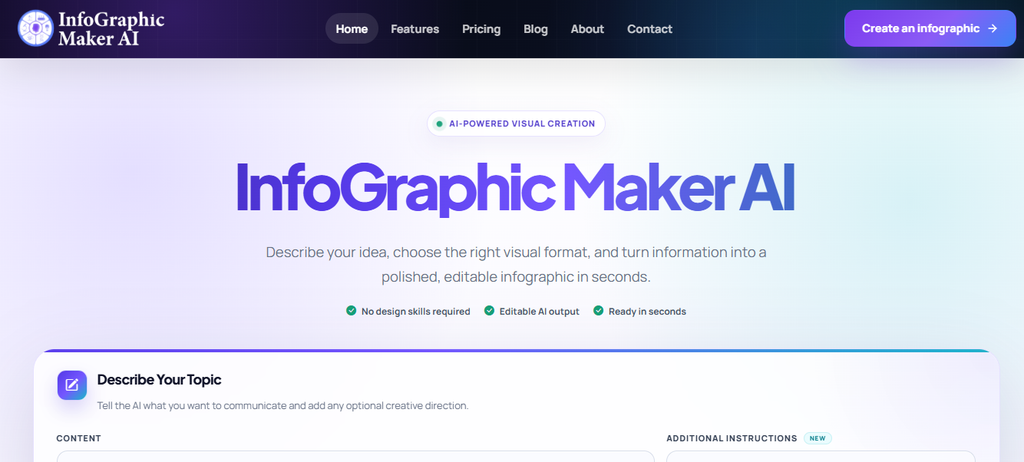
Infographicmakerai stands out as a visual creation platform designed for users who need to transform ideas, data, and information into professional graphics quickly. While many whiteboard tools help teams organize thoughts, this tool focuses on turning those ideas into polished visual stories.
For marketers, educators, consultants, and businesses, the biggest advantage is the reduced time needed to create infographic-style content. Instead of starting with a blank canvas, users can provide information and allow AI-assisted workflows to structure visual layouts.
The platform supports AI-powered infographic creation, editable designs, templates, brand consistency tools, collaboration features, and multiple export options. These capabilities make it useful for teams that need finished visual assets, not just brainstorming spaces.
Another important benefit is its ability to help non-designers produce professional-looking visuals. Users can start from text, reports, ideas, or data and create content suitable for presentations, marketing campaigns, reports, and educational materials.
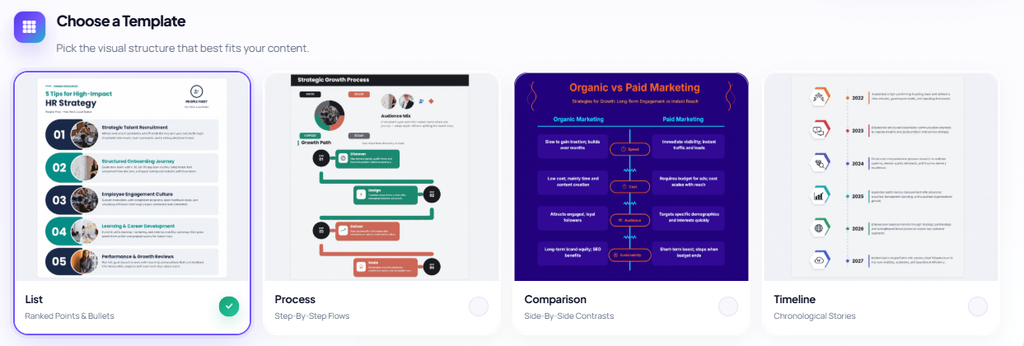
Infographicmakerai Highlighted Features:
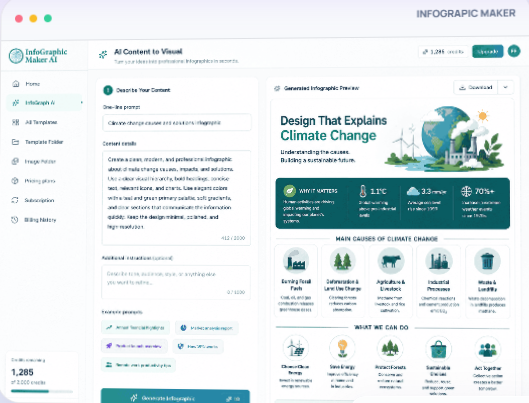
AI content to visual: Converts ideas, notes, and information into structured infographic designs, helping users create visual content faster.
Smart editor: Allows users to adjust visual elements while maintaining organized layouts and professional presentation quality.
Brand Kit: Keeps logos, fonts, colors, and visual identity consistent across multiple designs.
AI writing assistant: Helps rewrite, shorten, expand, or simplify infographic text without changing the intended message.
Smart flow diagrams: Creates connected visual workflows such as processes, customer journeys, and decision paths.
Flexible export options: Allows users to export completed visuals in formats such as PNG, JPG, PDF, and SVG.
Infographicmakerai Pros:
- Creates infographics from simple prompts and information.
- Reduces manual design work for non-designers.
- Provides editable visual outputs instead of static images.
- Supports brand consistency for professional teams.
- Offers templates for different content formats.
- Helps businesses convert complex information into easier-to-understand visuals.
Infographicmakerai Cons:
- Users who need advanced graphic design software may require additional tools.
- Heavy AI usage depends on available monthly credits.
Infographicmakerai Pricing Plans:
Infographicmakerai offers a Free plan at $0/month with 50 AI credits, 3 exports per month, basic templates, and 720p exports. The Starter plan costs $19/month and includes 500 AI credits monthly, 50 exports, all templates, and 1080p export quality.
The Pro plan costs $49/month and provides 2,000 AI credits monthly, unlimited exports, premium templates, 4K exports, five Brand Kits, and advanced analytics. The Business plan costs $99/month and includes 5,000 AI credits, unlimited exports, 4K + SVG exports, unlimited Brand Kits, team collaboration, API access, and dedicated support.
2. Canva Whiteboard
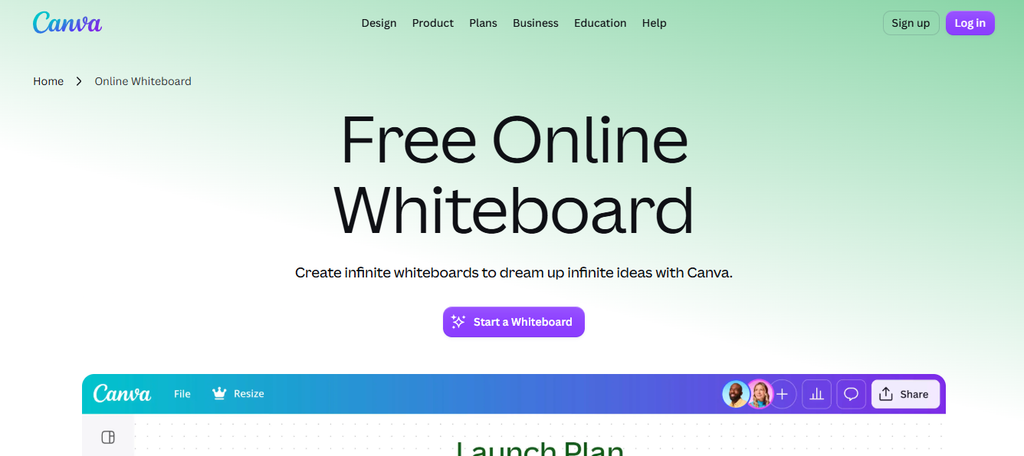
Canva Whiteboard is a strong option for teams that want the flexibility of a collaborative canvas combined with professional design capabilities. Unlike traditional whiteboard platforms that mainly focus on brainstorming, Canva connects idea generation with finished visual content creation.
One limitation is that teams looking for advanced workflow management or complex enterprise collaboration controls may find Canva Whiteboard less specialized than dedicated business whiteboarding platforms. However, for marketers, educators, content creators, and small businesses, it provides a familiar environment for turning ideas into polished designs.
Canva Whiteboard allows users to create mind maps, diagrams, brainstorming boards, presentations, and visual plans using Canva’s extensive design ecosystem. The platform benefits users who want to move from an early concept to a final presentation without switching between multiple applications.
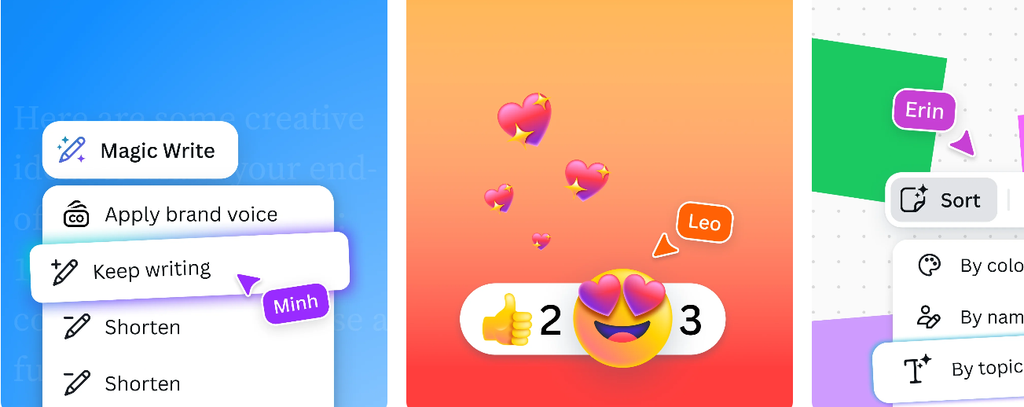
Canva Whiteboard Highlighted Features:
Infinite canvas: Gives teams space to brainstorm, organize ideas, and create visual plans without page restrictions.
Templates: Provides ready-made layouts for brainstorming, planning, diagrams, and workshops to speed up content creation.
Magic Write and AI tools: Helps users generate ideas, rewrite text, and improve content creation workflows.
Design library: Gives access to millions of design elements, graphics, photos, and illustrations for professional visuals.
Real-time collaboration: Allows multiple users to comment, edit, and contribute to shared projects.
Canva Whiteboard Pros:
- Combines whiteboarding with professional design tools.
- Large template and asset library.
- Easy for beginners to learn.
- Useful for marketing and presentation workflows.
- Supports collaboration between teams.
- Offers AI-assisted design features.
Canva Whiteboard Cons:
- Advanced diagramming features are not as deep as specialized diagram tools.
- Large teams may require higher-tier plans for advanced collaboration controls.
- Some premium design assets require paid subscriptions.
- Less focused on complex technical workflows.
Canva Pricing Plans:
Canva offers a Free plan at $0/month with access to basic design tools, templates, and limited AI features.
Canva Pro costs $14.99/month for one person when billed monthly and provides premium templates, brand tools, larger content libraries, background remover, and additional AI features.
Canva Teams starts at $29.99/month for the first five users when billed monthly and adds team collaboration features, brand management tools, and centralized administration.
Canva Enterprise pricing is custom and designed for larger organizations requiring advanced security and workflow controls.
3. FigJam
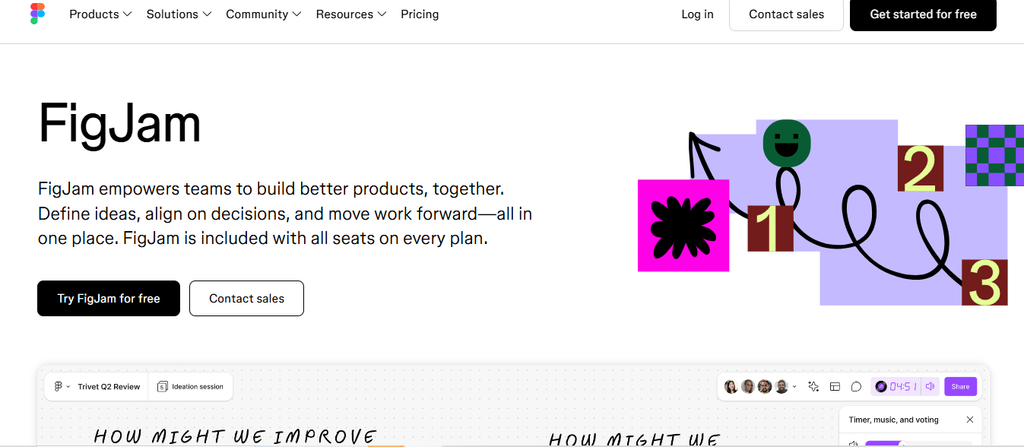
FigJam is a collaborative whiteboard platform created by Figma for teams that need to combine brainstorming with product design workflows. It is especially popular among UX designers, product managers, and development teams because it connects naturally with the broader Figma ecosystem.
The biggest limitation is that FigJam works best for teams already using Figma. Organizations that do not need design collaboration may find some of its advantages less valuable compared with general-purpose whiteboarding tools.
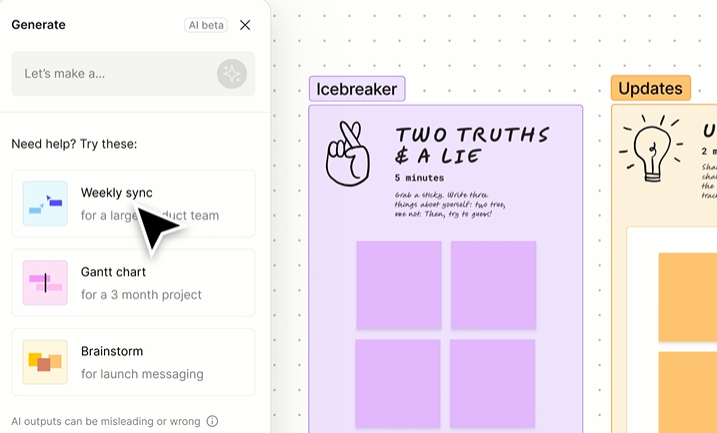
FigJam provides interactive boards for brainstorming, user journey mapping, workshops, diagrams, and team discussions. Its connection with Figma makes it easier for design teams to move from ideas into prototypes and final interface designs.
FigJam Highlighted Features:
Collaborative whiteboards: Allows teams to brainstorm, draw diagrams, and organize ideas visually.
Templates: Provides frameworks for retrospectives, meetings, planning sessions, and workshops.
Figma integration: Connects brainstorming activities directly with product design files.
Widgets and plugins: Extends board functionality with additional tools and integrations.
Voting and feedback tools: Helps teams collect opinions and make collaborative decisions.
FigJam Pros:
- Excellent choice for product design teams.
- Strong connection with Figma workflows.
- Simple and intuitive interface.
- Good template collection.
- Supports real-time collaboration.
FigJam Cons:
- Less suitable for users outside design workflows.
- Advanced features depend heavily on the Figma ecosystem.
- Some teams may need additional project management software.
- Enterprise features require higher-tier plans.
FigJam Pricing Plans:
FigJam offers a Free Starter plan at $0/month with unlimited collaborators, three FigJam files, templates, and basic collaboration features.
The Professional plan costs $5 per user/month when billed annually and provides unlimited FigJam files, team libraries, and advanced collaboration features.
The Organization plan costs $5 per user/month when billed annually and includes organization-wide controls.
The Enterprise plan starts at $5 per user/month when billed annually with additional security and administration features.
4. Mural

Mural is one of the most established visual collaboration platforms and is widely used for workshops, strategic planning, and remote team sessions. It focuses heavily on facilitating structured collaboration rather than simply providing a blank digital canvas.
A potential drawback is that Mural can become expensive for larger teams, especially when advanced collaboration and administration features are required. Users who only need basic brainstorming may find some features unnecessary.
Mural provides guided workshops, templates, facilitation tools, and collaborative spaces for remote teams. It is particularly useful for consultants, innovation teams, and organizations running frequent planning sessions.
Mural Highlighted Features:
Workshop templates: Helps facilitators organize meetings, brainstorming sessions, and planning exercises.
Facilitation tools: Includes timers, voting, private mode, and participant management.
Visual collaboration canvas: Supports diagrams, sticky notes, frameworks, and team activities.
Integrations: Connects with workplace tools including Microsoft Teams, Slack, Jira, and more.
Anonymous voting: Helps teams gather honest feedback during collaborative sessions.
Mural Pros:
- Excellent for remote workshops.
- Strong facilitation features.
- Large template collection.
- Designed for team engagement.
- Supports enterprise collaboration.
Mural Cons:
- Pricing can become expensive.
- Learning curve is higher for casual users.
- Less focused on graphic design creation.
- Some advanced features require premium plans.
Mural Pricing Plans:
Mural offers a Free plan at $0/month with unlimited members, three murals, and basic collaboration features.
The Team+ plan costs $9.99 per user/month when billed annually and includes unlimited murals, advanced collaboration tools, and additional templates.
The Business plan costs $17.99 per user/month when billed annually and adds advanced security, analytics, and administration features.
Enterprise pricing is customized based on organization requirements.
5. Boardmix
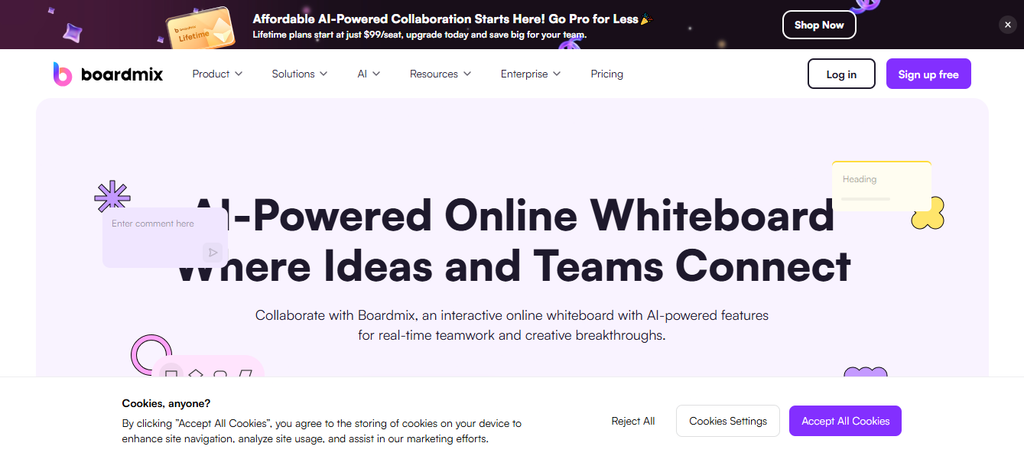
Boardmix is designed as an affordable Miro alternative for users who want a feature-rich online whiteboard without the higher cost associated with some enterprise collaboration platforms. It provides tools for brainstorming, mind mapping, diagrams, and team collaboration.
One concern is that Boardmix does not have the same level of market adoption and ecosystem depth as platforms like Miro or Canva. Larger organizations may need to evaluate integrations and long-term scalability before switching.
Boardmix includes an infinite canvas, AI-powered tools, templates, diagram creation, and collaborative editing. It works well for teams that need a flexible visual workspace for planning and creative sessions.
Boardmix Highlighted Features:
Infinite canvas: Allows users to create large visual workspaces for projects and ideas.
AI assistant: Helps generate diagrams, mind maps, and content structures.
Templates: Provides ready-made frameworks for common collaboration activities.
Mind mapping: Supports organizing complex information visually.
Real-time collaboration: Enables teams to edit and communicate together.
Boardmix Pros:
- Affordable alternative to Miro.
- Includes AI-powered features.
- Supports multiple visual workflows.
- Offers many templates.
- Easy onboarding.
Boardmix Cons:
- Smaller ecosystem compared with major competitors.
- Some advanced integrations may be limited.
- Enterprise adoption is lower.
- Users may need time to adapt from Miro.
Boardmix Pricing Plans:
Boardmix provides a Free plan at $0/month with access to core whiteboard features.
The Pro plan costs approximately $4.95/month when billed annually and includes additional AI credits, unlimited files, advanced export options, and premium features.
Business and enterprise pricing depends on team requirements and additional organizational features.
6. Whimsical

Whimsical is a visual collaboration platform built for teams that need fast and simple ways to create flowcharts, wireframes, mind maps, and project diagrams. It focuses on clarity and speed, making it popular among product teams, developers, designers, and startup teams.
One limitation is that Whimsical is more specialized around structured visual documents rather than open-ended brainstorming sessions. Teams looking for advanced workshop facilitation features or extensive whiteboard activities may find it less flexible than platforms like Miro or Mural.
Whimsical helps users organize complex ideas into easy-to-understand visuals. Its clean interface allows teams to create product flows, user journeys, technical diagrams, and planning documents without dealing with unnecessary complexity.
Whimsical Highlighted Features:
Flowcharts: Helps teams visualize processes, systems, and workflows clearly for better decision-making.
Mind maps: Allows users to organize ideas and explore relationships between concepts.
Wireframes: Supports quick product sketches and interface planning before development begins.
Project documentation: Combines visual documents with notes and collaboration tools.
Templates: Provides ready-made structures for common business and product workflows.
Whimsical Pros:
- Extremely simple and beginner-friendly interface.
- Excellent for diagrams and structured visuals.
- Fast creation of product workflows.
- Clean and professional designs.
- Useful for product managers and developers.
Whimsical Cons:
- Limited compared with full design platforms.
- Fewer advanced collaboration features than Miro.
- Not ideal for large interactive workshops.
- AI capabilities are less extensive than newer competitors.
Whimsical Pricing Plans:
Whimsical offers a Free plan at $0/month with access to unlimited collaborators, three team boards, and basic features.
The Starter plan costs $10 per editor/month when billed annually and includes unlimited boards, premium templates, and additional collaboration features.
The Pro plan costs $20 per editor/month when billed annually and adds advanced team management, unlimited teams, and additional administrative controls.
Enterprise pricing is customized based on organization size and requirements.
7. Stormboard

Stormboard is a digital workspace focused on brainstorming, planning, and agile collaboration. It helps teams capture ideas, organize information, and convert discussions into structured workflows.
A limitation is that Stormboard is primarily designed around brainstorming and collaboration rather than advanced design creation. Teams that need polished visual assets or complex design systems may need additional software.
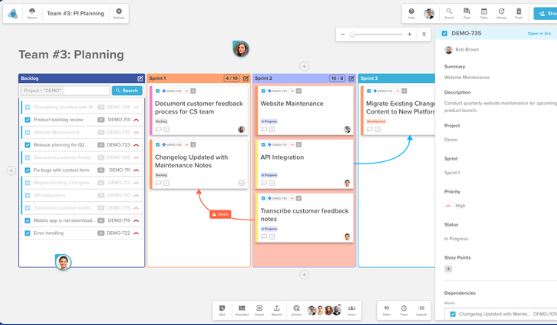
The platform combines sticky notes, templates, reporting tools, and collaboration features to help teams manage workshops and strategic sessions. It is particularly useful for organizations that rely on structured brainstorming methods.
Stormboard Highlighted Features:
Digital sticky notes: Helps teams capture ideas quickly during brainstorming sessions.
Templates: Provides frameworks for meetings, planning, and problem-solving.
Reports: Converts board information into organized summaries and insights.
Integrations: Connects with workplace tools for smoother workflows.
Collaboration tools: Supports comments, voting, and team participation.
Stormboard Pros:
- Great for structured brainstorming.
- Easy for teams to adopt.
- Useful workshop templates.
- Strong meeting facilitation features.
- Supports remote collaboration.
Stormboard Cons:
- Limited graphic design capabilities.
- Less suitable for visual content creation.
- Smaller user community than major platforms.
- Advanced features require paid plans.
Stormboard Pricing Plans:
Stormboard provides a Personal plan at $0/month with basic brainstorming features.
The Business plan starts at $8.33 per user/month when billed annually and includes unlimited storm boards, advanced templates, and collaboration tools.
The Enterprise plan starts at $10 per user/month when billed annually and includes additional security, administration, and support features.
Custom enterprise pricing is available for larger organizations.
8. Creately
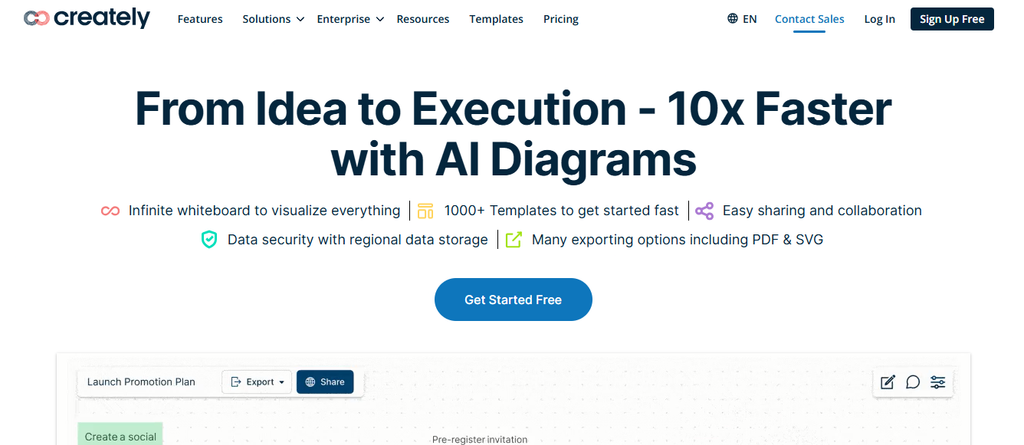
Creately is a visual collaboration and diagramming platform designed for teams that need to create flowcharts, organizational charts, mind maps, technical diagrams, and business workflows.
One concern is that Creately focuses heavily on diagrams and structured documentation, so users searching for a highly creative whiteboard experience may find it less flexible than broader visual collaboration platforms.
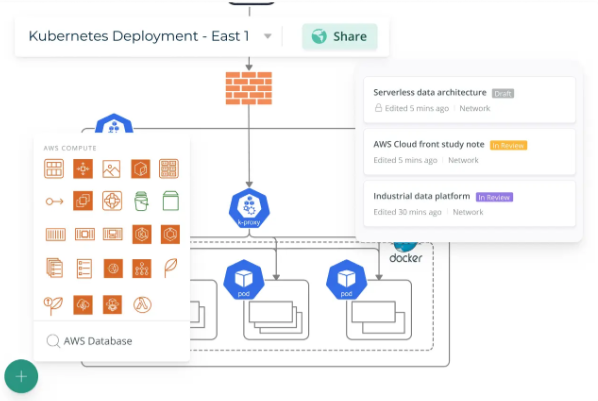
Creately combines diagramming tools with collaboration features, making it useful for businesses, software teams, educators, and consultants. Its visual database approach also helps teams connect information across projects.
Creately Highlighted Features:
Diagramming tools: Allows users to create professional flowcharts, network diagrams, and business processes.
Visual workspace: Combines diagrams, notes, and related information in one place.
Templates: Provides thousands of ready-made diagrams for different industries.
Collaboration: Enables teams to comment, edit, and review visual documents.
Integrations: Connects with popular productivity platforms.
Creately Pros:
- Excellent diagram creation capabilities.
- Large template library.
- Suitable for technical teams.
- Supports visual documentation.
- Easy sharing and collaboration.
Creately Cons:
- Less suitable for creative brainstorming.
- Some advanced features require premium plans.
- AI functionality is less extensive than on AI-first platforms.
- Large diagrams may require stronger system resources.
Creately Pricing Plans:
Creately offers a Free plan at $0/month with limited features and basic diagram creation.
The Personal plan costs $5/month when billed annually and provides unlimited personal workspaces and additional features.
The Team plan costs $5 per user/month when billed annually and includes team collaboration features.
The Business plan costs $89/month when billed annually and includes advanced administration and workspace controls.
Enterprise pricing is customized.
9. Visme

Visme is a visual communication platform designed for creating presentations, infographics, reports, charts, and branded content. It is a strong choice for businesses that need professional visuals rather than traditional whiteboard collaboration.
Its biggest limitation is that Visme isn’t a direct Miro replacement for interactive workshops or real-time brainstorming. Its strength lies in creating finished communication materials rather than managing collaborative idea sessions.
Visme helps marketers, educators, and businesses transform data and information into engaging visual content. It includes templates, charts, design assets, and presentation tools that help users create professional materials without advanced design skills.

Visme Highlighted Features:
Infographic maker: Helps users transform information and statistics into engaging visual stories.
Presentation builder: Creates professional presentations using templates and design elements.
Data visualization: Allows users to create charts, graphs, and visual reports.
Brand management: Helps maintain consistent branding across designs.
Animation tools: Adds movement and interactive elements to visual content.
Visme Pros:
- Excellent for professional visual content.
- Strong infographic capabilities.
- Large template library.
- Useful for marketing teams.
- Easy for non-designers.
Visme Cons:
- Not designed for collaborative whiteboarding.
- Advanced features require paid plans.
- Some templates and assets are locked behind premium subscriptions.
- Less suitable for technical workflows.
Visme Pricing Plans:
Visme offers a Free plan at $0/month with limited templates, design assets, and download options.
The Starter plan costs $12.25/month when billed annually and includes more templates, storage, and premium assets.
The Pro plan costs $24.75/month when billed annually and includes unlimited projects, brand tools, advanced downloads, and analytics.
The Enterprise plan uses custom pricing and includes advanced security, collaboration, and support features.
Benefits of Using Visual Collaboration Tools for Modern Teams
Better Idea Organization and Faster Decision-Making
Visual collaboration platforms help teams organize complex information in a way that is easier to understand. Instead of relying on long documents or disconnected conversations, teams can map ideas, workflows, and strategies visually.
Research shows that visual information is processed significantly faster than text alone, which is why diagrams, charts, and visual frameworks remain important in business communication.
Teams using visual workspaces can identify problems earlier, improve brainstorming sessions, and make decisions with better context.
Must-know Tip: Visual collaboration works best when teams use it as a bridge between ideas and action, not simply as a place to store notes.
Improved Remote Team Collaboration
Remote work has increased demand for digital collaboration platforms. According to workplace research, hybrid work continues influencing how companies select productivity software because teams need tools that support communication across locations.
Online whiteboards allow employees to contribute ideas asynchronously and participate regardless of time zone. This creates more inclusive discussions compared with traditional meetings.
For distributed teams, features like comments, templates, voting, and shared workspaces can improve alignment and reduce unnecessary meetings.
Conclusion
Choosing the right Miro alternative depends on what your team needs most from a visual collaboration platform. Some tools focus on brainstorming, some improve product workflows, and others help businesses create professional visual content.
Platforms with AI creation, templates, collaboration features, and export capabilities can help teams turn complex ideas into useful outcomes. Infographicmakerai focuses on helping users transform information into engaging visuals, while tools like FigJam, Mural, Boardmix, and Visme support different creative and collaboration workflows.
The right choice depends on your goals, budget, team size, and the type of work you create.
Frequently Asked Questions
What is the best Miro alternative?
The best option depends on your workflow. Infographicmakerai is suitable for AI-powered infographic creation, FigJam works well for design teams, Mural supports workshops, and Visme helps create professional visual content.
Is there a free Miro alternative?
Yes. Several platforms offer free plans, including Canva Whiteboard, FigJam, Boardmix, Stormboard, and Conceptboard.
Which Miro alternative is best for designers?
FigJam and Canva Whiteboard are strong options for designers because they combine collaboration with visual creation features.
Which Miro alternative is best for brainstorming?
Mural, Stormboard, and FigJam provide strong brainstorming features with templates and collaboration tools.
Which Miro alternative has AI features?
Infographicmakerai, Boardmix, Canva, and some other modern collaboration platforms include AI-assisted features.
Can I replace Miro completely?
Yes, but the best replacement depends on your workflow. Some teams need whiteboarding, while others need design creation, project management, or documentation.
What is the cheapest Miro alternative?
Free plans are available from several competitors. Paid pricing varies depending on team size and required features.
Is Canva Whiteboard better than Miro?
Canva Whiteboard is better for users who need design creation, while Miro is stronger for collaborative workshops and complex visual planning.
Is FigJam similar to Miro?
Yes. Both provide collaborative whiteboards, but FigJam is more closely connected to product design workflows.
Which Miro alternative is best for businesses?
Businesses should compare security, collaboration features, integrations, and pricing before choosing a platform.
Can Miro alternatives create diagrams?
Yes. Tools such as Creately, Whimsical, Boardmix, and Lucidspark specialize in diagrams and visual workflows.
Are Miro alternatives cheaper?
Many alternatives provide lower-cost plans, especially for small teams and individual users.
Do Miro alternatives support remote teams?
Yes. Most modern visual collaboration tools include real-time editing, comments, sharing, and team collaboration features.
Which tool is best for creating infographics?
Infographicmakerai and Visme are specifically designed for creating infographic-style visual content.
Should I switch from Miro?
Consider switching if another platform better matches your workflow, pricing needs, or content creation requirements.

Comments
0 responsesNo comments yet. Be the first to share your thoughts.