

Click any AI tool above to instantly get a summary of this article. Perfect for quick insights when you're short on time.
You know the frustration. You open Tableau to answer one business question, then find yourself adjusting calculations, rebuilding a view, checking permissions, or waiting for someone who understands the dashboard better than you do. That experience is pushing more teams to search for a Tableau alternative that better fits their budget, technical skills, and actual reporting needs.
The timing matters. The global business intelligence software market was valued at about $46.42 billion in 2025 and is projected to reach $52.89 billion in 2026. At the same time, AI, natural-language analytics, governed metrics, and easier visual communication are reshaping what businesses expect from analytics software.
Here, you will find 10 Tableau alternatives for different visualization, reporting, BI, AI, and data communication needs.
Why Are Companies Looking for Tableau Alternatives in 2026?
Consider a growing ecommerce company with marketing, finance, operations, and management teams relying on separate dashboards. As reporting expands, the company can end up maintaining dozens of calculations, data sources, permissions, extracts, and views just to answer questions that once seemed simple.
The problem is not necessarily that Tableau lacks capability. Tableau remains one of the most capable visualization platforms available. The issue is whether every company needs its depth, administration requirements, licensing structure, and learning curve.
Rising Analytics Costs
Cost becomes more noticeable as analytics access expands beyond a handful of analysts. Tableau Cloud Standard currently lists Creator licenses at $75 per user per month, Explorer at $42, and Viewer at $15 when billed annually.
That can make organizations examine tools with free editions, open-source deployment, consumption pricing, unlimited-user models, or cheaper per-user licenses. Price alone should not decide the switch, but it often starts the conversation.
Business Users Want Faster Answers
Modern employees increasingly expect analytics to work more like search than traditional report development. Salesforce’s 2026 data research found that 93% of business leaders believe they would perform better if they could ask data questions using natural language.
That changes the buying criteria. Businesses are now comparing AI assistants, conversational analytics, automated insights, semantic layers, and self-service exploration alongside traditional charts and dashboards.
Data Trust Has Become More Important
More automation does not automatically create better decisions. dbt Labs’ 2026 State of Analytics Engineering report found that 83% of respondents considered increasing trust in data and data teams important, up from 66% the previous year.
The same research found that 71% were concerned about hallucinated or incorrect data reaching stakeholders. That makes governance, reusable metric definitions, permissions, and transparent calculations critical when choosing new analytics software.
Teams Want Tools That Match Their Actual Workflow
Not every company needs enterprise BI. Some teams mainly need attractive visual reports, some need embedded analytics, others need operational monitoring, while advanced data teams may want semantic models, Git workflows, dbt integration, or self-hosting.
A Tableau replacement should therefore solve the specific problem you have. Choosing a smaller, more focused product can sometimes produce better results than buying the platform with the longest feature list.
Must-know Tip: Do not compare Tableau alternatives only by the number of features they advertise. Compare how many steps your team needs to move from raw information to a trustworthy answer that somebody can actually understand and use.
What Makes a Good Tableau Alternative?
A good Tableau alternative should fit your data environment, users, reporting goals, technical resources, and budget. The strongest option for an enterprise analytics team may be completely wrong for a marketing department that only wants attractive campaign reports.
Ease of Use and Adoption
A useful platform should let the people who need information actually access it. Complicated modeling, unfamiliar query languages, or lengthy implementation can turn self-service analytics into another queue of requests for your data team.
Ease of use does not mean removing advanced capabilities. It means giving different users an appropriate path, whether that is drag-and-drop reporting, natural-language questions, spreadsheet-style exploration, reusable templates, or governed dashboards.
Reliable Data Connections
Your analytics platform becomes less useful if the information you need cannot reach it efficiently. Look at support for databases, warehouses, spreadsheets, SaaS applications, APIs, marketing platforms, and the systems your company already relies on.
Also check whether the software queries data live, imports it, caches it, or requires another integration layer. Those differences affect freshness, performance, security, and infrastructure costs.
Governance and Metric Consistency
Analytics is only valuable when people trust the numbers. Salesforce’s 2026 research found that data and analytics leaders estimate roughly 26% of their organizational data is untrustworthy, while only 43% report having established formal data-governance frameworks and policies.
Look for permissions, reusable definitions, lineage, auditability, row-level controls, semantic modeling, and methods for preventing different departments from creating conflicting versions of the same KPI.
Scalability Without Unnecessary Complexity
A tool should handle growth in users, dashboards, datasets, queries, and business requirements without forcing an expensive rebuild. However, buying enterprise-scale functionality years before you need it creates its own cost and training burden.
Consider both today’s requirements and realistic growth over the next two or three years.
Clear Pricing and Total Cost
License price is only one cost. You may also need implementation services, cloud infrastructure, administrator time, data engineering, migration work, training, premium connectors, embedding capacity, or additional storage.
A cheaper license can become expensive when operational work is included.
Must-know Tip: Run a proof of concept with your own data before replacing Tableau. Recreate two or three important workflows, involve both analysts and ordinary business users, then measure setup time, query performance, usability, and total cost.
10 Best Tableau Alternative Tools to Consider in 2026
The right choice depends on what you expect your analytics platform to do. Some products below are full business intelligence platforms, while others focus on visual communication, cloud reporting, semantic analytics, open-source BI, monitoring, or governed enterprise data.
That distinction matters. If your real challenge is turning data into polished visual stories, you may not need another traditional BI suite. If you need complex enterprise modeling, on the other hand, a lightweight visualization tool will not be enough.
1. Infographicmaker

Infographicmaker takes a different approach from conventional BI platforms. Instead of centering the experience on building analytical workbooks, it focuses on turning information and data into polished infographics, presentations, charts, graphics, and other visual content.
You can generate infographic content with AI, work with templates, produce images, logos, and icons, and search visual assets such as photos, illustrations, icons, and 3D elements. This can reduce the gap between finding an insight and presenting it in a format that clients, executives, students, or customers can understand.
The platform also includes a Brand Kit, animation and motion effects, advanced text effects, resize options, AI image and icon suggestions, and multiple export formats. Paid plans support formats such as PNG, JPEG, WEBP, PDF, GIF, and PowerPoint slides.
Infographicmaker is not a full replacement for Tableau’s enterprise BI, database modeling, or governed analytical environment. Its advantage appears when your main objective is visual storytelling, infographic creation, presentations, branded data communication, or converting information into shareable visual assets.
Infographicmaker Highlighted Features
- AI infographic generation: Turns information into infographic-style visuals without requiring you to design every element manually.
- AI image, logo, and icon generation: Helps you produce supporting visual assets within the same creative workflow.
- Brand Kit: Makes it easier to maintain consistent branding across infographics and visual reports.
- Templates and visual assets: Gives you ready-made layouts plus access to photos, illustrations, icons, and 3D assets.
- Multi-format exports: Paid plans support PNG, JPEG, WEBP, PDF, GIF, and PowerPoint output for different publishing needs.
- Animations and motion effects: Helps you create more engaging visual material when a static chart or report is not enough.
Infographicmaker Pros
- AI reduces the amount of manual design work required for visual content.
- The platform combines infographic, image, logo, and icon creation.
- A free plan lets you test the workflow before purchasing.
- Paid plans provide unlimited downloads.
- Brand Kit functionality supports consistent visual identity.
- Multiple export formats make content easier to reuse.
- It is approachable for users who do not want a traditional enterprise BI environment.
Infographicmaker Cons
- It is designed around visual content creation rather than deep enterprise BI modeling.
- AI credits have usage limits and unused credits do not roll over between billing periods.
Infographicmaker Pricing Plans
Free: $0 one time, with 30 one-time AI credits and five downloads.
Starter: $9.90 per month with 650 monthly AI credits.
Pro: $19.90 per month with 1,400 monthly AI credits.
Business: $49.90 per month with 5,000 monthly AI credits.
The platform also advertises yearly plans with a 20% saving and lifetime options. Its publicly rendered pricing page currently displays the monthly dollar figures above.
Why Choose Infographicmaker?
Choose Infographicmaker when your challenge begins after you have the information. You may already know the numbers but still need to convert them into something a customer, executive, reader, or social audience will actually absorb.
Its combination of AI-generated infographics, image creation, templates, Brand Kit tools, animations, and multi-format exports makes it particularly useful for visual communication. Instead of learning a full BI environment to produce presentation-ready material, you can focus on communicating the idea.
For organizations needing complex governed analytics, it should complement rather than replace a full BI stack. For visual storytelling, however, its focused workflow can be a significant advantage.
2. Microsoft Power BI
Microsoft Power BI is one of the most established direct Tableau competitors. Microsoft reported in its 2025 recap that Power BI had more than 30 million monthly active users across more than 375,000 organizations, showing how widely the platform has spread.
Its strongest advantage is integration with the Microsoft ecosystem. If your organization already works with Excel, Microsoft 365, Azure, Teams, or Fabric, Power BI can fit naturally into existing workflows.
Power BI supports interactive reports, dashboards, data modeling, DAX calculations, multiple data connections, sharing, security, and enterprise-scale analytics. Premium Per User expands model size, refresh frequency, and enterprise features.
The concern is complexity. DAX, Power Query, semantic modeling, licensing rules, and Fabric capacity can become demanding as implementations grow.
Microsoft Power BI Highlighted Features
- Power BI Desktop: Lets you build interactive reports and data models through a desktop authoring environment.
- Microsoft ecosystem integration: Works closely with Excel, Azure, Microsoft 365, Teams, and Fabric.
- Data modeling and DAX: Supports advanced calculations and reusable analytical models.
- Scheduled refresh: Paid tiers support regular dataset refreshes for updated reporting.
- Embedded analytics: Lets developers put Power BI reports inside customer-facing applications.
Microsoft Power BI Pros
- Strong integration with Microsoft products.
- Free Desktop authoring option.
- Large user and partner ecosystem.
- Extensive visualization and modeling features.
- Competitive per-user pricing compared with many enterprise BI platforms.
Microsoft Power BI Cons
- DAX can have a significant learning curve.
- Licensing becomes more complicated when Fabric capacity is involved.
- Large implementations require careful model optimization.
- The desktop-first authoring experience can be less convenient for some non-Windows workflows.
Microsoft Power BI Pricing Plans
Free Account: $0.
Power BI Pro: $14 per user per month, paid yearly.
Power BI Premium Per User: $24 per user per month, paid yearly.
Power BI Embedded: Variable pricing.
Microsoft Fabric capacity: Variable based on capacity and purchasing model.
Why Choose Microsoft Power BI?
Power BI makes sense when your company already lives inside Microsoft’s ecosystem. Excel users can move into a more structured analytics workflow, while IT teams can integrate reporting with broader Microsoft data and cloud infrastructure.
Its price is attractive compared with many enterprise platforms, but its apparent simplicity can hide a more technical backend. Complex DAX models, capacity planning, dataset design, and governance still require specialist skills.
Choose it when Microsoft integration, interactive reporting, data modeling, and broad organizational adoption matter more than having the easiest possible BI environment.
3. Qlik Sense
Qlik Sense, now delivered through Qlik Cloud Analytics, combines dashboards, data exploration, reporting, AI features, automation, and an associative analytics engine. The associative approach is designed to help users explore relationships across data instead of following only predefined drill paths.
Qlik’s current platform also includes conversational and agentic analytics capabilities, predictive functionality, automation, reporting, governance, and connectivity to many data sources.
The platform can suit organizations that want deeper exploration than a basic reporting tool provides. Qlik says more than 30,000 customers use its technology, reflecting its long presence in enterprise analytics.
A potential barrier is cost. Its cloud pricing rises quickly beyond the entry plan, and advanced implementations can require experienced Qlik developers or administrators.
Qlik Sense Highlighted Features
- Associative analytics engine: Helps users explore relationships across data without relying entirely on predefined query paths.
- Interactive dashboards: Supports dynamic visualizations and exploratory analysis.
- AI-powered analytics: Current cloud plans include AI-assisted analytics and access to Answers Agents.
- Automation: Supports report generation and no-code automation workflows.
- Predictive analytics: Higher plans add automated machine-learning capabilities.
Qlik Sense Pros
- Powerful exploratory analytics.
- Broad data connectivity.
- Strong governance capabilities.
- AI and automation features are increasingly integrated.
- Suitable for complex enterprise analytics.
Qlik Sense Cons
- Paid cloud plans can become expensive.
- Advanced development has a learning curve.
- Smaller organizations may not need the platform’s depth.
- Capacity and data-volume pricing requires careful planning.
Qlik Sense Pricing Plans
Starter: Starts at $300 per month for 10 users, billed annually.
Standard: Starts at $825 per month for 25 GB of data for analysis, billed annually.
Premium: Starts at $2,750 per month for 50 GB of data for analysis, billed annually.
Enterprise: Custom quote.
Why Choose Qlik Sense?
Qlik Sense is worth considering when you need sophisticated exploration rather than simple static reporting. The associative engine can help analysts discover relationships that are less obvious in predefined dashboard paths.
It also combines analytics with reporting, AI, automation, and governance. Those capabilities can reduce the number of separate systems an enterprise maintains.
The trade-off is accessibility and cost. If you only need straightforward dashboards, a smaller product may be easier and substantially cheaper. Qlik becomes more compelling when complex enterprise exploration justifies the additional investment.
4. Domo

Domo combines business intelligence, data integration, dashboards, embedded analytics, workflows, applications, automation, and AI within one cloud platform. It targets organizations that want more than visualization and prefer to manage significant parts of the analytics workflow in one environment.
Its data-integration features include connectors and drag-and-drop ETL. Teams can then build dashboards, visualizations, embedded experiences, low-code apps, alerts, scheduled reports, workflows, and AI-driven functionality from the connected data.
Domo currently uses credit-based consumption pricing rather than standard per-seat pricing. The platform allows unlimited users, which can be useful for organizations trying to distribute analytics widely.
The drawback is predictability. Consumption models require organizations to understand which actions consume credits and monitor usage closely.
Domo Highlighted Features
- Data integration: Connectors and drag-and-drop ETL help consolidate information from different systems.
- Dashboards and visualizations: Supports business reporting and interactive analysis.
- Domo AI: Includes AI chat, model management, custom agents, and machine-learning functionality.
- Workflow automation: Enables alerts, workflows, scheduled reports, and automated actions.
- Embedded analytics: Lets businesses integrate analytical experiences into other products.
Domo Pros
- Combines integration and analytics in one platform.
- Unlimited-user approach encourages broad adoption.
- Includes automation and workflow capabilities.
- Supports AI and machine-learning use cases.
- Strong fit for organizations seeking an end-to-end cloud platform.
Domo Cons
- Public pricing does not provide simple fixed dollar figures.
- Credit consumption requires ongoing cost monitoring.
- The wide feature set can be excessive for basic reporting teams.
- Migration and implementation can require substantial planning.
Domo Pricing Plans
Domo provides a 30-day free trial and custom, credit-based paid pricing. It does not currently publish one fixed USD subscription figure for the paid offering.
Why Choose Domo?
Domo becomes attractive when you want to connect data, analyze it, automate processes, build applications, and distribute insights without assembling numerous separate platforms.
Its unlimited-user approach can also appeal to companies where per-seat licensing limits adoption. However, that does not automatically make costs simple. Credit consumption varies based on activities such as storing data, updating tables, running workflows, and using advanced capabilities.
Choose Domo when broad platform coverage is valuable enough to justify a more involved implementation and consumption-based commercial model.
5. Metabase
Metabase is a strong Tableau alternative for companies that want approachable self-service analytics without giving up SQL access. It offers an open-source edition alongside managed commercial plans.
Users can create dashboards, explore information through a graphical query builder, write SQL directly, upload spreadsheets, build models, drill into results, and use AI-assisted analytics. Metabase also supports embedding for businesses that want analytics inside their own products.
The platform is particularly appealing to startups and product companies because you can begin with the open-source edition and expand into managed hosting, governance, SSO, row-level security, and advanced embedding later.
The main limitation is that sophisticated visualization and enterprise administration requirements may push you toward higher paid tiers.
Metabase Highlighted Features
- Visual query builder: Helps non-SQL users explore databases through a point-and-click interface.
- SQL editor: Gives analysts direct query control when deeper analysis is needed.
- Dashboards and drill-through: Supports interactive business reporting and exploration.
- Embedded analytics: Provides components and SDK options for integrating analytics into products.
- Granular permissions: Paid plans support row and column controls, SSO, and stronger governance.
Metabase Pros
- Free open-source edition.
- Friendly interface for nontechnical users.
- Strong SQL support for analysts.
- Flexible embedding capabilities.
- Can be self-hosted or managed in the cloud.
Metabase Cons
- Some enterprise governance capabilities require higher tiers.
- Self-hosting creates infrastructure and maintenance work.
- Advanced visualization flexibility is narrower than Tableau.
- Per-user costs can grow on commercial plans.
Metabase Pricing Plans
Open Source: Free with unlimited users when self-hosted.
Starter: $100 per month plus $6 per additional user monthly, with the first five users included.
Pro: $575 per month plus $12 per additional user monthly, with the first 10 users included.
Enterprise: Custom pricing starting at $20,000 per year.
Why Choose Metabase?
Metabase offers an appealing middle ground between technical SQL tools and highly complex enterprise BI. Nontechnical users can explore information through the visual query builder, while analysts still have direct SQL access.
Its open-source edition also gives technical teams more deployment control than many commercial BI products. That flexibility comes with responsibility because self-hosting means managing upgrades, security, backups, monitoring, and infrastructure.
Metabase is particularly attractive when you want accessible internal analytics, SQL flexibility, or embedded reporting without immediately committing to a large enterprise BI contract.
Must-know Tip: “Free” BI software still has a cost. When comparing open-source products with commercial platforms, calculate hosting, engineering time, upgrades, monitoring, security, backup, and support before deciding which option is actually cheaper.
6. Looker Studio
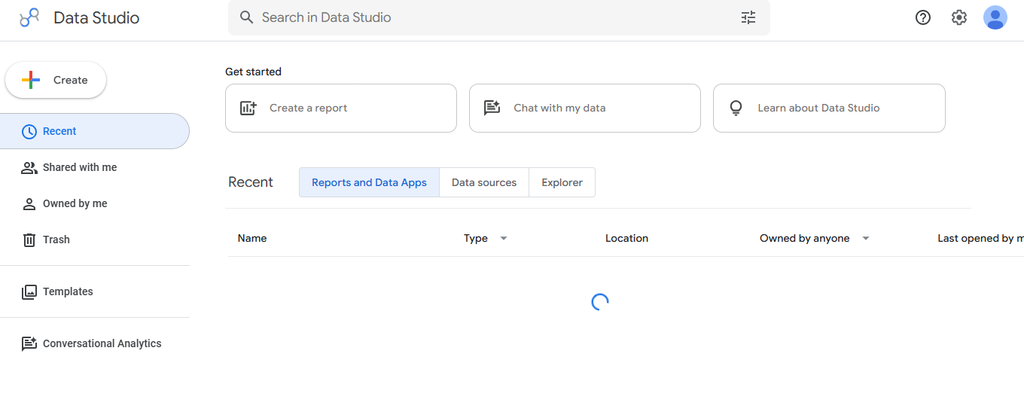
Looker Studio is Google’s browser-based reporting and visualization product. It is particularly useful for marketers, agencies, small businesses, and teams that work heavily with Google Analytics, Google Ads, Google Sheets, BigQuery, and other compatible sources.
You can connect multiple data sources, create calculated fields, build interactive reports, share them with viewers or editors, and blend information from as many as five data sources in a single blend.
Its greatest advantage is accessibility. The standard version is free, making it easy to create dashboards without buying licenses for an entire team.
Its weakness is depth. Complex enterprise semantic modeling, advanced governance, performance management, and large-scale administration are more limited than in full BI platforms.
Looker Studio Highlighted Features
- Interactive reports: Build multi-page visual reports with charts, filters, controls, text, and images.
- Google integrations: Connect easily with products such as Google Analytics, Google Ads, Sheets, and BigQuery.
- Calculated fields: Create custom dimensions and metrics from existing data.
- Data blending: Combine data from up to five sources within a blend.
- Report sharing: Give users view or edit access through familiar Google-style collaboration.
Looker Studio Pros
- Core version is free.
- Browser-based interface requires no desktop installation.
- Strong fit for Google-centric marketing analytics.
- Easy report sharing and collaboration.
- Community connectors expand available sources.
Looker Studio Cons
- Complex reports can experience performance issues.
- Data blending has limitations compared with dedicated modeling platforms.
- Enterprise governance is less extensive than full BI suites.
- Third-party connector costs can increase total spend.
Looker Studio Pricing Plans
Looker Studio: $0.
Looker Studio Pro: $9 per user per project per month.
Why Choose Looker Studio?
Looker Studio is one of the easiest choices when cost and fast browser-based reporting matter more than sophisticated enterprise BI. Marketing teams can move from Google Ads, Analytics, Sheets, or BigQuery to shareable reports with relatively little setup.
The free edition is particularly useful for small teams. However, that accessibility should not be confused with full Tableau equivalence. Complex modeling, enterprise governance, and very large reporting environments can expose its limitations.
Choose it for lightweight dashboards, client reports, marketing analytics, and Google-centric workflows where simplicity matters.
7. MicroStrategy
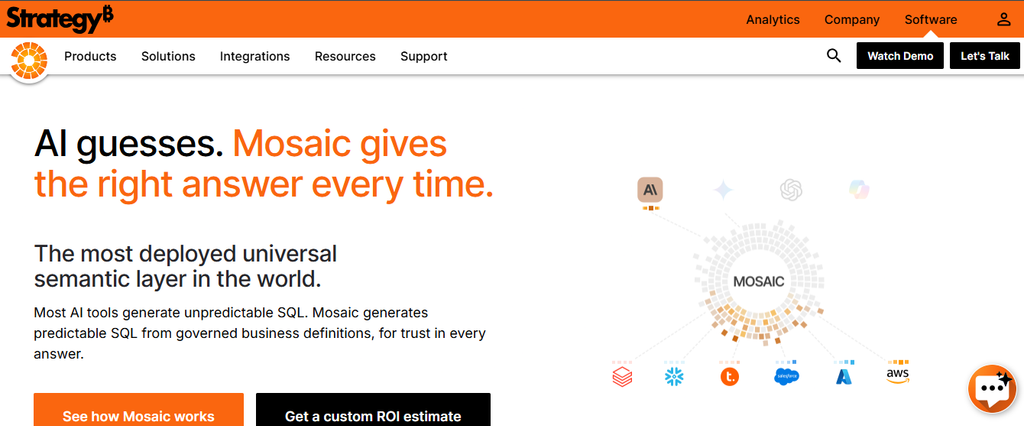
MicroStrategy is now branded as Strategy, and its modern analytics offering increasingly centers on Strategy Mosaic and its universal semantic layer. The platform is designed for large organizations that need consistent metrics, governed access, enterprise analytics, and AI-ready business context.
Mosaic connects information across cloud, on-premises, and hybrid systems while applying centralized business definitions and access policies. Strategy says its platform supports more than 200 native data connectors.
It also provides APIs and standard interfaces so governed definitions can feed BI tools, applications, AI systems, and analytical workflows. HyperIntelligence can surface contextual analytics inside other applications.
The trade-off is enterprise complexity. Smaller organizations looking for straightforward chart building may find the platform much broader than necessary.
MicroStrategy Highlighted Features
- Universal semantic layer: Centralizes metrics, attributes, relationships, and business definitions.
- Broad data connectivity: Supports more than 200 native connectors.
- Governance: Applies access rules and reusable business logic across analytical consumers.
- AI-ready data context: Provides governed semantics to analytical and AI applications.
- HyperIntelligence: Surfaces contextual analytics inside external business workflows.
MicroStrategy Pros
- Strong enterprise semantic modeling.
- Extensive governance capabilities.
- Supports hybrid and multi-cloud environments.
- Useful for organizations standardizing metrics across multiple tools.
- AI systems can consume governed business definitions.
MicroStrategy Cons
- Significantly more complex than lightweight BI tools.
- Best value appears in larger enterprise environments.
- Implementation can require specialist expertise.
- Enterprise and government pricing require sales engagement.
MicroStrategy Pricing Plans
Standard: Starting as low as $13 per user per month for teams of roughly 50 to 300 users.
Enterprise: Custom quote.
Government: Custom quote.
Why Choose MicroStrategy?
Strategy is most compelling when your core problem is not creating another dashboard but making sure every dashboard, AI agent, department, and application uses the same business definitions.
A universal semantic layer can be valuable for large organizations where revenue, customer, margin, or operational metrics are repeatedly defined in different systems. That depth also creates its biggest drawback: this is not the simplest choice for a small company that merely wants visual reports.
Consider it when enterprise governance, semantic consistency, hybrid infrastructure, and reusable analytical logic are central requirements.
8. SAP Analytics Cloud

SAP Analytics Cloud combines business intelligence, planning, and predictive analytics in one SaaS environment. It is particularly relevant for organizations already using SAP applications and looking to connect reporting with financial, supply-chain, workforce, or operational planning.
The platform includes dashboards, analytics, planning, AI-assisted functionality through Joule, natural-language insights, prebuilt business content, and integration with SAP’s broader data ecosystem.
SAP positions the product as part of SAP Business Data Cloud, allowing organizations to work from governed business data while combining planning and analysis. That can reduce fragmentation for SAP-heavy enterprises.
The main concern is ecosystem fit. Organizations without significant SAP infrastructure may find competing products easier to purchase, implement, and administer.
SAP Analytics Cloud Highlighted Features
- Business intelligence: Builds analytical reports and dashboards using enterprise data.
- Integrated planning: Combines financial, supply-chain, and operational planning.
- Joule AI: Supports AI-assisted analysis, reporting, modeling, and planning tasks.
- Natural-language insights: Lets users ask analytical questions without building every query manually.
- Prebuilt business content: Provides KPIs, models, and data flows for common SAP business scenarios.
SAP Analytics Cloud Pros
- Strong integration with SAP business applications.
- Combines planning and BI.
- Supports predictive analytics.
- Includes AI-assisted analytical workflows.
- Well suited to governed enterprise environments.
SAP Analytics Cloud Cons
- Less compelling for organizations outside the SAP ecosystem.
- Licensing and packaging can be complex.
- Implementation may require specialized SAP expertise.
- Public pricing does not expose one simple fixed USD subscription figure.
SAP Analytics Cloud Pricing Plans
SAP currently licenses SAP Analytics Cloud through SAP Business Data Cloud core capacity and uses flexible usage-based billing. Its public pricing page does not provide one fixed USD amount that can be quoted accurately for every customer configuration.
Why Choose SAP Analytics Cloud?
SAP Analytics Cloud becomes particularly strong when analytics cannot be separated from planning. Finance, operations, supply chain, and management teams can analyze performance and build plans without treating those activities as completely disconnected systems.
Organizations already invested in SAP will gain the most from that integration. The disadvantage is equally clear: companies outside the SAP ecosystem may inherit additional implementation and licensing complexity without receiving the same integration benefits.
Choose it when SAP business context, enterprise planning, governance, and analytics need to operate as one system.
9. Lightdash

Lightdash is built around modern analytics engineering and governed self-service. It has historically been closely associated with dbt workflows, although its current context-layer approach also supports defining governed semantics directly.
The platform offers dashboards, exploration, metrics catalogs, scheduled reporting, alerts, SQL, Git integration, AI agents, MCP connectivity, APIs, and analytics-as-code workflows. Its Cloud Pro plan includes unlimited users and unlimited visualizations.
This makes Lightdash especially interesting for data teams that want analytics definitions controlled through code rather than duplicated across individual dashboards.
The limitation is audience fit. A team without an established data warehouse, modeling discipline, or analytics engineering expertise may find a simpler reporting product easier.
Lightdash Highlighted Features
- Governed semantic layer: Creates reusable metric definitions for consistent reporting.
- Analytics as code: Lets teams manage charts, dashboards, and analytical logic through developer workflows.
- AI agents: Supports natural-language interaction over governed analytical context.
- Scheduled reporting and alerts: Delivers recurring information automatically.
- Git and warehouse integration: Fits modern analytics engineering and cloud-data workflows.
Lightdash Pros
- Unlimited users on Cloud Pro.
- Strong analytics-as-code workflow.
- Open-source self-hosted option.
- Deep support for governed metrics.
- Useful AI features for modern data teams.
Lightdash Cons
- Cloud Pro is expensive for small organizations.
- Best suited to teams with modern data infrastructure.
- Less appropriate for spreadsheet-only businesses.
- Self-hosting creates operational responsibilities.
Lightdash Pricing Plans
Open Source: Free to self-host.
Cloud Pro: $3,000 per month with unlimited users.
Enterprise: Custom pricing.
Embedding add-on: First 1,000 loads free, then $0.05 per load, or predictable packages starting at $790 per month for 100,000 loads per Embed Worker.
Why Choose Lightdash?
Lightdash deserves attention when your analytics team already thinks like a software engineering team. Metrics can be governed centrally, changes can fit Git-based workflows, and business users can work from definitions that analysts control.
That structure addresses a major analytics problem. Strategy’s 2026 enterprise research found that 99% of surveyed leaders struggle to define consistent business metrics across tools and departments.
Lightdash is less attractive when you have no warehouse or analytics engineering function. Its strengths become most valuable when semantic governance and developer workflows already matter to your organization.
10. Grafana
Grafana is best known for operational dashboards and observability rather than traditional corporate BI. It visualizes information from many sources, including Prometheus, Loki, SQL databases, cloud monitoring services, logs, traces, metrics, and other systems.
You can build dashboards, configure alerts, explore live operational data, transform query results, and extend connectivity through plugins. This makes Grafana particularly effective for engineering, DevOps, infrastructure, security, and real-time monitoring scenarios.
Grafana can serve some Tableau use cases, particularly operational dashboards. However, it is not designed primarily for finance reporting, executive business modeling, or classic self-service BI.
That distinction matters. Choosing Grafana simply because it is powerful can produce a poor fit if your users are primarily business analysts.
Grafana Highlighted Features
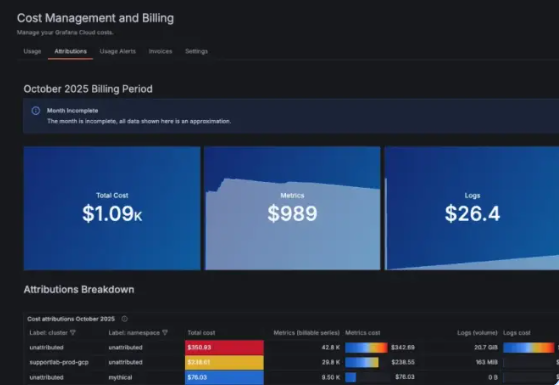
- Operational dashboards: Visualizes live metrics, logs, traces, database information, and application signals.
- Broad data-source support: Connects to numerous built-in sources and additional plugins.
- Alerting: Lets teams create rules and notifications around operational conditions.
- Explore: Supports interactive investigation of monitoring data.
- Transformations: Allows filtering, joining, calculations, formatting, and other changes before visualization.
Grafana Pros
- Excellent for real-time operational monitoring.
- Strong open-source ecosystem.
- Broad observability integrations.
- Flexible dashboarding.
- Free cloud and self-hosted options are available.
Grafana Cons
- Not a conventional business-intelligence platform.
- Business users may find technical data sources difficult.
- Advanced observability implementations require technical expertise.
- Usage-based cloud billing can become complicated at scale.
Grafana Pricing Plans
Grafana Cloud Free: $0.
Grafana Cloud Pro: Starts at $19 per month plus usage.
Grafana Visualization on Pro: Starts at $8 per active user after included usage.
Enterprise: Starts with a $25,000 annual spend commitment.
Why Choose Grafana?
Grafana is a strong Tableau alternative only when the word “analytics” means operational visibility for your organization. Engineering teams can combine metrics, logs, traces, databases, and cloud services into dashboards designed for monitoring systems as events happen.
That focus is also its biggest limitation. Finance, marketing, HR, and executive teams looking for conventional business modeling may be better served elsewhere.
Choose Grafana when monitoring, alerting, infrastructure analytics, application performance, or real-time technical visibility matter more than traditional business reporting.
How to Choose the Right Tableau Alternative for Your Business
Buying BI software has become more complicated because the category itself is changing. Analytics teams now balance dashboards, governed metrics, AI assistants, semantic layers, data warehouses, automation, embedded analytics, and visual communication.
dbt Labs found in 2026 that 72% of respondents now prioritize AI-assisted coding in their development workflow. Speed also became more important, rising from 50% to 71% year over year. The right platform therefore needs to support faster work without sacrificing trust.
Start With the Decision You Need to Improve
Do not begin by asking which product has the most features. Start with the decision your users cannot make efficiently today.
A marketing department may need simple dashboards and visual campaign reports. A SaaS company may need embedded customer analytics. A data team may care about semantic governance, while an engineering team may primarily need real-time monitoring.
Once you define that outcome, unnecessary products disappear quickly.
Also identify your users. Ten analysts comfortable with SQL have very different requirements from 500 employees who only want answers to straightforward business questions.
Evaluate Your Data Architecture
Where your data lives should influence your choice. A company working mainly in Google Analytics and Sheets can operate effectively with a much lighter analytics stack than an enterprise using Snowflake, Databricks, SAP, Salesforce, and multiple on-premise databases.
Think about who owns modeling, how metrics are defined, how frequently information changes, and whether the platform imports or queries data live.
Governance becomes increasingly important as AI enters analytics. Gartner reported in 2026 that organizations with successful AI initiatives invest up to four times more, as a percentage of revenue, in foundations such as data quality, governance, AI-ready people, and change management than organizations achieving poor AI outcomes.
Test the Complete Cost, Not the License Price
A $10 subscription is not cheaper if you need thousands of dollars in engineering effort to keep it working. Likewise, an expensive enterprise platform can be economical when it eliminates several separate systems.
Calculate licensing, infrastructure, storage, implementation, training, connector fees, support, administrator time, and migration.
Also estimate the cost of poor adoption. A sophisticated dashboard nobody checks creates less value than a simple report that changes a decision every week.
Must-know Tip: Before signing a long contract, recreate one executive report, one operational workflow, and one ad-hoc analysis inside the candidate platform. If your real users cannot complete those tasks efficiently, additional features will not solve the adoption problem.
Benefits of Choosing the Right Tableau Alternative
Switching analytics platforms should create a measurable improvement rather than simply replacing one interface with another. The right product can reduce both technical friction and the time between identifying a question and acting on the answer.
Lower Analytics Costs
Alternative pricing structures let you match spending more closely to actual usage. Free and open-source products can reduce license expense, while unlimited-user or consumption models may work better for companies distributing analytics broadly.
However, cost savings only count after operational expenses are included. Self-hosting, engineering, support, and migration need to be part of the calculation.
Faster Access to Information
Natural-language analytics, simpler dashboard builders, templates, governed metrics, and AI assistants can reduce dependence on specialists for routine questions.
Salesforce reported that 67% of data and analytics leaders feel pressure to implement AI quickly. Yet 42% lack full confidence in the accuracy and relevance of AI outputs, showing why speed should always be paired with trustworthy data.
Better Fit for Specialized Use Cases
Moving away from a general-purpose BI platform can let you choose software optimized for your actual workflow.
Infographicmaker targets visual communication. Grafana excels at operational monitoring. Lightdash focuses on governed modern analytics. Metabase balances SQL and accessible self-service. SAP Analytics Cloud combines analytics with enterprise planning.
A specialized product can therefore outperform a more powerful general platform when your requirements are specific.
Improved Adoption
Analytics only creates value when people use it. Software that matches your team’s existing tools and skills reduces training demands and encourages people to incorporate data into everyday decisions.
Power BI benefits from Microsoft familiarity. Looker Studio fits Google-oriented teams. Metabase provides both visual exploration and SQL. Those workflow connections can be more important than feature count.
When Should You Keep Tableau Instead?
An alternatives article should not imply that switching is automatically the right decision. Tableau still provides sophisticated visualization, flexible exploration, strong enterprise features, established training resources, and a large professional ecosystem.
If your organization already has well-governed Tableau models, skilled developers, strong adoption, reliable performance, and manageable licensing costs, migration may create more disruption than value.
The same applies when Tableau-specific visual flexibility is critical. Rebuilding complicated workbooks, calculated fields, parameters, actions, LOD expressions, extracts, permissions, and business processes inside another platform can require substantial work.
You should therefore measure the business problem before replacing the software.
Gartner reported in April 2026 that only 39% of technology leaders surveyed were confident their current AI investments would positively affect financial performance. New technology is not automatically better technology.
Keep Tableau when it already solves the problem efficiently. Replace it when another platform can demonstrate a clear improvement in cost, accessibility, governance, speed, integration, or user adoption.
Conclusion
Finding the best Tableau alternative starts with understanding what your users actually need from data.
Power BI offers a strong Microsoft-centered BI environment. Qlik provides deep exploratory analytics. Domo combines data, dashboards, automation, and AI. Metabase provides approachable open-source and SQL-friendly BI. Looker Studio works well for lightweight Google-centric reporting, while Strategy and SAP address complex enterprise requirements.
Lightdash targets modern governed analytics teams, and Grafana excels at operational monitoring. Infographicmaker approaches the challenge differently by helping you turn information into polished infographics, presentations, graphics, and branded visual stories.
The best decision is the platform that helps your team move from information to understanding with fewer unnecessary steps while maintaining accuracy, governance, and sustainable costs.
Frequently Asked Questions About Tableau Alternatives
What is the best Tableau alternative?
There is no single best Tableau alternative for every business. Power BI is strong for Microsoft environments, Metabase works well for accessible and open-source BI, Qlik suits advanced exploration, and Infographicmaker is useful when your main goal is turning information into polished visual content.
What is the cheapest Tableau alternative?
Several products offer free options. Looker Studio has a no-cost edition, Metabase provides a free open-source version, Grafana has free options, Lightdash can be self-hosted through its open-source edition, and Power BI offers a free account for individual report creation.
You should still calculate infrastructure and administrative costs before treating open-source software as completely free.
Is Power BI better than Tableau?
Power BI can be a better choice for organizations that rely heavily on Microsoft products, want a lower entry price, or prefer integration with Fabric, Excel, Azure, and Microsoft 365.
Tableau may remain preferable when advanced visual exploration and existing Tableau expertise are central to your organization.
Is there a free alternative to Tableau?
Yes. Looker Studio, Metabase Open Source, Grafana, and Lightdash Open Source provide free ways to create certain types of analytics or dashboards.
Power BI Desktop is also available without a paid subscription for report authoring, although sharing and collaboration features require additional licensing.
Can Infographicmaker replace Tableau?
Infographicmaker can replace part of a Tableau workflow when your objective is turning information into infographics, presentation graphics, branded visuals, or other shareable visual content.
It is not a complete replacement for Tableau’s enterprise business intelligence, database modeling, governance, or analytical environment.
What is the best Tableau alternative for small businesses?
Small businesses should consider the type of reporting they need. Looker Studio works well for inexpensive browser-based reporting, while Metabase can suit companies with database-backed analytics.
Infographicmaker is a practical option when the business primarily needs polished visual communication rather than a complex BI environment.
What is the best Tableau alternative for enterprise companies?
Qlik, Strategy, SAP Analytics Cloud, Domo, and Microsoft Power BI are among the alternatives designed to address complex enterprise requirements.
The right choice depends on infrastructure, governance requirements, data volumes, existing enterprise software, security, AI strategy, and internal technical expertise.
What is the best open-source Tableau alternative?
Metabase, Lightdash, and Grafana are notable open-source options, but they solve different problems.
Metabase focuses on accessible business intelligence, Lightdash focuses heavily on governed modern analytics workflows, and Grafana specializes in monitoring and operational data.
Which Tableau alternative is easiest to use?
Ease of use depends on your background. Looker Studio is approachable for Google users, Power BI feels familiar to many Microsoft users, and Metabase provides a relatively straightforward query builder.
Infographicmaker is easier than traditional BI when your goal is creating visual communication rather than building complex analytical models.
Which Tableau alternative is best for data engineers?
Lightdash is particularly relevant to modern data teams because of its semantic layer, code-based workflows, warehouse integrations, APIs, and analytics-as-code approach.
Metabase is also attractive when engineers want SQL access and self-hosting, while Grafana fits engineering teams focused on operational data.
Which Tableau alternative is best for real-time dashboards?
Grafana is particularly strong for real-time infrastructure, applications, logs, metrics, and operational monitoring.
Qlik and Domo can also address frequently changing business data, depending on how your data sources and pipelines are configured.
Which Tableau alternative is best for marketing reporting?
Looker Studio is a strong option for marketing teams because it works naturally with Google Analytics, Google Ads, Sheets, and compatible marketing connectors.
Infographicmaker is useful when those insights then need to become infographics, campaign visuals, presentations, or polished visual reports.
Is switching from Tableau difficult?
Migration difficulty depends on how heavily Tableau is embedded in your business.
Basic reports can be relatively straightforward to recreate. Complex workbooks containing LOD expressions, parameters, calculations, custom actions, extracts, permissions, and specialized visual logic can require significant redesign and validation.
How should you test a Tableau replacement?
Choose a small but representative proof of concept. Rebuild an executive dashboard, a recurring operational report, and an ad-hoc analysis that ordinary users regularly perform.
Then compare accuracy, development time, performance, usability, governance, sharing, support, and total cost before committing to migration.
Are AI-powered Tableau alternatives reliable?
AI can make analytics more accessible, but the quality of the answer still depends on the quality and context of the underlying data.
dbt Labs’ 2026 research found that 71% of data professionals were concerned about incorrect or hallucinated outputs reaching stakeholders. Platforms that combine AI with governed metrics, permissions, transparent queries, and reusable business definitions therefore deserve closer attention than products relying on unrestricted natural-language querying alone.

Comments
0 responsesNo comments yet. Be the first to share your thoughts.